Best 4K Webcam: Clear Video For Every Call
The best 4K webcam combines sharp video, reliable focus, clear sound, and easy setup for work or streaming.
You may look fine in person, yet appear dark, soft, or blurry on a video call. A weak built-in laptop camera often causes that problem. A good 4K webcam can add a sharper image, better framing, and more control over light. I compared five strong options for meetings, online teaching, content creation, and live streaming. My picks include premium Logitech models, the feature-rich EMEET NOVA, and newer options from Acer. Each one has a different strength, so the right choice depends on your desk, computer, budget, and daily use.
See the differences between my top picks at a glance.
Logitech MX Brio: Best Premium 4K Webcam

The Logitech MX Brio is my top choice for people who want a polished 4K webcam for both work and creative use. Its Ultra HD resolution can show a crisp face, clear clothing detail, and a more natural desk setup when your computer and meeting app support 4K. The camera also supports autofocus, which helps keep your face sharp when you move closer or farther from the screen. Its graphite finish gives it a clean look that fits a modern office.
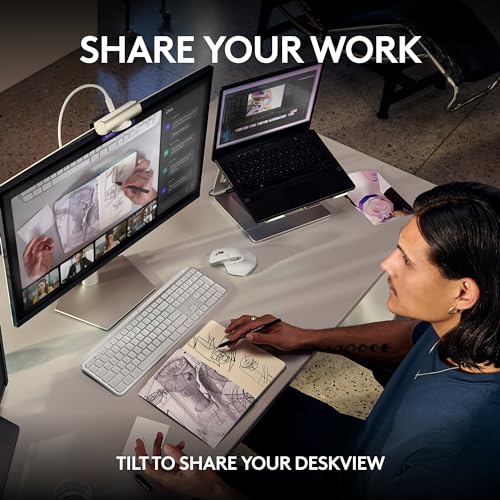
This model stands out because it supports collaboration and streaming in one package. Show Mode can help users present a physical object or desk item during a call, although the final result still depends on lighting and software. The webcam works with Microsoft Teams, Zoom, and Google Meet, and the listing also mentions Nintendo Switch 2 compatibility. I see it as a strong fit for remote workers, teachers, creators, and anyone who wants one camera for many tasks.
Pros:
- Sharp Ultra HD 4K image for supported apps and displays
- Autofocus helps keep the subject clear during movement
- Show Mode adds value for product demos and desk presentations
- Suitable for collaboration, streaming, and recording
- Works with major meeting platforms listed by the manufacturer
- Premium design looks at home on a professional desk
Cons:
- 4K video may require more bandwidth and computer power
- Higher price than many basic webcams
- Image quality still depends on room light and software support
What Amazon Buyers Are Saying
Common buyer discussions around premium Logitech webcams tend to focus on sharp video, simple setup, and strong software support. Users who work from home often value the cleaner image during calls and the ability to use one camera for meetings and content. Some buyers also compare the picture with less expensive webcams and notice a better sense of detail.
The most useful caution is practical. Buyers may expect perfect video in a dark room, but even a 4K camera needs decent light. Some users may also find that their meeting platform reduces the video stream below 4K. Check the current Amazon listing, system requirements, and recent reviews before purchase because accessories, compatibility, and software support can change.
My Recommendation
I recommend the MX Brio for users who want the most complete premium package in this group. It costs more, but its 4K image, autofocus, collaboration features, and broad use make the price easier to justify. It is especially useful if you switch between video calls, streaming, and demonstrations. I rate it 4.7 out of 5.
| Category | Rating |
|---|---|
| Image Quality | 4.8/5 |
| Focus and Exposure | 4.7/5 |
| Meeting Features | 4.7/5 |
| Ease of Use | 4.6/5 |
| Overall Rating | 4.7/5 |
Logitech Brio: Best 4K Webcam for Meetings

The Logitech Brio remains a sensible choice for office calls, remote interviews, and home workstations. It uses a glass lens and Ultra HD resolution to produce a detailed image when your device and software allow that output. Its auto light correction helps manage changing light from a window or lamp. The wide view can also help when you want to show more of your desk or include another person.
This webcam offers useful security and workplace features. The listing notes Windows Hello support, which can make compatible Windows sign-in more convenient. It also carries certification for Microsoft Teams, Zoom, and Google Meet. I like this model for buyers who want a known business webcam without paying for every newer creator feature.
Pros:
- 4K Ultra HD video supports a sharp, professional image
- Glass lens helps support clear image capture
- Auto light correction helps with uneven room lighting
- Wide view works well for small rooms and shared calls
- Windows Hello support adds convenience for compatible systems
- Certified for popular meeting platforms listed in the product details
Cons:
- Wide framing may show more background than some users want
- Some features depend on a compatible Windows computer or software
- 4K output is not always used by video meeting platforms
What Amazon Buyers Are Saying
Buyer conversations about the Brio often praise its clear image, useful field of view, and quick setup. Many office users like the way it improves on a basic laptop camera. The light correction feature also gets attention from people who move between daylight and indoor light.
Some buyers note that the camera can reveal room lighting problems rather than remove them. Others point out that video call services may compress the picture. These comments make sense for any 4K webcam, so I suggest testing the camera in your actual workspace before judging its full potential.
My Recommendation
The Logitech Brio is worth buying if meetings are your main goal and you want dependable business features. It offers a strong mix of image quality, light correction, platform support, and Windows Hello compatibility. It may not be the newest option here, but it remains a practical pick. I rate it 4.5 out of 5.
| Category | Rating |
|---|---|
| Image Quality | 4.6/5 |
| Low-Light Help | 4.4/5 |
| Business Compatibility | 4.7/5 |
| Value | 4.4/5 |
| Overall Rating | 4.5/5 |
EMEET NOVA: Best Value 4K Webcam

The EMEET NOVA targets users who want high resolution and modern focus features at a sensible price. Its Ultra 4K HD output is designed for business meetings, live streams, and other camera work. PDAF autofocus can help the lens adjust quickly as the subject changes distance. That makes it useful for speakers who move, show items, or shift around a home office.
The camera includes dual omnidirectional microphones, a 73-degree field of view, auto light correction, USB-A connection, and a privacy cover. The 73-degree view gives a focused frame without making the room feel too wide. A privacy cover offers a simple way to block the lens when the webcam is not in use. I think this feature set makes the NOVA attractive to remote workers and new streamers who need several useful tools in one unit.
Pros:
- Ultra 4K HD video for detailed calls and streams
- PDAF autofocus can react quickly to subject movement
- Dual omnidirectional microphones are built into the camera
- 73-degree field of view suits a single-person desk setup
- Auto light correction helps balance common indoor conditions
- Includes a privacy cover for simple lens protection
- USB-A connection works with many older desktop and laptop setups
Cons:
- USB-A may need an adapter on computers with USB-C ports only
- Built-in microphones may not replace a dedicated streaming microphone
- Room lighting still affects color and face detail
What Amazon Buyers Are Saying
Review themes for the NOVA commonly center on its sharp picture, autofocus, and useful built-in features. Buyers who want a quick upgrade from a laptop camera often like the included privacy cover and the compact setup. The microphone system also appeals to people who do not want to buy a separate audio device right away.
As with many webcams, buyers can have different results based on the computer, USB port, application, and room. A 4K label does not guarantee a 4K call in every platform. I suggest checking recent Amazon feedback for reports about your operating system and connection type before ordering.
My Recommendation
I recommend the EMEET NOVA as a strong value choice for users who want many features without jumping to a premium price. Its PDAF focus, dual microphones, privacy cover, and 73-degree view make it easy to use for daily work. It is a particularly good fit for a single-person office or starter streaming setup. I rate it 4.4 out of 5.
| Category | Rating |
|---|---|
| Image Features | 4.4/5 |
| Autofocus | 4.5/5 |
| Built-In Audio | 4.2/5 |
| Privacy and Setup | 4.5/5 |
| Overall Rating | 4.4/5 |
Acer A640: Best 4K Webcam for Streaming

The Acer A640 brings a creator-focused feature list to this comparison. The product details name a Sony 1/2.8-inch sensor, PDAF autofocus, and an AI noise-canceling microphone. These features can help a streamer or remote presenter create a cleaner picture and clearer voice. The listing also states 4K webcam support and includes 2K and 1080p recording at 60 frames per second.
The 60 fps modes may appeal to users who want smoother motion for streaming, demonstrations, or gaming-related content. The A-to-C adapter can help connect the camera to computers with different USB port styles. It is listed for use with Switch 2, Teams, Zoom, and FaceTime. Since this is a newer product listing, I would confirm current operating system support and buyer feedback before making a final decision.
Pros:
- Sony 1/2.8-inch sensor is a notable hardware feature
- PDAF autofocus supports active presenters and streamers
- AI noise-canceling microphone targets unwanted background sound
- 2K and 1080p modes at 60 fps support smoother video
- A-to-C adapter can improve connection flexibility
- Listed for meetings, streaming, FaceTime, and Switch 2 use
Cons:
- Some listed features may depend on software and device support
- Newer products may have less long-term buyer history
- Noise canceling cannot remove every sound in a busy room
What Amazon Buyers Are Saying
Because this model has a newer product profile, buyers should pay close attention to the most recent Amazon reviews. The main areas to watch are image sharpness, autofocus speed, microphone performance, frame-rate options, and how well the included adapter works with their computer. These details matter more than the 4K label alone.
Early user feedback may change as more people test the camera in different rooms and with different applications. I would read both positive and critical reviews, then compare comments from buyers with a setup like yours. This approach gives a more useful picture than relying on a single rating.
My Recommendation
The Acer A640 looks promising for streamers who value a Sony sensor, PDAF focus, microphone noise control, and smooth 60 fps modes. I would buy it when those features match my setup and the latest reviews confirm good software support. It is less proven than the long-running Logitech options. I rate it 4.2 out of 5 based on the listed features.
| Category | Rating |
|---|---|
| Sensor and Video Options | 4.4/5 |
| Autofocus | 4.4/5 |
| Microphone Features | 4.1/5 |
| Proven Value | 4.0/5 |
| Overall Rating | 4.2/5 |
Logitech 4K Webcam: Best Simple 4K Webcam
This Logitech 4K webcam is a straightforward option for conferencing, streaming, and recording. It supports 4K Ultra HD resolution and uses RightLight 3 to help manage difficult lighting. The product details also list USB 3.0, which suits users who want a fast wired connection on a compatible computer. Its simple focus on core functions may appeal to buyers who do not need special presentation modes.
I see this model as a practical upgrade for an older desk camera. It can support a sharper image for recordings and calls when the application allows 4K output. The wired design avoids battery concerns and keeps the setup familiar. Still, buyers should check the exact included items, software support, and current specifications on Amazon because older product listings can change over time.
Pros:
- 4K Ultra HD resolution supports detailed video
- RightLight 3 helps manage uneven lighting conditions
- USB 3.0 provides a direct wired connection
- Works for conferencing, streaming, and recording
- Simple design suits users who want an easy upgrade
- Logitech branding may make support and setup more familiar
Cons:
- It may lack newer features found on the MX Brio
- USB 3.0 may require an adapter on some newer computers
- 4K performance depends on the computer and video application
What Amazon Buyers Are Saying
Common buyer interest in this model centers on its clear image, established brand, and broad use for calls and recording. Users who want a plug-in webcam often appreciate the direct USB connection and the simple workflow. RightLight 3 also attracts people who need help with mixed indoor lighting.
Some buyers may compare this older design with newer webcams that offer improved microphones or privacy features. That comparison is fair. I would choose this camera when its core 4K video and RightLight features matter more than newer extras, and I would review current customer comments before ordering.
My Recommendation
This Logitech model remains a good choice for buyers who want a familiar 4K camera for basic work and recording. It does not offer the broadest feature set, but it covers the essentials well. The value depends on the current Amazon price and your need for newer features. I rate it 4.3 out of 5.
| Category | Rating |
|---|---|
| 4K Video | 4.4/5 |
| Lighting Support | 4.3/5 |
| Connection | 4.3/5 |
| Feature Set | 4.1/5 |
| Overall Rating | 4.3/5 |
How to Choose the Best 4K Webcam
Choosing the Best 4K Webcam takes more than checking the resolution on the box. A camera needs to match your computer, room, software, and daily tasks. I focus on the points below before I recommend any webcam for work or streaming.
1. Match the Resolution to Your Real Use
4K gives you more detail, but not every call uses a 4K stream. Many meeting apps reduce video quality to save bandwidth. Your computer also needs enough power to process a high-resolution image. If you mainly join calls, a good 1080p mode may be enough. If you crop video, record tutorials, or stream, 4K gives you more room to edit.
Also check the frame-rate options. A camera that offers 1080p or 2K at 60 fps may create smoother motion than 4K at a lower frame rate. The Acer A640, for example, lists 2K and 1080p at 60 fps. That may matter more to a streamer than 4K resolution alone.
2. Look at Focus, Framing, and Light Control
Autofocus helps when you move or hold an item near the camera. PDAF, or phase detection autofocus, can adjust quickly in the right conditions. A fixed or slow focus system may work for a person who sits still, but it feels less useful during teaching, product demos, and streams.
Field of view also changes the look of a call. A wide view shows more of your room and may fit two people. A tighter view keeps attention on your face and hides more background. Light control matters just as much. Features such as auto light correction or RightLight can help, but no webcam can fully fix a very dark room. Place a soft light in front of you when possible.
3. Compare Audio, Ports, Privacy, and Value
A sharp picture loses value when other people cannot hear you. Built-in microphones work well for many casual calls, but a dedicated microphone can sound better in a noisy room. Noise canceling may reduce steady background sound, yet it cannot remove every voice, keyboard tap, or loud appliance.
Check the connector before you buy. USB-A is common on older computers, while newer laptops may use USB-C. An included adapter can make setup easier. A privacy cover adds peace of mind, especially if the camera stays connected. Finally, compare the full feature set with the price. The Best 4K Webcam is not always the most expensive model. It is the one that gives you the features you will use.
Final Verdict: Which Should You Buy?
The Logitech MX Brio is my overall pick for the Best 4K Webcam. It offers sharp video, autofocus, Show Mode, and strong support for work and streaming. Choose the EMEET NOVA for value, or the Logitech Brio for business calls and Windows Hello.
Before buying, confirm your ports, software, lighting, and current Amazon price. A good 4K webcam can make daily calls and recordings look far more polished.
FAQs Of Best 4K Webcam
Is a 4K webcam worth it for Zoom meetings?
It can be worth it if you want a sharper image, record calls, or crop the video. Zoom and other apps may reduce the stream below 4K, so check your plan, settings, and internet speed.
Do I need a powerful computer for a 4K webcam?
A 4K webcam can use more computer power than a basic camera. Check the webcam requirements and test your meeting or streaming software before relying on 4K output.
Which 4K webcam is best for streaming?
The Logitech MX Brio is the strongest all-around choice here. The Acer A640 may suit streamers who value PDAF autofocus, AI noise canceling, and 60 fps options at lower resolutions.
Is a built-in webcam microphone good enough?
Built-in microphones work for many calls in a quiet room. For streaming, podcasts, or noisy spaces, a separate microphone usually gives you more control and clearer sound.
Should I choose USB-A or USB-C?
Choose the connector that matches your computer. USB-A works with many older devices, while USB-C suits newer laptops. An adapter can help, but always confirm that the adapter supports the needed data connection.