Best 55-Inch TV: Smart Buying Guide
The best 55-inch TV balances sharp 4K picture quality, smart features, smooth motion, and fair value.
A 55-inch TV can be the sweet spot for a living room, bedroom, or gaming space. It gives you a large, clear picture without taking over the room. Still, choosing one is not easy. Some models focus on low price and simple streaming. Others offer better color, stronger contrast, gaming tools, or a richer smart platform. I compared four current Amazon options across picture quality, smart features, gaming support, ease of use, and value. This guide will help you find the right Best 55-Inch TV for your space and viewing habits.
See the differences between my top picks at a glance.
Insignia F50 Series Fire TV

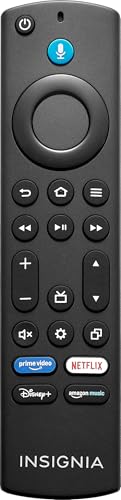
The Insignia F50 Series is a practical choice for shoppers who want a large 4K screen at a lower price. Its LED panel displays 4K UHD content from streaming apps, game consoles, and compatible devices. The built-in Fire TV platform puts popular apps and live content in one place. The included Alexa Voice Remote also makes search and basic control simple.
This TV fits well in a family room, apartment, guest room, or starter home theater. It does not try to compete with premium Mini LED sets on contrast or brightness. Instead, it focuses on the features most people use each day. If your main goals are easy streaming, a familiar voice remote, and a useful 55-inch screen, this Insignia model deserves a close look.
Pros:
- 4K UHD resolution provides a clear image for movies and shows
- Fire TV gives quick access to many streaming services
- Alexa Voice Remote makes app searches easier
- 55-inch size works well in many medium-sized rooms
- Good fit for shoppers who want a simple smart TV
- Useful choice for bedrooms, apartments, and guest rooms
Cons:
- Basic LED design may not match the contrast of Mini LED TVs
- Built-in sound may feel limited in a large room
- Not the strongest pick for advanced console gaming
What Amazon Buyers Are Saying
Amazon buyer feedback for budget Insignia Fire TV models commonly centers on easy setup, the useful Alexa remote, and the large screen for the price. Buyers often like that the Fire TV interface combines apps, live content, and search in one menu. Some also find the picture pleasing after they adjust the image mode for their room.
Common concerns with affordable LED televisions include sound depth, viewing angles, and the limits of a basic panel in a bright room. Experiences can vary by unit, room, and settings. I suggest checking the latest Amazon review section for current comments about delivery, setup, and long-term reliability before ordering.
My Recommendation
I recommend the Insignia F50 to anyone who wants a straightforward 55-inch smart TV without paying for premium display hardware. It is especially appealing for streaming, casual TV viewing, and rooms where the viewing position stays near the center of the screen. It is less suitable for buyers who want deep black levels or high-end gaming performance. Overall, I rate it 4.1 out of 5.
Samsung M70H Mini LED 4K TV

The Samsung M70H is the most advanced TV in this comparison. Its Mini LED display uses smaller light sources than a standard LED panel. That design can help create stronger light control, brighter highlights, and better contrast. The listing also highlights a Mini LED Processor 4K, Pure Spectrum Color, Motion Xcelerator, and DLG 120Hz support.
This model suits viewers who care about sports, films, modern games, and a more polished picture. Samsung’s smart platform adds access to apps and free content, while Samsung Vision AI Companion is listed as part of the 2026 model. Features can vary by content and settings, so buyers should confirm the latest specifications on the product page before purchase.
Pros:
- Mini LED display offers a more advanced backlight design
- 4K processing helps improve compatible high-resolution content
- Pure Spectrum Color aims to deliver rich, vivid color
- Motion Xcelerator and DLG 120Hz support target smoother motion
- Strong choice for sports and fast-moving scenes
- Samsung smart features provide a broad connected-TV experience
- Premium option for buyers who want more than a basic LED TV
Cons:
- Usually costs more than entry-level 55-inch TVs
- Extra picture features may be wasted on basic cable content
- Premium performance still depends on room light and viewing settings
What Amazon Buyers Are Saying
When shoppers choose a premium Samsung TV, common points of interest include the clean design, color, smart interface, and motion performance. Buyers who move up from a basic LED TV often pay close attention to how bright scenes, sports, and 4K films look. The Mini LED design is also a major reason to consider this model over a standard backlit TV.
Premium TVs can still draw complaints about menus, remote preferences, sound, or differences between picture modes. Some buyers may also expect every source to look like native 4K, which is not possible with low-resolution content. I recommend reading the current Amazon feedback and checking your console, soundbar, and wall-mount needs before ordering.
My Recommendation
The Samsung M70H is my top choice for buyers who want the strongest picture technology in this group. It is a better fit for a bright living room, sports fan, serious movie viewer, or gamer who values smooth motion. The higher price makes sense only if you will use its display and motion features. For those shoppers, it is a compelling **Best 55-Inch TV**. My rating is 4.6 out of 5.
Insignia F50 with Live TV Streaming

This second Insignia F50 listing targets viewers who want a simple way to watch both streaming apps and live TV without relying on a traditional cable box. It uses a 4K UHD LED display and includes a voice remote with Alexa. The Fire TV interface helps bring supported apps and live choices into one connected experience.
The main appeal is convenience. You can use it as a daily family TV, a first smart TV, or a budget set for a spare room. Like the other F50 model, it is best viewed as a value-focused TV rather than a premium display. Buyers should confirm which live channels and services work in their area, since availability may depend on the service, account, and internet connection.
Pros:
- 4K resolution suits modern streaming and movie content
- Fire TV makes the app experience familiar for many users
- Alexa voice control can reduce typing with the remote
- Designed for streaming live TV without a traditional cable setup
- Large 55-inch screen works well for group viewing
- Simple option for families who want one main entertainment screen
Cons:
- Live TV access depends on internet service and supported apps
- Standard LED backlighting has limits in dark movie scenes
- Casual gaming features may not satisfy competitive players
What Amazon Buyers Are Saying
Buyer interest in this type of Insignia TV often comes from the low-cost path to 4K streaming and the promise of easy live-TV access. Many shoppers value a simple interface, a voice remote, and a screen large enough for family viewing. The lack of a separate cable box can also help reduce clutter around the TV stand.
The most useful review details to check are setup time, app performance, wireless connection, picture settings, and sound. Live-TV experiences may differ because each buyer uses a different service and internet plan. I would also check the return policy and current buyer feedback, especially if you plan to use the TV for many hours each day.
My Recommendation
I recommend this model for cord-cutters who want an affordable 55-inch screen and a Fire TV interface. It offers the most value when you already use compatible streaming services and do not need advanced gaming features. It is not my first choice for dark-room cinema or high-end console play. Still, it can be a smart everyday buy at the right sale price. I rate it 4.2 out of 5.
Hisense E6SR Hi-QLED Roku TV

The Hisense E6SR brings a different mix of features to this guide. Its Hi-QLED 4K UHD panel aims to deliver lively color while keeping the price below many premium sets. The Roku TV platform is known for a clean home screen and broad access to streaming apps. This 2026 model also lists Dolby Vision, DTS Virtual:X, Apple AirPlay, and compatibility with Alexa and Google Assistant.
Gamers get useful tools such as Game Mode Plus, variable refresh rate, and automatic low-latency mode. These features can help the TV respond better to supported consoles and games. The TV is not positioned as a top-tier gaming monitor, but it offers more gaming support than a basic entry-level set. It is a strong middle ground for families who watch shows and play games on the same screen.
Pros:
- Hi-QLED display targets richer color than a basic LED screen
- 4K UHD resolution provides detailed compatible content
- Dolby Vision support can improve compatible movie playback
- Game Mode Plus, VRR, and ALLM support smoother console play
- Roku interface is simple for many streaming users
- Apple AirPlay adds a convenient way to share supported content
- Works with Alexa and Google Assistant for flexible voice control
- DTS Virtual:X can create a wider sound effect from compatible content
Cons:
- Advanced gaming features work best with compatible devices and content
- Built-in speakers may still need a soundbar for fuller movie sound
- Color and contrast depend on room light and selected picture mode
What Amazon Buyers Are Saying
Shoppers considering a Hisense Roku TV often focus on the simple menu, color, streaming choice, and price. Buyers who play console games may also look for comments about Game Mode Plus, motion, and input response. The Roku layout can appeal to people who want their apps and inputs in a straightforward home screen.
As with any TV, buyer experiences can differ based on firmware, source quality, network speed, and personal picture preferences. Some viewers may want brighter output or stronger built-in audio than this class provides. I suggest checking current Amazon feedback for setup, Wi-Fi stability, remote use, and any comments that match your planned room and devices.
My Recommendation
The Hisense E6SR is my favorite value pick for mixed use. It offers useful gaming tools, a simple Roku platform, broad smart-home support, and a display designed to produce vivid color. It makes more sense than a basic LED TV if you own a console or watch Dolby Vision content. I would choose it for a family room or apartment where one TV must handle everything. My rating is 4.4 out of 5.
How to Choose Best 55-Inch TV
Choosing the **Best 55-Inch TV** starts with your room and your daily habits. A TV that looks great in a dark movie room may not perform as well in a bright family room. A gamer needs different features than someone who watches news and sitcoms. I suggest judging the screen, smart platform, gaming tools, sound, and total value as one package.
1. Match the Display to Your Room
First, look at the light in the room. A bright room can benefit from a TV with strong brightness and good control of reflections. The Samsung M70H is the most advanced display option here because its Mini LED design targets better light control. The Hisense E6SR may suit buyers who want vivid color without moving to a premium Mini LED price.
For a darker room, contrast matters more. Black areas should look dark rather than gray, especially during films with night scenes. A standard LED TV can still look good, but it may not create the same depth as a more advanced backlight. Keep your main seat near the center when possible. Viewing angles can change how color and contrast look from the side.
Also measure the wall or TV stand. A 55-inch screen is large, but it does not fit every cabinet. Check the TV width, stand width, stand height, and VESA mount details on the current product page. Leave room for airflow and make sure the viewing height feels natural from your sofa or chair.
2. Compare Smart TV and Gaming Features
The smart platform affects how you use the TV every day. Fire TV is a good match for shoppers who like Alexa voice search and Amazon’s connected interface. Roku TV keeps the home screen simple and offers many streaming choices. Samsung’s platform may suit buyers already using Samsung devices and services.
Do not assume that every 4K TV is a high-performance gaming TV. Check for refresh support, variable refresh rate, automatic low-latency mode, and the inputs you need. The Hisense E6SR lists VRR, ALLM, and Game Mode Plus. The Samsung M70H lists Motion Xcelerator and DLG 120Hz. These features can help with supported games, but the console, cable, game, and settings must also support them.
Casual players may be happy with the Insignia F50. It can handle normal console play, but it does not target the same level of motion control as the Samsung or Hisense models. If you mostly play slow games or use the TV for streaming, spending more on gaming features may not add much value.
3. Judge Sound, Connections, and Long-Term Value
Thin TVs often have limited space for speakers. Built-in sound may work well for news and everyday shows, but movies and sports can feel better with a soundbar. Before buying, check whether the TV supports the connections you need. Think about HDMI devices, a game console, a streaming box, a soundbar, an antenna, and headphones.
Smart TVs also need a stable internet connection for streaming. Place the TV where it can reach your home network, or plan to use a wired connection if the model supports it. Update the TV after setup. Updates can improve app support, fix bugs, and add changes to the user experience.
Finally, compare the full value rather than the sale price alone. A low-cost Insignia model may be ideal for a guest room. The Hisense can offer better all-round value for gaming and streaming. The Samsung costs more, but its Mini LED design and motion features may justify that cost for demanding viewers. The best 55-inch television is the one whose features you will use often.
Final Verdict: Which Should You Buy?
The Samsung M70H is my top premium pick, while the Hisense E6SR is the best balance of price, color, streaming, and gaming. Choose Insignia if you want simple 4K streaming at a lower cost.
For most shoppers, the Best 55-Inch TV should match the room, content, and budget. Check the latest price, specifications, and buyer feedback before ordering.
FAQs Of Best 55-Inch TV
What is the best 55-inch TV for most people?
The Hisense E6SR is the best all-round choice here. It combines 4K picture quality, Roku streaming, Dolby Vision, and useful gaming features.
Which 55-inch TV has the best picture in this comparison?
The Samsung M70H has the most advanced display design in this group. Its Mini LED backlight, 4K processing, and color features target a more premium picture.
Is a 55-inch TV good for gaming?
Yes. A 55-inch TV can work well for console gaming. Look for features such as VRR, ALLM, a game mode, and suitable refresh support.
Which 55-inch smart TV is easiest to use?
The Insignia Fire TV models are simple choices for shoppers who like Alexa voice search. The Hisense Roku TV is also easy to navigate for many streaming users.
Do I need a soundbar for a 55-inch TV?
Not always. Built-in speakers can handle daily TV viewing, but a soundbar can add clearer dialogue, stronger bass, and a wider sound field for films.
How far should I sit from a 55-inch 4K TV?
A flexible viewing distance of about 5 to 9 feet works well for many people. Your room, eyesight, and personal comfort matter more than one exact distance.