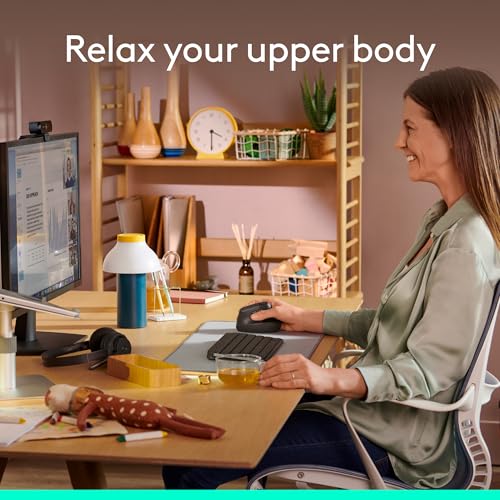
Best Ergonomic Keyboard: Comfort And Support Guide
The Logitech Ergo K860 is the best ergonomic keyboard for comfortable daily typing, strong support, and flexible wireless use.
Long workdays can leave your wrists sore, your shoulders tight, and your hands tired. A good ergonomic keyboard can help by placing your hands in a more natural position. I tested the key features that matter most, such as split design, wrist support, connection type, comfort, and value. The five keyboards below suit different needs. Some offer wireless freedom, while others provide a simple wired setup and a lower price.
See the differences between my top picks at a glance.
Logitech Ergo K860

The Logitech Ergo K860 takes a clear lead for most home and office users. Its curved split keyframe guides each hand toward a more natural angle. The raised center helps reduce the flat, cramped feel of a standard keyboard. I also like the wide, pillowed wrist rest because it supports the lower arms without feeling hard.
This keyboard connects through Bluetooth or the included USB receiver. That gives you useful flexibility at a desk, office, or shared workspace. It supports Windows and Mac use, and Logitech includes a number pad for people who enter data often. The adjustment period may take a few days, but the layout feels logical once your hands learn it.
Pros:
- Curved split frame supports a more natural hand position
- Soft, wide wrist rest improves long typing sessions
- Bluetooth and USB receiver provide flexible connections
- Full-size layout includes a useful number pad
- Works with Windows and Mac computers
- Wireless design keeps the desk neat
Cons:
- The large body needs more desk space than a flat keyboard
- The unusual shape takes time to learn
- The wrist rest is built in and not removable
What Amazon Buyers Are Saying
Amazon buyers commonly praise the comfortable wrist support and the way the split shape changes hand position. Many users say they enjoy the wireless setup and the full-size key layout for office work. The most common concern is the learning curve. Some buyers also note that the keyboard feels large, especially on a small desk, and that key feel is softer than a traditional mechanical keyboard.
My Recommendation
I recommend the Ergo K860 as the best ergonomic keyboard for people who want strong all-around comfort without moving to a complex custom design. It suits writers, office staff, students, and remote workers. The price is higher than basic wired models, but the build, wrist support, and connection choices add real value.
Logitech Wave Keys

The Logitech Wave Keys uses a gentle wave shape rather than a deep split design. This makes it a friendly choice for users who want more comfort but do not want a major change from a normal keyboard. The integrated palm rest gives your hands a soft place to rest between tasks. The low profile also helps it fit a typical home office setup.
You can connect it to up to three devices with Bluetooth or the Logi Bolt receiver. Easy-Switch buttons make it simple to move between a laptop, desktop, and tablet when supported. The layout works across several operating systems, including Windows and Mac. It does not feel as strongly corrective as a fully split keyboard, but that can help new ergonomic users adapt faster.
Pros:
- Gentle wave design feels easy to learn
- Built-in palm rest supports relaxed hands
- Connects with Bluetooth or Logi Bolt
- Can switch between up to three devices
- Compact shape suits many workstations
- Useful choice for users new to ergonomic keyboards
Cons:
- It offers less separation than a true split keyboard
- Some users may want firmer or deeper key feedback
- Advanced customization depends on Logitech software support
What Amazon Buyers Are Saying
Common Amazon review themes include easy setup, a comfortable palm rest, and a smooth move from a regular keyboard. Buyers who switch between work devices often like the multi-device feature. Some reviewers say the wave layout does not feel as dramatic as a fully split model. Others mention that comfort depends on desk height and hand size, so correct posture still matters.
My Recommendation
I recommend the Wave Keys for anyone who wants a mild ergonomic upgrade with simple wireless features. It is less demanding than a deeply split keyboard and works well in a mixed office setup. If you want maximum separation between your hands, choose the Ergo K860 instead. For easy daily use, the Wave Keys is a strong value.
Arteck Split Ergonomic Keyboard

The Arteck Split Ergonomic Keyboard offers a wireless split layout at a more approachable price. Its design separates the key groups and includes a palm rest for added support. The 2.4G USB connection keeps setup simple because you only need the included receiver. This makes it useful for a desktop or laptop with an available USB port.
I see this keyboard as a practical entry point for shoppers who want to test an ergonomic layout without spending as much on a premium model. The split shape can help reduce the inward angle found on many flat keyboards. Still, the overall fit depends on your hands, chair, and desk height. It has fewer connection options and less brand software support than the Logitech models.
Pros:
- Split design encourages a more open hand position
- Wireless 2.4G connection reduces cable clutter
- Includes a palm rest for added hand support
- Simple USB receiver setup
- Good starting option for ergonomic keyboard beginners
- Full-size form supports regular office tasks
Cons:
- Requires an available USB port
- Does not offer the same multi-device options as Logitech models
- Build and key feel may seem basic to demanding users
What Amazon Buyers Are Saying
Amazon customers often mention the low price, split layout, and easy wireless setup as key benefits. Buyers who work from home may like the freedom to move the keyboard without a cable across the desk. Some reviews point to a modest learning period and a less premium feel. A few users also note that the receiver must remain available and that wireless performance can depend on the computer and desk setup.
My Recommendation
The Arteck is worth considering if you want an affordable wireless ergonomic keyboard with a split shape. It gives you the main layout benefit without adding complex setup. I would choose it for light to moderate typing, home use, or a first trial. Heavy daily typists may prefer the stronger wrist support and refined feel of Logitech.
Microsoft Natural Ergonomic Keyboard 4000

The Microsoft Natural Ergonomic Keyboard 4000 remains a familiar choice for users who prefer a wired desk setup. Its split design and curved key rows help guide the hands into a less flat position. The large wrist rest supports the palms during long work sessions. Microsoft also adds dedicated shortcut controls that can help with common office tasks.
The wired USB connection gives you a steady link with no batteries or wireless pairing. That makes it suitable for a fixed desktop, office station, or shared work area. Its older design may feel less sleek than newer wireless keyboards, and the large footprint needs room. I would also check operating system support before relying on every special key.
Pros:
- Classic split ergonomic layout
- Large palm rest supports extended typing
- Wired USB connection needs no battery charging
- Dedicated shortcut controls improve office workflow
- Familiar full-size layout with number pad
- Good fit for a permanent desk
Cons:
- Wired design limits desk flexibility
- Large body takes up considerable space
- Older hardware may not match newer software features
What Amazon Buyers Are Saying
Amazon buyers often value the familiar Microsoft layout, large wrist rest, and dependable wired connection. Long-time users commonly say the split form helps them type with less wrist bend after they adapt. The main complaints tend to involve the bulky size and the adjustment period. Some buyers also report that special buttons may not work in the same way on every modern operating system.
My Recommendation
I recommend the Natural Ergonomic Keyboard 4000 for users who want a proven wired design and do not need wireless freedom. It can still serve a busy office desk well. However, newer users may find the Logitech models easier to connect and more current. Buy this Microsoft keyboard when a stable cable and classic layout matter most.
Perixx PERIBOARD-512B

The Perixx PERIBOARD-512B focuses on the basics: a split layout, a palm rest, and wired USB connectivity. Its black finish looks at home in a standard office. The keys sit in curved groups that help reduce the straight-line feel of a flat keyboard. A wired design also keeps the setup simple for users who do not want to manage batteries or pairing.
This model makes sense when you want ergonomic features at a reasonable cost. It has enough room for regular documents, email, spreadsheets, and web work. Like other split keyboards, it may take time to retrain your fingers. It also lacks the wireless and multi-device features found on the Logitech options, so it works best as a dedicated desk keyboard.
Pros:
- Split key arrangement supports a more open typing position
- Built-in wrist rest adds useful palm support
- Wired USB connection offers simple plug-and-play use
- Full-size layout suits office and home tasks
- Black finish fits most desk setups
- Good value for users who do not need wireless features
Cons:
- USB cable limits portability
- Large shape may not suit a small desk
- It may take time to adjust to the split keys
What Amazon Buyers Are Saying
Amazon reviewers often like the low cost, split shape, and large palm rest. Many buyers use it for office work and say the wired setup feels easy and reliable. The usual concerns involve size and the time needed to build new typing habits. Some users also prefer a softer wrist rest or a more modern wireless design.
My Recommendation
The Perixx PERIBOARD-512B is a sensible choice for a budget-minded buyer who wants a wired ergonomic layout. It delivers the core features without extra wireless controls. I would choose it for a fixed home office or work desk. If you type across several devices, spend more on a wireless model.
How to Choose Best Ergonomic Keyboard
Choosing the Best Ergonomic Keyboard means matching the design to your body, desk, and work habits. No keyboard can fix poor posture on its own. I look for a neutral hand position, easy key access, stable support, and a layout that feels practical after the learning period. The right model should also fit your computer and your daily routine.
1. Pick the Right Ergonomic Shape
Start with the keyboard frame. A split keyboard separates the left and right hand groups. This can reduce the inward angle that many people use on a flat board. A curved or wave design offers a milder change and may feel easier for beginners.
Consider your hand size and typing style. A large split keyboard may feel comfortable for broad hands but crowded on a small desk. A wave keyboard takes less space and often needs less adjustment. Keep your elbows near your sides, and avoid reaching far to the mouse or number pad.
2. Check Wrist Support and Key Feel
A wrist rest should support the heel of your hand, not force your wrists upward while you type. Look for soft padding or a smooth surface with enough width for both hands. Keep your wrists level when possible. If the rest feels too high, your desk or chair may need an adjustment.
Key feel also affects comfort. Quiet, low-force keys suit many office users. Some people prefer more firm feedback because it helps prevent accidental presses. Product pages and buyer reviews can describe the feel, but your own preference matters most. If possible, buy from a seller with a clear return policy.
3. Match the Connection to Your Work
Wireless models keep a desk clean and make it easy to move the keyboard. Bluetooth works well with many laptops and tablets. A USB receiver can offer a simple connection for computers without convenient Bluetooth support. Multi-device switching helps if you move between a work computer and a personal laptop.
Wired models have their own benefits. They need no batteries, pairing, or charging. A cable can also suit a permanent office desk. Before buying, check the ports on your computer and confirm that the keyboard supports your operating system. Also check whether you need a number pad, shortcut keys, or a compact form.
Final Verdict: Which Should You Buy?
The Logitech Ergo K860 is my top pick for the Best Ergonomic Keyboard. It balances a curved split layout, soft wrist rest, full-size keys, and flexible wireless connections.
For a gentler shape, choose the Wave Keys. For wired value, consider Perixx or Microsoft. A better ergonomic setup starts with the keyboard, but good chair height and regular breaks matter too.
FAQs Of Best Ergonomic Keyboard
What is the best ergonomic keyboard for long work hours?
The Logitech Ergo K860 is the strongest all-around choice. Its split frame, padded wrist rest, and full-size layout suit long typing sessions.
Are split ergonomic keyboards hard to learn?
They can take several days to feel natural. Start slowly, avoid looking down often, and give your hands time to learn the new key positions.
Is a wireless ergonomic keyboard better than a wired model?
Wireless is better for a clean and flexible desk. Wired is better for a fixed setup with no battery or pairing needs.
Can an ergonomic keyboard stop wrist pain?
It may reduce strain for some users, but it cannot promise pain relief. Use a neutral posture, adjust your desk, take breaks, and seek medical advice for ongoing pain.
What should I check before buying an ergonomic keyboard?
Check the split or wave shape, wrist support, key feel, connection type, operating system support, desk space, and return policy.