Best Gaming Laptop: Choose Your Perfect Match
The best gaming laptop blends fast graphics, a smooth display, strong cooling, and dependable value for serious PC gaming.
Choosing a gaming laptop can feel hard when every model lists a powerful processor and graphics card. You may want high frame rates for new games, but also need enough storage for a large library, a good screen for daily use, and a keyboard that feels right. I compared five current models for 2026 across performance, display quality, memory, storage, wireless features, and value. This guide helps you find the right fit, whether you want a balanced 16-inch laptop or a high-end desktop replacement.
See the differences between my top picks at a glance.
Acer Nitro V 16S AI

The Acer Nitro V 16S AI is a strong choice for shoppers who want a modern gaming laptop without moving into the most expensive class. Its AMD Ryzen 7 260 processor works with an NVIDIA GeForce RTX 5060 Laptop GPU. That pairing gives it the core hardware needed for current PC games, creative apps, and school or work tasks. The 16-inch WUXGA IPS screen also gives you more room than a typical 15.6-inch panel.
This configuration includes 32GB of DDR5 memory and a 1TB Gen 4 SSD. That is a useful setup for people who keep many games installed and often switch between apps. The 180Hz refresh rate suits fast games, racing titles, and shooters where smooth motion matters. Wi-Fi 6 provides a reliable wireless connection, though your real speed will depend on your router and internet plan.
Pros:
- RTX 5060 graphics support modern gaming features.
- 32GB of RAM gives plenty of room for gaming and multitasking.
- Large 16-inch 180Hz display supports smooth motion.
- 1TB Gen 4 SSD offers useful fast storage.
- Balanced design for gaming, school, and daily work.
- Wi-Fi 6 supports dependable wireless play on compatible networks.
Cons:
- WUXGA resolution is less sharp than a 2.5K premium display.
- Wi-Fi 6 is not as new as Wi-Fi 7 on some competing models.
- Gaming performance can vary with power mode and heat.
What Amazon Buyers Are Saying
Buyer feedback should always be checked on the current Amazon listing because reviews and configurations can change. The main points shoppers tend to examine with Nitro systems are gaming speed, screen smoothness, cooling noise, keyboard feel, and build quality. This model’s listed 32GB memory and 1TB SSD are clear strengths for buyers who want less need for upgrades. As with most performance laptops, some owners may find the fans noticeable during demanding games, so headphones can help during long sessions.
My Recommendation
I recommend the Acer Nitro V 16S AI for players who want a well-balanced system at a sensible performance level. It stands out because it combines an RTX 5060, 32GB of memory, a 180Hz panel, and a 1TB SSD. I would choose it for mixed use, especially when you want a gaming laptop that also handles heavy multitasking. It is not the sharpest or most powerful option here, but it offers a very practical package.
| Category | Rating |
|---|---|
| Gaming Performance | 4.2/5 |
| Display | 4.3/5 |
| Memory and Storage | 4.7/5 |
| Value | 4.5/5 |
| Overall Rating | 4.4/5 |
ASUS ROG Strix G16 2025

The 2025 ASUS ROG Strix G16 targets players who want a fast and focused gaming machine. It pairs an Intel Core i7-14650HX processor with an NVIDIA GeForce RTX 5060 Laptop GPU. The 16-inch 16:10 display uses a 165Hz refresh rate and a listed 3ms response time. That makes it a good match for competitive games where quick on-screen action is important.
ASUS includes 16GB of DDR5 memory and a 1TB Gen 4 SSD in this configuration. The memory should handle gaming, browsing, voice chat, and normal creative work with ease. Its 16:10 screen also gives extra vertical space for menus, documents, and general use compared with a standard 16:9 screen. Wi-Fi 7 is a notable feature for buyers with a compatible network, although it does not make a slow internet plan faster by itself.
Pros:
- Strong Intel HX processor for demanding games and apps.
- RTX 5060 graphics provide current-generation gaming support.
- 165Hz refresh rate is well suited to fast play.
- 3ms listed response time helps reduce visible blur.
- Wi-Fi 7 offers newer wireless technology.
- 1TB SSD gives room for several large games.
Cons:
- 16GB RAM gives less headroom than the 32GB models here.
- FHD+ resolution is not as detailed as QHD or 2.5K.
- High-performance gaming laptops can run warm and loud under load.
What Amazon Buyers Are Saying
When reviewing this type of ROG Strix listing, buyers usually focus on frame rates, display response, keyboard quality, cooling, and the overall feel of the chassis. The listed 165Hz panel and RTX 5060 appeal to players who value smooth competitive play. The most important point to confirm before purchase is the exact configuration shown on the Amazon page, since memory and display details can differ between model codes. Buyers should also check comments about battery life, as gaming laptops usually perform best near a power outlet.
My Recommendation
This ASUS ROG Strix G16 is worth considering if your main goal is fast 1080p-class gaming with a strong processor. I like its 16:10 layout, high refresh rate, Wi-Fi 7, and 1TB SSD. I would pick it over the Acer when CPU strength and competitive play matter more than having 32GB of RAM. For long-term multitasking, however, the Acer’s larger memory capacity may be more convenient.
| Category | Rating |
|---|---|
| Gaming Performance | 4.4/5 |
| Display | 4.4/5 |
| Connectivity | 4.5/5 |
| Upgrade Headroom | 4.0/5 |
| Overall Rating | 4.3/5 |
ASUS ROG Strix G16 2026

The 2026 ASUS ROG Strix G16 is the premium pick in this comparison. It combines an Intel Core Ultra 9 290HX Plus processor with an NVIDIA GeForce RTX 5080. That is a major step above the RTX 5060 and RTX 5070 systems listed here. If you want high graphics settings, demanding modern games, or a laptop that can serve as a desktop replacement, this model deserves attention.
Its 16-inch ROG Nebula HDR display offers 2.5K resolution, a 240Hz refresh rate, and a listed 3ms response time. The screen is designed for both sharp detail and very smooth motion. ASUS also lists 32GB of DDR5 memory, a 1TB PCIe Gen 4 SSD, and Wi-Fi 7. This is a powerful combination, though the value depends heavily on the current selling price and your actual need for high-end hardware.
Pros:
- RTX 5080 delivers the highest graphics class in this group.
- 2.5K resolution provides sharper detail than FHD+ screens.
- 240Hz refresh rate suits high-frame-rate gaming.
- 32GB RAM supports demanding games and heavy multitasking.
- HDR display technology can improve bright highlights and contrast.
- Wi-Fi 7 offers modern wireless capability.
Cons:
- Premium hardware usually comes with a higher price.
- High-end gaming performance can reduce battery life away from the charger.
- 1TB may fill quickly if you install many large games.
- The system may be more laptop than casual players need.
What Amazon Buyers Are Saying
For a newly listed 2026 configuration, the amount of long-term buyer feedback may remain limited compared with older models. Shoppers should read the current Amazon reviews for comments about display quality, fan noise, keyboard feel, heat, and software setup. The listed specifications make this model attractive to enthusiasts, but a buyer should confirm the exact processor and graphics configuration before ordering. Early reviews can be helpful, yet long-term reports often give a better picture of durability and daily comfort.
My Recommendation
I recommend the 2026 ROG Strix G16 to enthusiasts who want the most advanced gaming experience in this group. Its RTX 5080, 2.5K 240Hz display, 32GB memory, and Core Ultra 9 processor make it the clear performance leader. It is worth buying when you want premium graphics and can accept a higher price, more heat, and more fan noise. For most casual players, a lower-cost model will offer better value.
| Category | Rating |
|---|---|
| Gaming Performance | 4.9/5 |
| Display Quality | 4.9/5 |
| Memory and Connectivity | 4.7/5 |
| Value for Money | 4.0/5 |
| Overall Rating | 4.6/5 |
MSI Katana 15 HX

The MSI Katana 15 HX is built for buyers who want strong gaming hardware without paying for a luxury display or premium brand design. It uses an Intel Core i9-14900HX processor and an NVIDIA GeForce RTX 5070. That combination gives it a clear performance advantage over the RTX 5060 models. The 15.6-inch QHD+ screen also offers more detail than a standard Full HD panel.
MSI lists 32GB of DDR5 memory and a 1TB NVMe SSD. These parts make the laptop ready for demanding games, streaming, editing, and many open apps. The 165Hz refresh rate helps action look smooth, while the RGB keyboard adds a gaming-focused touch. It is a sensible middle ground for users who want high performance but do not need the RTX 5080 system.
Pros:
- RTX 5070 offers strong graphics performance for modern games.
- Core i9-14900HX provides substantial processing power.
- QHD+ resolution gives a sharper image than FHD+.
- 32GB DDR5 memory is ready for heavy multitasking.
- 1TB NVMe storage provides quick game loading.
- RGB keyboard adds useful visual customization for gaming.
Cons:
- The 15.6-inch screen is smaller than both 16-inch ROG models.
- Powerful components may create more heat and fan noise.
- Battery life may be limited during demanding unplugged use.
- Design and extras may feel less premium than the ROG line.
What Amazon Buyers Are Saying
Buyers considering the MSI Katana line often compare its raw performance and price with its display, chassis, speakers, and battery behavior. The listed RTX 5070, 32GB RAM, and QHD+ screen are strong reasons to consider this exact configuration. Before purchase, I suggest checking recent reviews for the same model number rather than relying on reviews for other Katana versions. Customer experiences can differ when processors, graphics chips, screens, or memory amounts change.
My Recommendation
The MSI Katana 15 HX is one of my favorite value-focused choices in this guide. It gives you RTX 5070 graphics, a powerful Core i9 processor, 32GB of RAM, and a QHD+ display. I would choose it for demanding games and productivity work when the premium ROG G16 is too expensive. It is less suited to buyers who care most about a quiet, thin, or luxury-feeling laptop.
| Category | Rating |
|---|---|
| Gaming Performance | 4.7/5 |
| Display | 4.5/5 |
| Memory and Storage | 4.7/5 |
| Value | 4.6/5 |
| Overall Rating | 4.6/5 |
ASUS ROG Strix G18 2025

The ASUS ROG Strix G18 2025 is for gamers who want a large screen and a strong desktop-like setup. It has an 18-inch FHD+ 16:10 display with a 144Hz refresh rate and a listed 3ms response time. The larger panel can make games feel more immersive and gives extra room for maps, menus, and split-screen work. Its size also makes it less convenient for frequent travel.
Inside, the laptop uses an Intel Core i9-14900HX processor and an NVIDIA GeForce RTX 5070. ASUS lists 32GB of DDR5-5600 memory, a 1TB PCIe Gen 4 SSD, and Wi-Fi 7. This hardware suits players who want a large gaming station that can also handle demanding work. The FHD+ resolution is easier for the RTX 5070 to drive than a sharper 2.5K panel, but the image will not look as detailed as the MSI or premium G16 screens.
Pros:
- Large 18-inch display creates an immersive gaming view.
- 16:10 format gives extra vertical screen space.
- RTX 5070 supports demanding modern games.
- Core i9-14900HX handles heavy CPU workloads.
- 32GB DDR5-5600 memory supports serious multitasking.
- Wi-Fi 7 provides current wireless capability.
Cons:
- Large size and weight reduce portability.
- FHD+ resolution is less sharp than QHD+ or 2.5K.
- 144Hz is smooth, but slower than the 165Hz and 240Hz options.
- Battery use and heat can rise during high-load gaming.
What Amazon Buyers Are Saying
For this large ROG Strix model, buyers usually weigh screen size against portability. Reviews for the exact listing can help confirm impressions of the keyboard, display, fan behavior, speakers, and software. The main hardware package looks strong on paper, especially for buyers who keep the laptop on a desk. Anyone who plans to carry it to class, work, or events should check its size and power-adapter needs before ordering.
My Recommendation
I recommend the ROG Strix G18 to players who want a large screen more than a travel-friendly design. It offers a strong Core i9 processor, RTX 5070 graphics, 32GB memory, and Wi-Fi 7. The 18-inch panel is excellent for desk use, but the FHD+ resolution and 144Hz refresh rate are less advanced than the premium 2026 G16. Buy it when screen size and a desktop-style experience matter most.
| Category | Rating |
|---|---|
| Gaming Performance | 4.6/5 |
| Screen Size | 4.9/5 |
| Display Detail | 4.1/5 |
| Desktop Replacement Value | 4.4/5 |
| Overall Rating | 4.5/5 |
How to Choose the Best Gaming Laptop
The right gaming laptop depends on more than the name of the graphics card. You also need to match the screen, processor, memory, storage, cooling, and size to the way you play. A good choice should feel fast today and still feel useful after several years. I use the following points when comparing gaming laptops.
1. Match the Graphics Card to Your Games
The graphics processor has the biggest effect on game performance. In this group, the RTX 5060 models suit players who want smooth play at FHD or WUXGA settings. The RTX 5070 systems offer more room for higher settings and sharper resolutions. The RTX 5080 ROG Strix is the best choice for enthusiasts who want premium performance and plan to play demanding games for years.
Do not judge performance by the GPU name alone. Laptop graphics chips can run at different power limits. Cooling design, software modes, and the laptop’s charger can affect real results. Look for reviews of the exact model number. If you play esports games, a high refresh rate may matter more than maximum resolution. If you play story games, a sharp display and strong graphics card may bring more value.
2. Pick the Right Screen Size and Refresh Rate
A 15.6-inch laptop is easier to carry. A 16-inch model gives a useful balance of space and portability. An 18-inch laptop feels more like a desktop replacement, but it takes up more room in a bag and on a desk. Think about where you will use the computer most often before you choose a screen size.
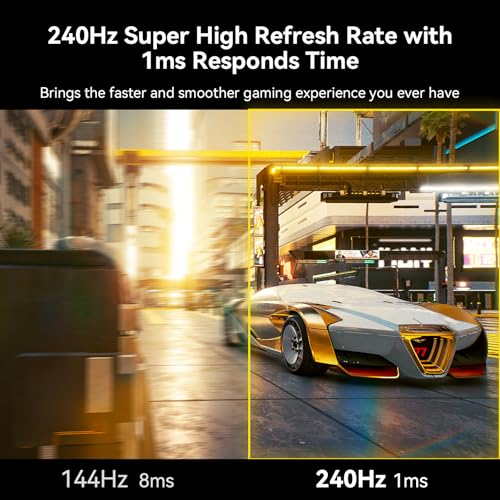
Refresh rate tells you how often the display can update the image. A 144Hz, 165Hz, 180Hz, or 240Hz panel can make motion look smoother than a basic 60Hz screen. You still need enough frame rate from the graphics card to gain the full benefit. Resolution also matters. FHD+ is easier to drive, while QHD+ and 2.5K screens look sharper but need more graphics power.
Response time is another useful detail. A listed 3ms response time can help reduce blur during fast movement. HDR support may improve contrast and highlights, but the quality of HDR depends on the full panel design. Read detailed display tests when color work, movie watching, or photo editing matters to you.
3. Compare Memory, Storage, Cooling, and Value
For a new gaming laptop, 16GB of RAM is a practical starting point. It can handle most games and normal multitasking. A 32GB model gives more comfort for streaming, editing, large projects, and many open browser tabs. The Acer, MSI, and ROG models with 32GB offer better headroom than the 16GB ASUS G16 configuration.
A 1TB SSD is a good starting size, but modern games can take up a lot of space. Check whether the laptop allows a second drive or an easy storage upgrade. Fast SSD storage improves loading and general system response, but it does not replace graphics power.
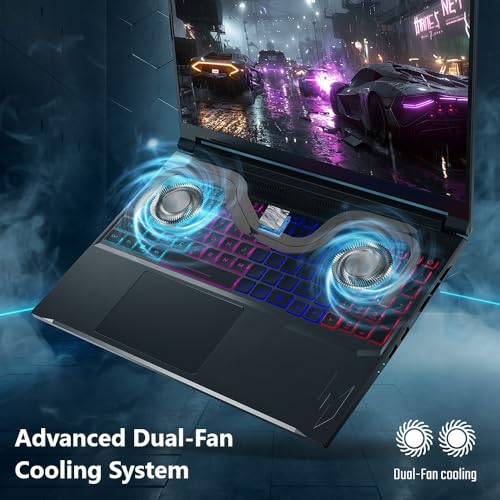
Cooling also affects daily comfort. Gaming laptops often become warm and loud during long sessions. That is normal for thin performance machines. Use the laptop on a hard, flat surface so air can move under it. Keep vents clear and use the maker’s performance software with care. A cooling pad may help in some setups, but it cannot fix a poor surface or blocked vents.
Finally, compare the full package with the sale price. The premium ASUS G16 offers the strongest listed hardware, while the MSI Katana gives high performance at a more value-focused level. The Acer Nitro V 16S offers a useful balance of memory, display speed, and price. A laptop becomes the best gaming laptop for you when its features match your games and budget, not when it has the most expensive parts.
Final Verdict: Which Should You Buy?
The 2026 ASUS ROG Strix G16 is the best overall performance pick, while the MSI Katana 15 HX offers excellent value with RTX 5070 graphics and 32GB RAM. For a balanced everyday option, I would choose the Acer Nitro V 16S AI.
The best gaming laptop should match your games, screen needs, budget, and travel plans. Check the exact Amazon configuration and current price before you buy.
FAQs Of Best Gaming Laptop
What is the best gaming laptop in 2026?
The 2026 ASUS ROG Strix G16 is the strongest premium choice in this comparison. The Acer Nitro V 16S AI is a better balanced pick for many buyers.
Is 16GB RAM enough for a gaming laptop?
Yes, 16GB is enough for most games and normal multitasking. Choose 32GB if you stream, edit, use large apps, or want more long-term headroom.
Is an RTX 5070 laptop good for modern games?
Yes, an RTX 5070 laptop offers strong performance for current games. Actual results depend on the laptop’s power limit, cooling, settings, and display resolution.
Should I buy a 144Hz or 240Hz gaming laptop?
A 144Hz or 165Hz screen is enough for most players. Choose 240Hz when you play competitive games and your system can produce very high frame rates.
Is a 1TB SSD enough for gaming?
A 1TB SSD is a useful starting point, but it can fill quickly with large games. Check whether the laptop supports an additional drive or storage upgrade.