Best Office Laptop: Smart Buying Guide
The best office laptop balances speed, comfort, battery life, storage, and value for daily work.
A busy workday can include email, video calls, large spreadsheets, web research, and document editing at the same time. A slow laptop can turn simple tasks into a daily chore. I reviewed five office-ready laptops with different screen sizes, memory levels, storage setups, and price points. These models suit home offices, small businesses, students, remote workers, and basic productivity tasks. Some focus on screen space, while others favor portability or low cost. See the differences between my top picks at a glance.
HP 17 Business Laptop with 16GB RAM
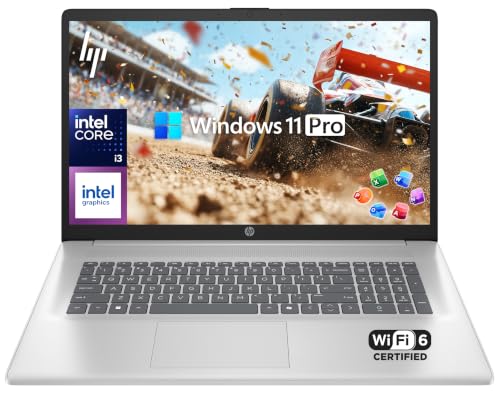
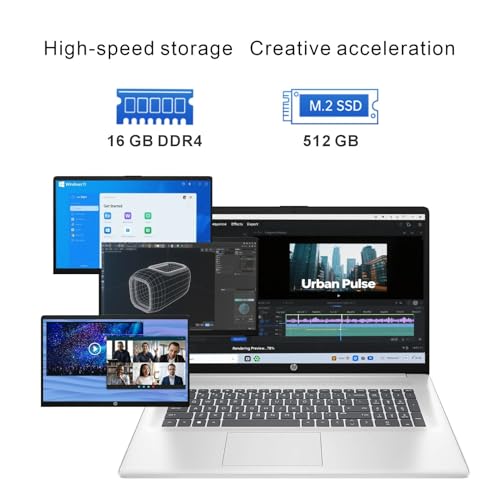
The HP 17 is the strongest all-around choice in this group for users who want a roomy work display. Its 17.3-inch HD+ screen gives documents, spreadsheets, and web pages more space than a compact 14-inch laptop. The listed eight-core Intel Core i3 processor pairs with 16GB of RAM for everyday office work. Windows 11 Pro and the included MS Office Suite also make it ready for common business tasks.
Storage is a major selling point here. The laptop lists 1TB of total storage, split between a 500GB SSD and a 500GB external component. That setup gives you useful room for work files, photos, and downloads, though the external portion may not feel as seamless as one internal drive. Wi-Fi 6 should help with newer home and office networks. If you value screen size over travel weight, this is my leading Best Office Laptop pick.
Pros:
- Large 17.3-inch HD+ screen gives documents more working space
- 16GB RAM suits multitasking with office apps and browser tabs
- 1TB listed storage offers generous file capacity
- Windows 11 Pro fits many business and work environments
- MS Office Suite is included according to the product listing
- Wi-Fi 6 supports newer compatible wireless networks
- Useful choice for desk-based work and home offices
Cons:
- The large chassis is less convenient for frequent travel
- The screen is HD+ rather than a sharper Full HD panel
- Storage uses a 500GB SSD plus 500GB external setup
What Amazon Buyers Are Saying
Buyer feedback for laptops in this class often centers on screen size, easy setup, and value. Shoppers who need a roomy display may appreciate the 17.3-inch format and the included productivity software. Buyers should still read the latest listing reviews for comments about battery life, screen sharpness, keyboard feel, and the exact storage arrangement. Those details can vary by user and configuration, so I would not treat the advertised feature list as a substitute for current customer feedback.
My Recommendation
I recommend this HP 17 for a home office, accounting desk, remote-work station, or anyone who dislikes cramped laptop screens. It offers the best balance of memory, storage, office software, and display space in this comparison. I would choose it over the smaller models when the laptop will spend most of its time on a desk. Its rating is strong, but the HD+ panel and larger size keep it from being perfect.
| Category | Rating |
|---|---|
| Office performance | 4.5/5 |
| Screen comfort | 4.3/5 |
| Memory and storage | 4.6/5 |
| Portability | 3.5/5 |
| Value | 4.4/5 |
| Overall rating | 4.4/5 |
DRKAKO 15.6-inch FHD IPS Office Laptop

The DRKAKO targets users who want a simple laptop for work, study, and home tasks. Its 15.6-inch FHD IPS display offers a useful middle ground between a small travel screen and a large desktop replacement. The listed 12GB of RAM should handle email, word processing, browsing, and light multitasking well. Its J4105 quad-core processor is designed for basic tasks, not demanding creative work or heavy data analysis.
This model includes a 256GB SSD, Wi-Fi 5, Bluetooth, USB 3.2, and a 53.2Wh battery. The 180-degree lay-flat hinge can help when you need to share the screen or adjust the viewing angle. Office 365 and an AI assistant are also listed, but buyers should check the exact license terms before purchase. For a budget buyer, this may be a practical Best Office Laptop choice if clear screen resolution matters more than high-end speed.
Pros:
- FHD IPS display should look sharper than a basic HD panel
- 15.6-inch screen offers comfortable room for office work
- 12GB RAM supports common multitasking needs
- 256GB SSD should feel responsive during normal file access
- 180-degree hinge gives flexible viewing positions
- USB 3.2, Bluetooth, and Wi-Fi 5 cover common connections
- 53.2Wh battery is a useful capacity for a budget laptop
Cons:
- The J4105 processor is not suited to demanding workloads
- 256GB may feel limited for large media files
- Wi-Fi 5 is older than Wi-Fi 6
What Amazon Buyers Are Saying
People considering this type of laptop usually focus on its screen, weight, setup process, and ability to run everyday apps. The FHD IPS display and 12GB memory are the main points to compare with buyer comments. I suggest checking recent reviews for real battery results, trackpad response, fan noise, and whether the included Office 365 offer meets your needs. These practical details matter more than a long feature list when you plan to use a laptop every day.
My Recommendation
This DRKAKO is worth considering for students, light office users, and families who need an affordable computer for documents and browsing. I like its FHD IPS screen and useful memory level. I would not choose it for heavy spreadsheet models, professional editing, or demanding software. It earns a good value rating because it covers basic work needs without adding features most casual users may not need.
| Category | Rating |
|---|---|
| Office performance | 3.8/5 |
| Display quality | 4.2/5 |
| Memory and storage | 3.9/5 |
| Portability | 4.0/5 |
| Value | 4.1/5 |
| Overall rating | 4.0/5 |
HP 14 Business Laptop with 16GB RAM

This HP 14 stands out as the most balanced compact model in the group. It combines a portable 14-inch design with 16GB of RAM, which gives it a clear advantage over the 4GB alternatives for multitasking. The listed quad-core Intel CPU should suit email, documents, browser work, and online meetings. It also includes Windows 11 Pro, MS Office Suite, Copilot AI, and Wi-Fi 6 in the product description.
The storage setup lists 128GB of UFS storage plus a 500GB external component, for 628GB in total. That provides useful capacity, but users should understand that the external portion may work differently from an internal SSD. The smaller screen makes travel easier and still gives enough room for most office apps. If you want a portable laptop with strong memory, this is one of the best office laptop options in this list.
Pros:
- 16GB RAM is well suited to daily multitasking
- Compact 14-inch size is easier to carry
- Windows 11 Pro supports many professional workflows
- MS Office Suite is listed with the laptop
- Wi-Fi 6 supports newer wireless networks
- Copilot AI adds a modern productivity feature
- 628GB total listed storage gives useful file space
Cons:
- The 14-inch screen may feel small for wide spreadsheets
- Storage combines 128GB UFS with 500GB external capacity
- The product listing does not present this as a high-end performance laptop
What Amazon Buyers Are Saying
For compact business laptops, buyers often discuss easy setup, everyday speed, keyboard comfort, and travel convenience. Those are the areas I would check first in current Amazon reviews for this model. Reviews may also help confirm how users feel about the screen, battery, included software, and external storage. Since real results depend on brightness, apps, network use, and settings, I recommend comparing several recent reviews rather than relying on one comment.
My Recommendation
I recommend this HP 14 to remote workers, students, sales staff, and home-office users who move between rooms or locations. Its 16GB RAM makes it more flexible than the lower-memory HP 14 models. The mixed storage design is the main point to understand before buying. Overall, it is my favorite compact option and a strong choice for shoppers who want a practical balance of size and work ability.
| Category | Rating |
|---|---|
| Office performance | 4.2/5 |
| Portability | 4.5/5 |
| Memory and storage | 4.2/5 |
| Business features | 4.3/5 |
| Value | 4.3/5 |
| Overall rating | 4.3/5 |
HP 14 Ultra-Portable Laptop with 4GB RAM

This HP 14 focuses on simple productivity and easy portability. Its 14-inch format should fit well in a small bag and on a crowded desk. The listing includes MS Office, Copilot AI, Windows 11 Pro, and a four-core Intel processor. It also lists 628GB of total storage, made from 128GB UFS and 500GB of external storage.
The key trade-off is its 4GB of RAM. That amount can work for email, light writing, basic web use, and simple school tasks, but it leaves less room for many open apps. Users who keep many browser tabs or large spreadsheets open may prefer the 16GB HP 14 above. This model makes sense as a low-cost Best Office Laptop for focused tasks, not as a heavy multitasking machine.
Pros:
- Light, compact 14-inch format suits mobile users
- Four-core Intel CPU fits basic productivity work
- Windows 11 Pro is included in the listing
- MS Office and Copilot AI are listed features
- Wi-Fi and long-battery claims support mobile work needs
- 628GB total listed storage offers plenty of file room
- Simple design may suit first-time laptop buyers
Cons:
- 4GB RAM limits multitasking headroom
- The 128GB UFS plus external storage setup needs careful review
- Not the best match for demanding apps or many open tabs
What Amazon Buyers Are Saying
When buyers review entry-level laptops, they often mention setup, portability, battery behavior, screen comfort, and whether the computer matches their workload. I would pay close attention to comments about the 4GB memory level and the external storage arrangement. Some users may find this setup enough for focused tasks, while others may want more headroom. Current Amazon reviews can help you judge that fit before you order.
My Recommendation
This laptop is worth considering when price, size, and basic office access matter most. I would recommend it for email, word processing, online forms, light browsing, and simple school work. I would not buy it for heavy multitasking or long-term demanding use. Its low memory keeps the rating below the 16GB models, but it can still be a sensible compact option for a careful buyer.
| Category | Rating |
|---|---|
| Basic office use | 3.6/5 |
| Portability | 4.4/5 |
| Multitasking | 2.9/5 |
| Included features | 4.0/5 |
| Value | 3.8/5 |
| Overall rating | 3.7/5 |
HP 14 Productivity Laptop with 4GB DDR5

This HP 14 is aimed at buyers who want a small computer for basic productivity. It lists a four-core Intel CPU, 4GB DDR5 RAM, Windows 11 Pro, MS Office, and Copilot AI. The 14-inch design should work well for a kitchen table, small desk, or light travel. It also lists Wi-Fi 6, which is a useful feature for homes and offices with compatible routers.
Like the other entry-level HP 14, this model lists 628GB of combined storage from 128GB UFS and 500GB external capacity. DDR5 memory is a newer memory type, but the 4GB amount still limits how many tasks you can run at once. I see this as a focused work tool rather than a broad, long-term workstation. It can be a good fit for short documents, email, web forms, and simple online services.
Pros:
- Compact 14-inch body is easy to place and carry
- 4GB DDR5 memory supports basic laptop tasks
- Wi-Fi 6 is useful with modern compatible routers
- Windows 11 Pro and MS Office are listed
- Copilot AI adds a current software feature
- 628GB total listed storage provides generous capacity
- Good fit for simple home-office routines
Cons:
- 4GB RAM is restrictive for busy multitasking
- Combined storage is not the same as one large internal SSD
- Not ideal for large spreadsheets, editing, or demanding software
What Amazon Buyers Are Saying
Buyers comparing affordable office laptops tend to look for easy setup, reliable wireless use, and enough speed for their own daily apps. I recommend checking current reviews for comments about startup time, battery life, keyboard feel, and storage access. The listed specifications explain what the laptop includes, but user feedback can reveal how it feels in a real home or office. Pay special attention to whether reviewers used many tabs or only one task at a time.
My Recommendation
I would choose this model for light work when the price and small size are more important than multitasking power. It may suit email, basic documents, online learning, and simple browsing. Buyers who want a smoother work experience should step up to 12GB or 16GB RAM when possible. This is a fair budget choice, but it is not my first pick for a demanding office workload.
| Category | Rating |
|---|---|
| Basic office performance | 3.5/5 |
| Portability | 4.4/5 |
| Wireless features | 4.1/5 |
| Multitasking | 2.9/5 |
| Value | 3.8/5 |
| Overall rating | 3.7/5 |
How to Choose the Best Office Laptop
Choosing the Best Office Laptop starts with your real work habits. Think about the apps you use, how many windows you keep open, and where you plan to work. A laptop for email needs less power than one for large spreadsheets, design tools, or frequent video calls. The right choice should feel comfortable today and still meet your needs later.
1. Match RAM and Processor Power to Your Work
RAM helps a laptop keep several tasks ready at once. I suggest at least 8GB for basic modern office work, while 12GB or 16GB gives you more room for browser tabs, meetings, spreadsheets, and documents. The HP 17 and HP 14 with 16GB RAM are the strongest choices here for multitasking. The two 4GB models suit simple tasks, but they may slow down sooner when you open many apps.
The processor also matters. A quad-core chip can handle common work, but it does not automatically make a laptop a high-performance system. Look at the full combination of processor, RAM, cooling, and storage. For email and documents, a basic processor may be enough. For advanced Excel work, coding, editing, or large business tools, seek a more powerful configuration than the entry-level models in this review.
2. Choose the Right Screen and Size
Screen size changes how comfortable your work feels. A 17.3-inch display gives you more room for two windows and wide spreadsheets. It also takes more desk space and can be harder to carry. A 15.6-inch laptop offers a useful middle ground. A 14-inch model travels well and works nicely on a small desk, but you may need more scrolling.
Resolution matters too. The DRKAKO lists an FHD IPS display, which is a notable advantage for text clarity and viewing comfort. The HP 17 lists an HD+ display, so buyers who work with small text should compare the screen details carefully. If you spend eight hours a day reading, a comfortable display can matter as much as raw speed.
3. Check Storage, Software, Ports, and Long-Term Value
Storage holds your files and apps. An SSD usually makes startup and file access feel faster than an older hard drive. Still, not all listed storage works in the same way. Several models here combine internal storage with a 500GB external component. Check how that storage connects, where it sits, and whether you can replace or expand it later.
Included software can add value. The listings in this comparison mention Windows 11 Pro, MS Office, Copilot AI, or Office 365. Confirm the license type, activation terms, and trial period before you buy. Also check the ports you need for a monitor, mouse, printer, headset, or external drive. Finally, compare the full price with the memory level. Paying a little more for 12GB or 16GB RAM may offer better value than choosing a cheaper laptop that feels limited from day one.
Final Verdict: Which Should You Buy?
The HP 17 Business Laptop is my top pick for the Best Office Laptop because it combines 16GB RAM, large-screen comfort, office software, and generous listed storage. Choose the HP 14 with 16GB if you need better portability.
For basic work, the DRKAKO offers a sharp FHD IPS display, while the 4GB HP models suit simple tasks. Always check current pricing, licenses, and buyer feedback before ordering.
FAQs Of Best Office Laptop
What is the best office laptop in this comparison?
The HP 17 Business Laptop is the best overall choice here. It offers 16GB RAM, a large 17.3-inch screen, Windows 11 Pro, and generous listed storage.
Is 4GB RAM enough for office work?
4GB RAM can handle email, basic documents, and light browsing. For many tabs, video calls, and spreadsheets, 12GB or 16GB RAM is a better choice.
Is a 14-inch laptop good for business use?
Yes. A 14-inch laptop is easier to carry and works well for documents, email, and online meetings. A larger screen may suit users who manage wide spreadsheets.
How much storage should an office laptop have?
At least 256GB works for basic office files. Choose more storage if you keep photos, videos, large downloads, or many programs on the laptop.
Should I choose an FHD screen for office work?
An FHD screen can show sharper text and more detail than a lower-resolution panel. It is especially useful for long reading sessions and detailed spreadsheets.