Best Gaming Desktop PC: Best Choices For Every Gamer
The best gaming desktop PC balances strong graphics, fast storage, smooth play, and room to upgrade.
Choosing a gaming desktop can feel hard when every listing promises fast frame rates and powerful parts. You may want a PC for new games, streaming, school, or work, but your budget still matters. I compared five prebuilt gaming computers with different strengths. The MSI Codex Z2 and Alienware Aurora lead for high-end play, while the YAWYORE and KOTIN models offer strong value. I also looked at memory, storage, wireless features, cooling, upgrade potential, and the type of gamer each PC suits best.
See the differences between my top picks at a glance.
| Model | Graphics | Processor | Memory / Storage | Best For | Amazon |
|---|---|---|---|---|---|
| YAWYORE Gaming PC | GeForce RTX 5060 | Ryzen 7 5700X | 32GB DDR4 / 1TB NVMe SSD | Value gaming and daily use | View on Amazon |
| MSI Codex Z2 | GeForce RTX 5070 | Ryzen 7 8700F | 32GB DDR5 / 2TB SSD | High-end gaming and streaming | View on Amazon |
| Alienware Aurora | GeForce RTX 5070 | Intel Core Ultra 7 265F | 32GB DDR5 / 1TB SSD | Premium gaming and networking | View on Amazon |
| KOTIN Gaming PC | RTX 5060 Ti 8GB | Ryzen 7 8700F | 32GB DDR5 / 1TB SSD | 1080p, 1440p, and streaming | View on Amazon |
| Ryzen 7 4700LE Gaming PC | GeForce RTX 5060 | Ryzen 7 4700LE | 16GB / 1TB NVMe SSD | Entry-level modern gaming | View on Amazon |
YAWYORE Gaming PC with RTX 5060

The YAWYORE gaming desktop uses an AMD Ryzen 7 5700X processor and a GeForce RTX 5060 graphics card. It also includes 32GB of DDR4 memory and a 1TB M.2 NVMe SSD. This gives the system a strong base for current PC games, web work, and creative apps. The large memory capacity also helps when you keep a game, browser tabs, chat, and music open at once.
YAWYORE adds ARGB fans, Wi-Fi, and Bluetooth for a more complete setup. The NVMe drive should make Windows and game loads feel quick, although large modern game libraries may fill 1TB sooner than expected. This PC makes the most sense for buyers who want good 1080p performance without moving into a premium price class. I would also check the current listing for exact port, power supply, and upgrade details before ordering.
Pros:
- Ryzen 7 5700X offers eight cores for gaming and daily multitasking
- RTX 5060 supports modern graphics features and ray-traced effects
- 32GB RAM gives useful headroom for games and streaming tools
- 1TB NVMe SSD provides fast storage for Windows and several games
- Wi-Fi and Bluetooth reduce the need for extra wireless adapters
- ARGB fans add a bright look without buying separate lighting
Cons:
- DDR4 memory is an older platform than the DDR5 systems in this review
- A 1TB drive may feel small for a large game collection
- Exact motherboard and upgrade details should be confirmed before purchase
What Amazon Buyers Are Saying
Buyer feedback for prebuilt PCs often centers on setup speed, gaming performance, packaging, and whether the computer matches the listing. For this model, shoppers should read the latest verified reviews for comments about fan noise, wireless setup, and customer support. Review dates matter because prebuilt components can change between production runs.
I would pay close attention to reports that mention the exact Ryzen 7 5700X and RTX 5060 configuration. Comments about frame rate can vary with game settings, screen resolution, and updates. A buyer who wants a simple ready-to-use tower may value the included wireless features, while an enthusiast may want more detail about future upgrades.
My Recommendation
I recommend the YAWYORE for buyers who want a balanced midrange gaming PC with generous memory. It is a practical choice for 1080p gaming and many 1440p settings, but it does not offer the newer DDR5 platform used by the MSI and Alienware systems. Overall, it delivers good value when its price sits well below RTX 5070 desktops.
MSI Codex Z2 Gaming Desktop with RTX 5070

The MSI Codex Z2 is the strongest all-around pick in this comparison. Its AMD Ryzen 7 8700F processor works with an NVIDIA GeForce RTX 5070, 32GB of DDR5 memory, and a 2TB SSD. That combination gives gamers more graphics power and more storage than the other listed systems. The included USB Type-C port adds useful support for newer accessories.
MSI also lists this desktop as VR-ready and includes Windows 11 Home. The 2TB drive is a major benefit because modern games can take up a great deal of space. This setup should appeal to players who use a high-refresh 1440p monitor or want a stronger base for streaming. As always, check the current Amazon page for the latest price and component details.
Pros:
- RTX 5070 gives this model a clear graphics advantage over RTX 5060 systems
- Ryzen 7 8700F offers a modern platform for gaming and multitasking
- 32GB DDR5 memory suits demanding games and content tools
- 2TB SSD gives much more room for games, apps, and media
- USB Type-C improves support for newer devices
- VR-ready design suits compatible headsets and virtual reality games
- Windows 11 Home lets most buyers start setup right away
Cons:
- The stronger hardware may cost more than a basic 1080p gamer needs
- RTX 5070 performance can be wasted on a low-resolution, low-refresh display
- Prebuilt cooling and power details should be checked before adding major upgrades
What Amazon Buyers Are Saying
When shoppers review an MSI gaming desktop, the most useful comments usually cover delivery condition, setup, noise, thermals, and real game use. I suggest sorting reviews by recent date and looking for buyers who use a similar monitor. This gives a better view than relying on one frame-rate claim.
The key points to verify are whether buyers received the advertised RTX 5070, how easy Windows setup felt, and whether the 2TB drive met their needs. Some owners may discuss software updates or preinstalled utilities. Those details can change over time, so recent verified reviews provide the best guide.
My Recommendation
This is my top choice for most serious PC gamers. The RTX 5070, Ryzen 7 8700F, 32GB DDR5, and 2TB SSD form a well-matched package. I especially like the storage capacity because it lowers the need for an early upgrade. Buy it if you want high-end 1440p play, streaming ability, and a newer memory platform.
Alienware Aurora Gaming Desktop

The Alienware Aurora combines an RTX 5070 with an Intel Core Ultra 7 265F processor. It includes 32GB of DDR5 memory, a 1TB SSD, Wi-Fi 7, Bluetooth, and Killer 2.5Gb Ethernet. This makes it a strong fit for gamers who care about fast wired and wireless networking. The system also includes a wired keyboard, which may help buyers who are starting a complete setup.
Alienware gives this PC a more premium position in the group. The RTX 5070 targets demanding games, while the Core Ultra platform gives the system modern processing features. The main trade-off is storage: 1TB is useful, but it offers less space than the MSI Codex Z2. I see this model as a good choice for buyers who prefer the Alienware design and want strong network options.
Pros:
- RTX 5070 provides strong performance for demanding games
- Intel Core Ultra 7 265F creates a modern CPU platform
- 32GB DDR5 memory supports gaming, work, and streaming
- Wi-Fi 7 offers a newer wireless standard for compatible networks
- Killer 2.5Gb Ethernet can suit fast home networks
- Bluetooth adds simple support for headsets, controllers, and accessories
- Included wired keyboard helps complete a new gaming station
Cons:
- 1TB storage gives less room than the MSI model’s 2TB drive
- Premium branding may raise the price without improving every game equally
- Buyers should check the case layout before planning major upgrades
What Amazon Buyers Are Saying
For an Alienware desktop, I would focus on recent comments about setup, software, fan behavior, and the physical case. Buyers often care about how the machine looks on a desk as well as how it performs in games. The most useful reviews identify the monitor used and the game settings selected.
It is also wise to check feedback about networking features. Wi-Fi 7 needs a compatible router to show its full benefit, while 2.5Gb Ethernet needs matching network hardware. Reviewers may also mention the included keyboard and the available space for future storage. These points help separate real value from simple headline specifications.
My Recommendation
The Alienware Aurora is worth considering if you want a premium RTX 5070 desktop with modern networking. It is not my first choice for storage value, since the MSI provides 2TB, but it offers a polished feature set. I recommend it for players who value the Alienware ecosystem, Wi-Fi 7, and a ready-made package.
KOTIN Gaming PC with RTX 5060 Ti

The KOTIN gaming desktop sits between the value and high-end options. It uses a Ryzen 7 8700F, an RTX 5060 Ti with 8GB of graphics memory, 32GB of DDR5 RAM, and a 1TB SSD. KOTIN markets it for 1080p and 1440p PC gaming and streaming. That target makes sense for buyers who want more graphics room than a standard RTX 5060 system.
This model also includes Wi-Fi 7, Windows 11 Home, ARGB cooling, and a 650W Gold power supply. The newer DDR5 platform is a useful advantage for a new build. The 1TB SSD remains the main limit for players with many large games. I like this PC for people who want a modern AMD platform without paying for an RTX 5070 tower.
Pros:
- Ryzen 7 8700F provides a modern eight-core gaming platform
- RTX 5060 Ti 8GB targets smooth 1080p and capable 1440p gaming
- 32GB DDR5 memory gives strong multitasking capacity
- Wi-Fi 7 adds current wireless support
- 650W Gold power supply offers a useful efficiency-focused feature
- ARGB cooling adds airflow and a customizable desktop look
- Streaming support makes it useful beyond simple game play
Cons:
- 1TB storage can fill quickly after several large game installs
- 8GB graphics memory may limit some future high-texture settings
- Buyers should confirm cooling and upgrade space for their planned use
What Amazon Buyers Are Saying
For this KOTIN model, recent buyer reviews are most useful when they mention the exact game, resolution, and quality settings. Performance can change a lot between 1080p and 1440p. I would also look for comments on Wi-Fi setup, fan noise, and whether the system arrived ready to use.
Shoppers should compare recent reviews with the product listing because prebuilt systems can receive small hardware changes. Pay attention to feedback about the 650W power supply and the number of available storage connections. Those details matter if you plan to add a second SSD later.
My Recommendation
The KOTIN is one of the best balanced choices for a gamer who wants DDR5, a modern Ryzen processor, and better graphics than a base RTX 5060. It suits 1080p very well and can handle many 1440p games with sensible settings. I would buy it when its price stays clearly below RTX 5070 systems.
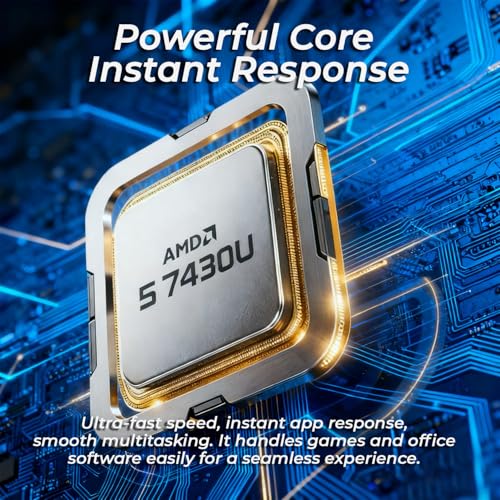
Ryzen 7 4700LE Gaming PC with RTX 5060

This gaming desktop pairs an AMD Ryzen 7 4700LE processor with an RTX 5060 graphics card. It has 16GB of RAM, a 1TB NVMe SSD, liquid cooling, and a 650W power supply. The parts create a straightforward entry point for modern PC gaming. The RTX 5060 also includes GDDR7 graphics memory according to the supplied product details.
The 16GB memory is enough for many games, but it gives less headroom than the 32GB systems above. Liquid cooling may appeal to buyers who want a different cooling design, though the exact cooler layout and maintenance needs should be confirmed. This PC is best for a new gamer who wants a ready-built tower and plans to play at 1080p. It may also leave room in the budget for a monitor and accessories.
Pros:
- RTX 5060 provides a modern graphics option for 1080p gaming
- 1TB NVMe SSD supports quick system and game loading
- Liquid cooling offers an alternative to a basic air cooler
- 650W power supply gives the system a useful power base
- 16GB RAM keeps the initial cost more approachable
- Prebuilt design avoids the time and risk of a first DIY build
Cons:
- 16GB RAM gives less multitasking room than 32GB competitors
- Ryzen 7 4700LE is not as modern as the Ryzen 7 8700F
- Cooling, motherboard, and upgrade details need careful verification
- Heavy future games may require a memory upgrade sooner
What Amazon Buyers Are Saying
When reviewing an entry-level prebuilt, I suggest checking buyer comments about delivery, first boot, Windows activation, and driver updates. Reviews that name the games and screen resolution are more useful than broad claims such as “very fast.” Also look for notes about liquid-cooling noise and cable setup.
The most important question is whether the 16GB configuration fits your use. It should suit many games, but streamers and users who run many apps may prefer 32GB. Recent verified feedback can also reveal whether buyers found the case easy to open and whether extra storage installation looks simple.
My Recommendation
This is a sensible budget pick when you want an RTX 5060 system at a lower entry cost. I recommend it for 1080p gaming, school work, and general home use. I would choose the YAWYORE instead if the price gap is small, because its 32GB RAM and Ryzen 7 5700X give more comfort for multitasking.
How to Choose the Best Gaming Desktop PC
The best gaming desktop PC depends on your screen, games, budget, and future plans. A powerful graphics card helps with image quality and frame rate. A fast processor helps with game logic, streaming, and daily work. You also need enough memory and storage. Use the points below before you place an order.
1. Match the Graphics Card to Your Monitor
The graphics card has the biggest effect on game performance. For a 1080p monitor, an RTX 5060-class system may offer a good balance. If you use a 1440p high-refresh display, an RTX 5060 Ti or RTX 5070 gives you more room. The RTX 5070 models in this guide make more sense for demanding games and higher image settings.
Do not buy a large graphics card only because the product page lists it as fast. Check your monitor first. A 60Hz screen cannot show every frame from a high-end card. A 144Hz or 165Hz display can make a stronger GPU more useful in fast games.
2. Check RAM, SSD Space, and Upgrade Options
For a new gaming PC in 2026, 32GB RAM gives a comfortable target for gaming, browsers, chat, and streaming. The 16GB system here can still work well, but it gives less spare room. Memory needs also rise when you edit video or keep many apps open.
Storage matters just as much. A 1TB NVMe SSD starts fast, but many large games can use hundreds of gigabytes. The MSI Codex Z2 stands out with its 2TB SSD. Before buying, check whether the case has space for another drive and whether the motherboard has a free M.2 slot. Do not assume every prebuilt uses the same board.
3. Review Cooling, Network Features, and Total Value
Good gaming performance needs steady cooling. Look for clear information about fans, the CPU cooler, airflow, and power supply. A Gold-rated power supply can be a useful feature, but the wattage and model still matter. Liquid cooling can work well, yet buyers should know the cooler type and warranty terms.
Network features also affect daily use. Ethernet is often the best choice for a stable online game connection. Wi-Fi 7 can help only when your router and home network support it. Bluetooth is useful for controllers and headsets. Finally, compare the full package. A keyboard, larger SSD, or newer memory may offer more real value than decorative lighting.
Final Verdict: Which Should You Buy?
The MSI Codex Z2 is my top choice for the best gaming desktop PC. Its RTX 5070, Ryzen 7 8700F, 32GB DDR5, and 2TB SSD create the strongest overall package.
Choose YAWYORE for value, KOTIN for balanced DDR5 performance, or Alienware for premium networking. Check current prices and specifications before buying.
FAQs Of Best Gaming Desktop PC
What is the best gaming desktop PC in this review?
The MSI Codex Z2 is the best overall pick because it combines an RTX 5070, Ryzen 7 8700F, 32GB DDR5 memory, and a 2TB SSD.
Is 32GB RAM better for a gaming desktop?
Yes. 32GB gives more room for games, browsers, chat apps, and streaming tools. A 16GB PC can still handle many games, but it has less headroom.
Is an RTX 5060 good for 1080p gaming?
An RTX 5060 is a strong match for many 1080p games. Your results will vary with the game, screen settings, drivers, and quality level.
Should I buy a gaming PC with a 1TB SSD?
A 1TB SSD works for a starter library. If you install many large games, a 2TB SSD or an easy storage upgrade will provide more comfort.
Which gaming desktop is best for 1440p play?
The MSI Codex Z2 and Alienware Aurora are the strongest choices here because both use an RTX 5070. The KOTIN can also suit 1440p with sensible settings.