Best 4K Smart TV: Expert Buying Guide
The best 4K smart TV balances sharp picture quality, smooth streaming, useful features, and a price that fits your room.
Buying a new TV can feel harder than it should. One model promises better color, another adds a faster refresh rate, and every brand uses its own smart platform. I reviewed these five 4K smart TVs with real home use in mind. I looked at screen size, picture features, streaming tools, voice control, gaming support, and value. My goal is simple: help you choose a TV that looks great, feels easy to use, and suits the way you watch movies, shows, sports, and live TV.
See the differences between my top picks at a glance.
| TV | Size / Panel | Smart Platform | Best For | Key Feature | Buy |
|---|---|---|---|---|---|
| Insignia F50 | 55-inch LED | Fire TV | Budget movie and TV viewing | Alexa voice remote | View on Amazon |
| Samsung M70H | 43-inch Mini LED | Samsung smart platform | Small rooms and gaming | Motion Xcelerator + DLG 120Hz | View on Amazon |
| Samsung M70H | 65-inch Mini LED | Samsung smart platform | Large rooms and sports | Mini LED Processor 4K | View on Amazon |
| Roku Select QLED | 55-inch QLED | Roku TV | Simple streaming | Voice remote and Bluetooth headphones | View on Amazon |
| Roku Select LED | 43-inch LED | Roku TV | Bedrooms and smaller spaces | 4K HDR and voice remote | View on Amazon |
Insignia F50 55-Inch Fire TV

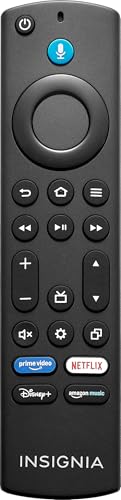
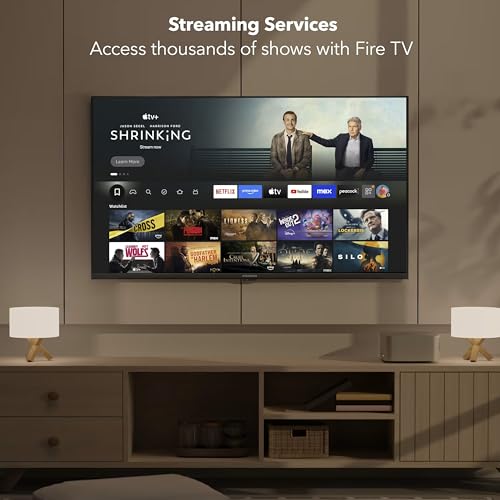
The Insignia F50 is a practical 55-inch 4K UHD television for shoppers who want a large screen without a premium price. Its LED panel delivers the detail that most viewers expect from modern 4K content. The built-in Fire TV system puts streaming apps, live content, and settings in one familiar home screen. It also includes an Alexa voice remote, which makes searches and basic commands quick.
This TV makes the most sense in a living room, apartment, or family room where value matters most. The 55-inch size gives movies and sports more impact than a small bedroom TV. It should also work well for casual console gaming, though serious players may want a model with more advanced gaming controls. I like this Insignia because it keeps the setup simple and focuses on the features most households use every day.
Pros:
- Large 55-inch screen for an accessible price
- 4K UHD resolution gives compatible content clear detail
- Fire TV makes popular streaming services easy to reach
- Alexa voice remote helps with searches and navigation
- Good fit for movies, shows, live TV, and casual gaming
- Simple choice for shoppers who do not need luxury picture tools
Cons:
- LED backlighting may not match the contrast of Mini LED or OLED screens
- Sound may feel limited in a large room without a soundbar
- Advanced gaming features may be less complete than on premium models
What Amazon Buyers Are Saying
Buyer feedback for budget Fire TV models often focuses on easy setup, the useful voice remote, and the convenience of having streaming apps built in. Many shoppers also value the large screen for family viewing. As with most lower-cost TVs, review themes can include questions about built-in audio, software behavior, and panel uniformity. I recommend checking the newest Amazon reviews for current delivery, setup, and ownership details before ordering.
My Recommendation
I recommend the Insignia F50 for buyers who want a capable 55-inch smart TV at a value-focused price. It is not the most advanced display here, but it covers the basics well. It earns my strongest value rating for everyday streaming and general TV use.
| Category | Rating |
|---|---|
| Picture quality | 4/5 |
| Smart features | 4.5/5 |
| Ease of use | 4.5/5 |
| Value for money | 4.5/5 |
| Overall rating | 4.3/5 |
Samsung M70H 43-Inch Mini LED TV

The 43-inch Samsung M70H is a compact 4K smart TV with Mini LED technology and a feature set aimed at modern viewing. Its smaller footprint suits bedrooms, offices, apartments, and gaming setups. Samsung lists a Mini LED Processor 4K, Pure Spectrum Color, and Motion Xcelerator with DLG 120Hz among its key features. These tools are designed to improve detail, color, and motion handling.
I see this model as a strong option for viewers who want more display technology than a basic LED TV can offer. The 43-inch size is easy to place, yet it still gives 4K content a crisp look at a normal close viewing distance. It may appeal to gamers and sports fans who care about motion. Before buying, check the port layout and gaming compatibility against your own devices.
Pros:
- Compact size works well in smaller rooms
- Mini LED design aims to improve brightness control and contrast
- 4K processor supports sharper detail from compatible content
- Motion Xcelerator and DLG 120Hz support smoother motion claims
- Pure Spectrum Color targets a richer color presentation
- Samsung smart features provide access to streaming content and free channels
Cons:
- 43 inches may feel small for a large family room
- Premium display features can raise the price over basic LED models
- Picture settings may need adjustment for the best result
What Amazon Buyers Are Saying
For a newly listed model, buyer feedback may change as more owners use it over time. Early shoppers commonly look for clear setup steps, smart menu speed, color quality, and motion performance. Some buyers may also compare the screen size with the price and question whether a larger basic TV would suit them better. Read current reviews closely, with extra attention to long-term software and panel comments.
My Recommendation
This Samsung is a good fit if you want a smaller TV with more advanced display technology. I would choose it over a basic 43-inch LED model when motion and picture control matter. It is best for a desk, bedroom, or compact gaming space rather than a large viewing distance.
| Category | Rating |
|---|---|
| Picture technology | 4.6/5 |
| Motion features | 4.5/5 |
| Smart features | 4.3/5 |
| Small-room value | 4.3/5 |
| Overall rating | 4.4/5 |
Samsung M70H 65-Inch Mini LED TV
The 65-inch Samsung M70H brings the same family of Mini LED features to a much larger screen. Its size suits a main living room, media room, or open family space. The listed Mini LED Processor 4K is built to handle 4K content, while Pure Spectrum Color targets a vivid and clean image. Motion Xcelerator and DLG 120Hz make this model especially interesting for sports and compatible gaming use.
A 65-inch screen can make a big difference when you sit several feet away. It creates a more engaging movie image and lets several people watch without crowding around a small panel. The larger size also makes picture flaws easier to notice, so room lighting and viewing distance matter. I would measure the wall, stand, and doorway before ordering this TV.
Pros:
- Large 65-inch screen creates a strong home theater feel
- Mini LED technology offers a step up from standard LED design
- 4K processing supports detailed images with compatible sources
- Motion features suit sports, action films, and some games
- Pure Spectrum Color aims to produce bright, appealing color
- Samsung’s smart platform brings streaming and free content together
Cons:
- Large size needs careful room planning and furniture support
- Higher purchase cost than smaller or entry-level 4K TVs
- Built-in speakers may not fill a very large room as well as a soundbar
What Amazon Buyers Are Saying
When shoppers review a large Samsung TV, they often focus on screen impact, color, motion, setup, and delivery condition. Buyers may also discuss whether the smart interface feels fast and whether the included features match their devices. Large TVs can produce different experiences based on room light and seating position, so I suggest reading reviews from people who describe similar room sizes. Check recent comments for packaging and installation details as well.
My Recommendation
I recommend the 65-inch M70H for viewers who want a large, feature-rich screen for a main room. It is the strongest choice here for big-screen sports and movie nights. Make sure your space can handle the size before you buy.
| Category | Rating |
|---|---|
| Picture technology | 4.7/5 |
| Large-screen impact | 4.8/5 |
| Motion features | 4.5/5 |
| Value for large rooms | 4.3/5 |
| Overall rating | 4.6/5 |
Roku Select 55-Inch QLED TV

The Roku Select 55-inch QLED TV is aimed at viewers who value a clean interface and easy access to entertainment. Its QLED panel is designed to offer a wider color experience than a basic LED panel. The TV supports 4K resolution and includes a Roku voice remote. It also offers Wi-Fi and Bluetooth headphone mode, which can help when you want private listening.
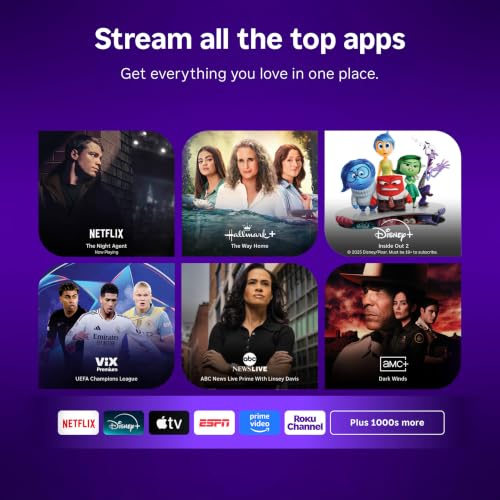
Roku remains one of the simplest smart TV systems for people who use several streaming services. The home screen is easy to understand, and the search tools can reduce the time spent opening apps one by one. This 55-inch version is a useful middle ground for living rooms. It gives you more screen space than a 43-inch model without taking up as much wall space as a 65-inch TV.
Pros:
- QLED panel supports a colorful 4K viewing experience
- Roku interface is simple for new and experienced streamers
- Voice remote helps search for movies, shows, and apps
- Bluetooth headphone mode supports quiet late-night viewing
- 55-inch size suits many living rooms and apartments
- Access to live local news, sports, movies, and streaming content
Cons:
- Standard LED-based backlighting may not equal Mini LED contrast control
- Some viewers may want more advanced gaming settings
- Private listening depends on compatible headphones and a stable connection
What Amazon Buyers Are Saying
Roku TV buyers often praise the clear menus, fast access to apps, and simple remote design. Private listening is also a useful point for people who share a home or watch late at night. Common concerns with smart TVs can include app updates, wireless setup, and the limits of built-in speakers. Since user experience can change with software updates, I suggest checking recent reviews rather than relying only on older comments.
My Recommendation
This is my favorite Roku pick for a shared living room. I would choose it for a household that wants an easy smart platform, good screen size, and flexible listening. It is a sensible option for everyday streaming, even if it lacks the picture controls of a premium TV.
| Category | Rating |
|---|---|
| Color and picture | 4.2/5 |
| Smart platform | 4.7/5 |
| Ease of use | 4.8/5 |
| Listening options | 4.4/5 |
| Overall rating | 4.5/5 |
Roku Select 43-Inch 4K HDR TV

The Roku Select 43-inch model is a compact 4K HDR smart TV for spaces that do not need a huge screen. It uses an LED display and includes a Roku voice remote. The smaller size makes it a natural fit for bedrooms, guest rooms, dorm-style spaces, kitchens, and smaller apartments. Wi-Fi and Bluetooth headphone mode add useful flexibility for daily streaming.
This TV is less about premium display hardware and more about simple access to content. It can work well when you sit fairly close to the screen and want a smart TV that does not dominate the room. The 4K resolution helps compatible video look detailed, while HDR content can add more contrast and color when the source supports it. I would consider a 55-inch model for a main family room.
Pros:
- Compact 43-inch size fits small rooms and bedrooms
- 4K resolution provides clear detail from compatible content
- HDR support can improve supported movies and shows
- Roku menus are simple and easy to learn
- Voice remote makes content searches faster
- Bluetooth headphone mode helps with quiet viewing
Cons:
- Smaller screen may not suit a large seating area
- Basic LED design has fewer advanced contrast tools
- Built-in audio may benefit from external speakers in some rooms
What Amazon Buyers Are Saying
People shopping for compact Roku TVs often look for easy installation, clear menus, and reliable access to common apps. Buyers may like the size for bedrooms and the voice remote for quick searches. Other review themes can include Wi-Fi setup, sound level, and whether the screen feels large enough for the room. I recommend reading recent reviews that mention the buyer’s room size and viewing distance.
My Recommendation
I recommend this Roku model for a bedroom, guest room, office, or small apartment. It gives you the core benefits of a 4K smart TV in a manageable size. It is not my first choice for a large room, but it offers strong convenience for compact spaces.
| Category | Rating |
|---|---|
| Picture quality | 4/5 |
| Smart platform | 4.7/5 |
| Compact-room fit | 4.8/5 |
| Value for money | 4.4/5 |
| Overall rating | 4.4/5 |
How to Choose the Best 4K Smart TV
Choosing the Best 4K Smart TV starts with your room, viewing habits, and budget. A higher price does not always mean a better fit. Think about screen size, light levels, streaming needs, gaming plans, and sound before you place an order.
1. Match Screen Size to Your Room
Measure the distance from your main seat to the wall or TV stand. A 43-inch TV can work well in a bedroom or office. A 55-inch screen often suits a medium living room. A 65-inch model can create a strong theater feel, but it needs more wall space and a longer viewing distance.
Do not buy based on size alone. Check the TV width, stand width, and weight. Measure doorways and stairways if you plan to install a large screen. Also think about glare. A bright room may need a display with stronger brightness and better reflection control.
2. Compare Panel Type, HDR, and Motion
All five TVs provide a 4K-class resolution, but their display designs differ. Standard LED models can offer good value. QLED models use a color layer that can help create a richer picture. Mini LED models use smaller backlights and may offer better control of bright and dark areas than basic LED designs.
HDR can improve supported content, but the result depends on the TV’s brightness, contrast, and the quality of the source. Do not judge a TV from a store demo alone. Ask whether the model handles sports, dark movies, and bright scenes in a way that suits your room.
Motion matters for sports and games. A listed 120Hz feature can sound impressive, but check what the TV supports through its inputs and settings. Console players should also check input lag, variable refresh support, resolution options, and the number of HDMI ports. These details matter more than a marketing label.
3. Choose the Smart Platform and Value
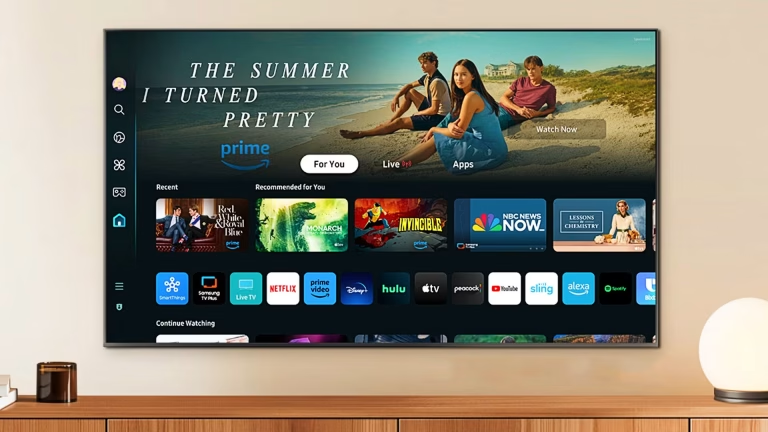
The smart platform controls your daily experience. Roku is known for a simple layout and broad streaming access. Fire TV works well for people who like Alexa voice control. Samsung’s platform adds Samsung services, free content, and device integration. Pick the system that feels easiest for your household.
Check the remote before buying. A voice remote can save time, but some people prefer direct app buttons. Bluetooth headphone mode is useful in shared homes. Also check Wi-Fi strength near the TV and make sure the set has enough HDMI ports for a soundbar, game console, cable box, and streaming device.
Finally, compare the full cost. Include a wall mount, soundbar, extended warranty, or professional installation if you need one. The Best 4K Smart TV should give you useful picture quality and features without forcing you to pay for tools you will never use.
Final Verdict: Which Should You Buy?
The 65-inch Samsung M70H is my top pick for large rooms, sports, and movie nights. For simple streaming, the 55-inch Roku Select QLED offers the best balance. Choose the Insignia F50 for value or the smaller Roku and Samsung models for compact spaces.
The Best 4K Smart TV is the one that fits your room, devices, and viewing style. Measure first, compare features, and check the latest Amazon price before ordering.
FAQs Of Best 4K Smart TV
What is the best 4K smart TV for most homes?
The 55-inch Roku Select QLED is a strong all-around choice for simple streaming, voice control, and flexible viewing. The Insignia F50 is better if your main goal is to spend less.
Is a 43-inch 4K TV good for a bedroom?
Yes. A 43-inch 4K TV can suit a bedroom, office, guest room, or small apartment. It works best when your seating distance is fairly close.
Is Mini LED better than standard LED?
Mini LED can offer better backlight control and contrast than standard LED. However, picture quality also depends on processing, room light, settings, and the content source.
Which smart TV platform is easiest to use?
Roku is often a simple choice because its home screen is clear and its search tools are easy to use. Fire TV and Samsung are also useful, especially if you already use Alexa or Samsung devices.
Do I need a soundbar for a 4K smart TV?
Not always. Built-in speakers may work well in a small room, but a soundbar can create louder sound, clearer voices, and a wider sound field in a larger room.