Best Smart Plug: Easy Smart Home Control
The best smart plug combines reliable app control, voice support, simple setup, strong safety, and good value.
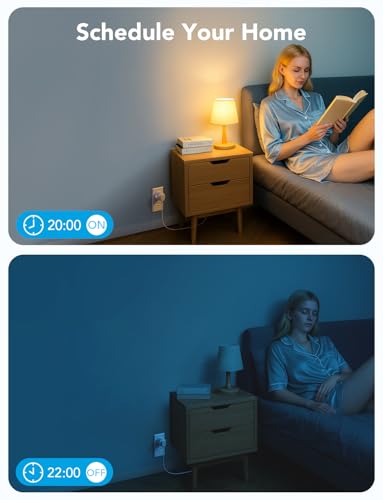
Have you ever left a lamp on, wished your coffee maker could start on a schedule, or wanted to control a fan from bed? A smart plug solves these small daily problems with one simple upgrade. I tested the key features, setup needs, smart home support, and value of five popular models. This guide helps you choose the right smart outlet for your home, whether you use Alexa, Google Home, or only a phone app.
See the differences between my top picks at a glance.
| Smart Plug | Pack | Voice Control | Hub | Best For | Buy |
|---|---|---|---|---|---|
| Govee Smart Plug | 4-pack | Alexa, Google | Not required | Schedules and groups | View on Amazon |
| Kasa HS103P4 | 4-pack | Alexa, Google | Not required | Balanced daily use | View on Amazon |
| Amazon Smart Plug | Single | Alexa | Not required | Alexa homes | View on Amazon |
| Kasa Ultra Mini EP10P4 | 4-pack | Alexa, Google | Not required | Small spaces | View on Amazon |
| EIGHTREE Smart Plug | 4-pack | Alexa, Google | Not required | Low-cost setups | View on Amazon |
Govee Smart Plug 4-Pack

Govee makes this four-pack for people who want to automate several devices at once. Each plug supports 2.4GHz Wi-Fi and does not need a separate hub. The listed 15-amp rating suits common household items such as lamps, fans, and small appliances. The plugs also carry ETL and FCC certifications, which adds useful peace of mind.
The Govee app gives you remote control, timers, schedules, and group control. You can place several plugs in one room or set them to work together. Alexa and Google Assistant support lets you use simple voice commands. I like this pack for living rooms, bedrooms, and holiday lights where many outlets need the same routine.
Pros:
- Four plugs cover several rooms at a useful price.
- Works with Alexa and Google Assistant.
- No hub is needed for normal use.
- Schedules and timers help reduce daily effort.
- Group control makes several plugs easier to manage.
- 15-amp capacity suits many common home devices.
- ETL and FCC certification information is clearly listed.
Cons:
- It works on 2.4GHz Wi-Fi only.
- The Govee app adds another smart home app to your phone.
- It may take more setup time when installing all four plugs.
What Amazon Buyers Are Saying
Amazon buyer feedback commonly focuses on easy remote control, useful schedules, and the value of the four-pack. Many shoppers like using several plugs for lamps and seasonal lights. Some buyers report that Wi-Fi setup needs care, especially when a phone stays connected to a 5GHz network. As with most Wi-Fi plugs, results can vary with router range and network settings.
My Recommendation
I recommend the Govee four-pack for shoppers who want many smart outlets without buying a hub. It offers a good mix of control, group features, and safety information. Check your router settings before purchase because the plugs use 2.4GHz Wi-Fi. Overall, this is a strong choice for broad home coverage.
| Category | Rating |
|---|---|
| Setup and App Control | 4.2/5 |
| Smart Home Support | 4.4/5 |
| Group and Schedule Features | 4.5/5 |
| Value | 4.5/5 |
| Overall Rating | 4.4/5 |
Kasa Smart Plug HS103P4

The Kasa HS103P4 is one of the safest all-around picks for a first smart home project. This four-pack works with Alexa, Echo, and Google Home. It uses Wi-Fi instead of a dedicated hub, so you can start with the Kasa app and your home router. The 15-amp rating fits many lamps, fans, chargers, and other everyday devices.
Kasa gives you remote access, timers, schedules, and voice control. The touch actuator on each unit also lets you switch a device by hand. That matters when your phone is not nearby or a guest wants to use the lamp. I find this model especially useful for a mix of bedside lights, floor lamps, and small electronics.
Pros:
- Balanced feature set for most homes.
- Four plugs offer strong coverage for a starter kit.
- Works with both Alexa and Google Home.
- Remote control works through the Kasa app.
- Timers and schedules support useful routines.
- Manual touch control remains available.
- 15-amp rating suits many standard household loads.
Cons:
- It supports 2.4GHz Wi-Fi rather than 5GHz Wi-Fi.
- The plug body may use space beside a large adapter.
- It lacks energy monitoring in this listed model.
What Amazon Buyers Are Saying
Common Amazon review themes include simple daily control, steady performance, and good value in the four-pack. Buyers often mention lights, fans, and holiday displays as successful uses. Some reviews point to setup issues when the router or phone uses the wrong Wi-Fi band. A few shoppers also prefer a smaller body for crowded wall outlets, which is why size matters before buying.
My Recommendation
The HS103P4 is my best overall pick for most users. It offers the right mix of voice control, manual control, schedules, and multi-pack value. It is a smart buy if you want a known app and broad platform support. I would choose it for a home that needs dependable basic automation without extra complexity.
| Category | Rating |
|---|---|
| Setup and App Control | 4.5/5 |
| Voice Compatibility | 4.6/5 |
| Daily Usability | 4.6/5 |
| Value | 4.5/5 |
| Overall Rating | 4.6/5 |
Amazon Smart Plug
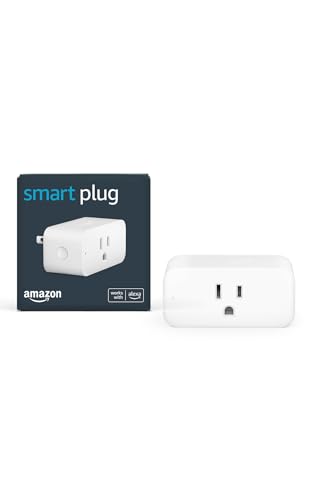
The Amazon Smart Plug targets users who already rely on Alexa. Its main appeal is a simple setup within the Alexa ecosystem. You do not need a separate smart home hub, and the plug is designed for basic on-and-off control. It works well for lamps, fans, and other devices that you want to operate with a routine or voice command.
This single plug makes sense when you need one reliable smart outlet rather than a full four-pack. Alexa routines can help turn lights on at set times or switch a device off when you leave. The design keeps the learning curve low for Amazon households. However, buyers who use Google Home or want several plugs may find another model more flexible.
Pros:
- Simple choice for homes built around Alexa.
- No separate hub is required.
- Works well for basic on-and-off automation.
- Alexa routines can support daily schedules.
- A single plug suits small projects or one room.
- Useful for buyers who want a familiar smart home brand.
Cons:
- It is less flexible for Google Home users.
- The single-pack format may cost more per plug than a four-pack.
- It does not target shoppers who need advanced outlet data.
What Amazon Buyers Are Saying
Amazon customers often praise the direct Alexa setup and the small amount of work needed to begin. Many use it for lamps, fans, and simple routines. Some buyers report that setup works best when the Alexa app, phone, and Wi-Fi are ready before pairing. Other reviews show that shoppers outside the Alexa ecosystem may prefer a plug with wider platform support.
My Recommendation
I recommend the Amazon Smart Plug to Alexa users who want one straightforward outlet. It is not my first choice for a mixed-platform home, but it can be a clean and easy fit in an Alexa-only setup. Buy it when simple control matters more than multi-pack savings. Overall, it earns a strong score for ease of use.
| Category | Rating |
|---|---|
| Alexa Setup | 4.7/5 |
| Voice Control | 4.6/5 |
| Platform Flexibility | 3.7/5 |
| Value | 4.1/5 |
| Overall Rating | 4.3/5 |
Kasa Ultra Mini Smart Plug EP10P4

The Kasa EP10P4 focuses on a compact shape and practical control. It is made for buyers who dislike a plug that blocks the second wall outlet. This four-pack works with Alexa and Google Home, and it connects through 2.4GHz Wi-Fi. Like the larger Kasa model, it does not need a separate hub.
The Kasa app supports remote access, schedules, timers, and group control. The ultra-mini body makes it a useful choice behind furniture or on a busy power strip, though you should still follow the maker’s load guidance. I like this model for bedside tables, desks, and rooms with several plugs close together. It gives you multi-room coverage without a bulky look.
Pros:
- Compact design helps preserve space near the outlet.
- Four-pack supports several rooms.
- Works with Alexa and Google Home.
- No dedicated hub is required.
- App schedules and timers support daily routines.
- Group control makes repeated tasks easier.
- Good fit for desks and crowded wall outlets.
Cons:
- It uses 2.4GHz Wi-Fi only.
- The small body may be less easy to press for some users.
- It does not provide energy monitoring in this model.
What Amazon Buyers Are Saying
Amazon feedback often highlights the small size and the ability to fit more than one device near an outlet. Buyers use these plugs for lamps, chargers, and other light household loads. Some reviews mention pairing problems when the phone remains on a 5GHz band. A few buyers also note that Wi-Fi strength has a direct effect on response time.
My Recommendation
The EP10P4 is my top choice when outlet space matters most. It keeps the useful Kasa app and voice support but uses a less bulky design. I would choose it for apartments, offices, bedside tables, and crowded power areas. It is worth buying if you want four compact smart outlets at a reasonable cost.
| Category | Rating |
|---|---|
| Compact Design | 4.7/5 |
| App and Voice Control | 4.5/5 |
| Ease of Daily Use | 4.5/5 |
| Value | 4.5/5 |
| Overall Rating | 4.6/5 |
EIGHTREE Smart Plug 4-Pack
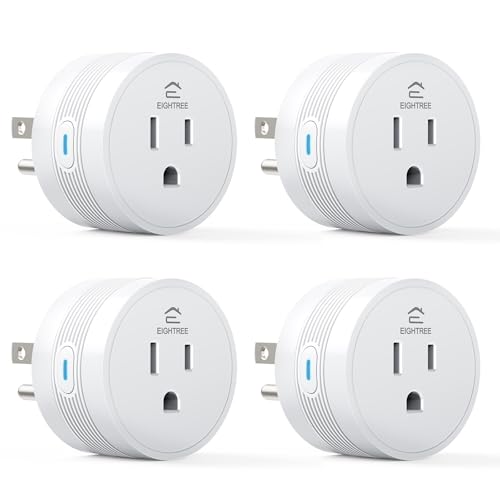
EIGHTREE gives budget-minded shoppers four smart plugs in one package. The plugs support Alexa and Google Home, along with app control from a phone. They use 2.4GHz Wi-Fi and do not require a hub. A listed 15-amp rating makes them suitable for many common household devices when used within the maker’s instructions.
Voice commands, remote access, timers, and schedules cover the core smart outlet tasks. This pack can automate lamps, fans, holiday lighting, and other devices that turn on after power returns. The four-pack is a practical way to try smart home control in more than one room. I would still check your router band and outlet clearance before placing a larger order.
Pros:
- Four-pack offers useful coverage at a budget-friendly level.
- Supports Alexa and Google Home.
- Remote app control works away from home.
- Timers and schedules support hands-free routines.
- No separate hub is needed.
- 15-amp rating fits many ordinary home uses.
- FCC and ETL certification information is listed.
Cons:
- It supports 2.4GHz Wi-Fi only.
- Setup may need extra attention on dual-band routers.
- App experience may not feel as familiar as larger smart home brands.
What Amazon Buyers Are Saying
Common Amazon review themes include affordable multi-room control and useful voice commands. Buyers often use the plugs for lamps, fans, lights, and basic schedules. Some shoppers report that pairing becomes easier after switching the phone to a 2.4GHz network. Others note that the final experience depends on Wi-Fi strength and the quality of the home router.
My Recommendation
I recommend EIGHTREE for buyers who want several basic smart outlets without spending much. It covers the main features most homes need and supports both major voice platforms. The lower price makes it a good starter pack, but buyers who want the most polished app may prefer Kasa. Overall, it offers strong practical value.
| Category | Rating |
|---|---|
| Setup and App Control | 4.1/5 |
| Voice Compatibility | 4.4/5 |
| Scheduling | 4.3/5 |
| Value | 4.6/5 |
| Overall Rating | 4.3/5 |
How to Choose the Best Smart Plug
Choosing the Best Smart Plug is not only about the lowest price. You need a model that fits your Wi-Fi, voice assistant, outlet space, and device type. A careful check before buying can prevent pairing problems and poor daily use. These are the points I use when comparing smart outlets.
1. Match the Plug With Your Wi-Fi and Smart Home
Most plugs in this guide use 2.4GHz Wi-Fi only. This band reaches farther than 5GHz in many homes, but your phone may need to connect to the correct band during setup. Check your router app or manual if you are unsure. A dual-band router can still work, but the pairing process may require a temporary 2.4GHz connection.
Next, check voice support. Kasa, Govee, and EIGHTREE support Alexa and Google Home according to their listed features. The Amazon Smart Plug is the natural fit for an Alexa-based home. Do not assume that every smart plug supports every assistant. Read the current product listing before you buy.
2. Check the Electrical Load and Intended Device
A smart plug turns a device on and off. It does not make every appliance smart. It works best with devices that return to the same power state after an outage, such as many lamps and fans. A device with a digital button may not restart when the plug supplies power.
Check the plug’s stated amp rating and your appliance label. The models here list 15-amp capacity, but that does not mean you should connect any high-load device without checking the instructions. Avoid using a basic smart plug for heaters, large motors, or other demanding appliances unless the maker clearly allows that use. Never exceed the outlet, plug, or appliance rating.
3. Compare Size, Controls, and Long-Term Value
Measure the space around your wall outlet. A large adapter beside a smart plug can block access to the second socket. The Kasa Ultra Mini stands out when a compact body matters. A manual button also helps when your phone is away, while timers and schedules matter if you want lights to follow a routine.
Finally, compare the number of plugs in the box. A four-pack often costs less per outlet than several single units. A single Amazon plug makes more sense when you need only one outlet and already use Alexa. Look for safety marks, a clear app, useful support, and a return policy. The cheapest model is not the best value if setup stays difficult.
Final Verdict: Which Should You Buy?
For most homes, I recommend the Kasa HS103P4 as the Best Smart Plug overall. Choose the Kasa EP10P4 for tight spaces, Govee for group control, Amazon for Alexa, and EIGHTREE for budget value.
Each pick adds simple control to lamps, fans, and daily routines. Check Wi-Fi support, electrical load, outlet size, and voice compatibility before ordering the Best Smart Plug for your home.
FAQs Of Best Smart Plug
Do smart plugs need a hub?
No. Every model in this guide is listed as working without a separate hub. You still need compatible Wi-Fi and the maker’s app for setup.
Will these smart plugs work with Alexa?
Yes. All five listed products support Alexa, while the Kasa, Govee, and EIGHTREE models also list Google Home support.
Do smart plugs work on 5GHz Wi-Fi?
The products reviewed here are listed for 2.4GHz Wi-Fi only. Check your router settings and connect your phone to the correct band during setup if needed.
What can I connect to a smart plug?
Smart plugs suit many lamps, fans, chargers, and simple household devices. Check the plug and appliance ratings first, and avoid unsupported high-load equipment.
Can a smart plug reduce energy use?
Schedules can stop devices from running when you do not need them. These listed models do not provide energy monitoring, so they cannot show exact power use.