Best External SSD: Fast Storage Buying Guide
The best external SSDs combine fast transfers, strong protection, simple use, and fair long-term value.
If your laptop keeps running out of space, your game loads feel slow, or your phone videos need a safe home, an external SSD can help. Unlike a hard drive, an SSD has no moving parts. That makes it quicker, quieter, and easier to carry. I tested the key differences between five popular SanDisk and Samsung drives, including speed, size, protection, and daily use. This guide helps you choose the right Best External SSD for work, school, gaming, travel, backups, and creative projects.
See the differences between my top picks at a glance.
| SSD | Capacity | Listed speed | Protection | Best for | Buy |
|---|---|---|---|---|---|
| SanDisk Extreme Old Model | 2TB | Up to 1,050MB/s read | IP65, up to 3M drop protection | Travel and large files | View on Amazon |
| Samsung T9 | 1TB | Up to 2,000MB/s | Portable solid design | Speed and demanding work | View on Amazon |
| Samsung T7 | 1TB | Up to 1,050MB/s | Compact metal body | Everyday storage | View on Amazon |
| SanDisk Extreme New Model | 1TB | Up to 2,000MB/s | IP65, up to 3M drop protection | Fast mobile work | View on Amazon |
| SanDisk Portable Drive | 1TB | Up to 600MB/s read | Up to 2M drop protection | Simple backup on a budget | View on Amazon |
SanDisk 2TB Extreme Portable SSD

The SanDisk 2TB Extreme Portable SSD gives you a large amount of fast storage in a small body. Its listed read speed reaches up to 1,050MB/s when the host device and connection support that level. The 2TB capacity suits photo libraries, video files, game installs, and computer backups. It also uses USB-C, which fits many newer laptops, tablets, and phones.
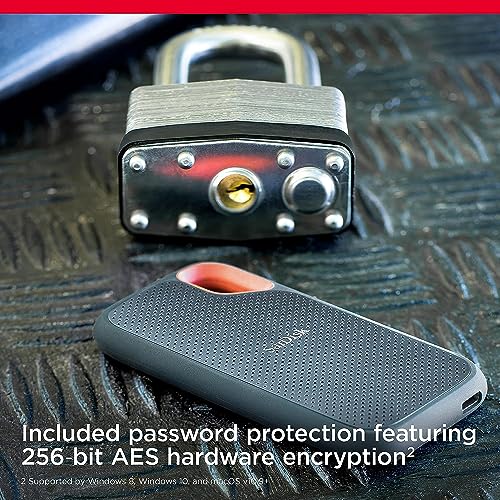
This drive stands out for travel use because it carries an IP65 water and dust resistance rating. SanDisk also lists protection against drops of up to 3 meters, although no portable drive should face careless handling. The included hardware encryption feature can add privacy for sensitive files. I see it as a strong mix of space, speed, and outdoor-ready design.
Pros:
- Large 2TB capacity for media and backups
- Fast listed read speed for daily file work
- IP65 water and dust resistance
- Listed drop protection up to 3 meters
- Compact design fits easily in a travel bag
- USB-C connection suits many modern devices
- Hardware encryption helps protect private data
Cons:
- Actual speed depends on the computer, cable, and port
- Older model listings may not offer the newest performance
- It may cost more than a basic portable SSD
What Amazon Buyers Are Saying
Common buyer themes focus on the small size, quick file transfers, and useful 2TB capacity. Many owners choose it for photo storage, video work, console use, and laptop backups. Review patterns also show that buyers value the rugged shell when they carry the drive often. As with most SSDs, some complaints center on cables, connection issues, or speeds that fall below the advertised maximum on slower ports.
My Recommendation
I recommend this model for people who want more space than a standard 1TB drive and still need a travel-friendly design. It is especially useful for photographers, students with large media folders, and anyone who wants one drive for several backups. Remember that IP protection does not make it safe to submerge, and always keep a second copy of important files. Overall, it remains a practical Best External SSD choice for capacity and protection.
| Category | Rating |
|---|---|
| Capacity | 5/5 |
| Transfer performance | 4.5/5 |
| Durability | 4.5/5 |
| Portability | 4.5/5 |
| Overall Rating | 4.6/5 |
Samsung T9 Portable SSD

The Samsung T9 is the speed leader in this group. Samsung lists read and write performance of up to 2,000MB/s when the drive connects through a compatible USB 3.2 Gen 2×2 port. That makes it attractive for large video projects, big photo catalogs, and fast computer backups. Its 1TB capacity gives you useful working space without making the drive too large.
The T9 has a solid portable build and a simple black finish. Its performance advantage matters most when your computer supports USB 3.2 Gen 2×2, since older USB ports can limit the result. I like this model for users who move large files often and want to reduce waiting time. It also works well for gaming storage, though game performance depends on the platform and connection.
Pros:
- Very high listed speed of up to 2,000MB/s
- USB 3.2 Gen 2×2 interface for demanding transfers
- Compact size works well beside a laptop
- Useful for video editing and large project folders
- Suitable for gaming, school, and professional work
- Trusted Samsung portable SSD product line
Cons:
- Older USB ports will not reach the listed maximum speed
- 1TB may feel small for large video collections
- Fast workloads can create heat during long transfers
- It often costs more than a slower everyday SSD
What Amazon Buyers Are Saying
Buyers often praise the T9 for its small footprint, strong transfer speed, and easy setup. Many use it for work files, game libraries, video projects, and moving data between computers. A repeated practical point is that the drive needs a compatible port to show its full advantage. Some users also mention warmth during long transfers, which is common with high-speed compact SSDs and does not by itself indicate a fault.
My Recommendation
I recommend the Samsung T9 to power users who can take advantage of USB 3.2 Gen 2×2. It is the best choice here when speed matters more than maximum capacity or the lowest price. For simple document storage, its extra performance may not justify the cost. For creators and professionals, however, it is one of the strongest Best External SSD options in this comparison.
| Category | Rating |
|---|---|
| Speed | 5/5 |
| Build quality | 4.5/5 |
| Compatibility value | 4/5 |
| Capacity | 4/5 |
| Overall Rating | 4.5/5 |
Samsung T7 1TB Portable SSD

The Samsung T7 remains a balanced choice for everyday portable storage. It offers listed read speeds of up to 1,050MB/s through USB 3.2 Gen 2, which is enough for quick backups and smooth file transfers. The 1TB capacity works well for school files, office documents, photos, and a moderate game library. Its Titan Gray finish gives it a clean and professional look.
I like the T7 because it avoids unnecessary complexity. It is small, light, and easy to carry between a home computer and a work laptop. Its speed is not as high as the T9, but more computers can use its performance without needing the newest USB standard. That makes it a sensible pick for buyers who want reliable daily storage instead of maximum benchmark numbers.
Pros:
- Fast listed read speed for normal daily work
- Compact metal design feels easy to carry
- Broad usefulness for laptops, desktops, and gaming
- Simple setup for backups and file transfers
- Professional Titan Gray finish
- Often offers better value than newer ultra-fast models
Cons:
- 1TB may not cover a large video archive
- It lacks the T9’s higher 2,000MB/s speed
- USB port limits can reduce real-world performance
What Amazon Buyers Are Saying
Amazon review patterns commonly highlight the T7’s small size, quick setup, and dependable everyday performance. Buyers use it for Mac and Windows storage, console games, photo backups, and moving work files. Many appreciate that it feels faster than a portable hard drive without making much noise. Some complaints relate to cable fit, device compatibility, or performance that varies by computer, cable, and file type.
My Recommendation
I recommend the Samsung T7 for most people who want a simple and proven 1TB portable SSD. It offers a strong balance between speed, size, and broad usefulness. Choose the T9 instead if your computer supports Gen 2×2 and you often move huge files. For everyday storage, the T7 is still a smart Best External SSD purchase.
| Category | Rating |
|---|---|
| Everyday speed | 4.5/5 |
| Portability | 4.5/5 |
| Ease of use | 4.5/5 |
| Value | 4.5/5 |
| Overall Rating | 4.5/5 |
SanDisk 1TB Extreme Portable SSD

This newer SanDisk Extreme listing targets users who want high speed in a rugged 1TB drive. The product information lists transfer speeds of up to 2,000MB/s and a USB-C 3.2 Gen 2 connection. As always, your computer and cable must support the required connection for top results. The 1TB size gives creators a useful portable workspace for photos, clips, documents, and project files.
Its IP65 water and dust resistance makes it well suited to travel and field work. SanDisk also lists up to 3 meters of drop protection, plus 256-bit AES encryption for supported security needs. The drive is small enough for a jacket pocket or camera bag. I would choose it when physical protection matters almost as much as transfer speed.
Pros:
- High listed transfer speed up to 2,000MB/s
- IP65 water and dust resistance
- Listed protection from drops up to 3 meters
- 256-bit AES encryption feature
- USB-C design works with many newer devices
- Portable size suits travel and field work
Cons:
- 1TB gives less room than the 2TB Extreme model
- Full speed requires a compatible host port and cable
- Long high-speed transfers may produce heat
- Pricing can vary widely between listings
What Amazon Buyers Are Saying
Buyers commonly like the rugged body, small footprint, and fast transfer claims. Review patterns show use in travel, photography, video work, and laptop expansion. Users also value the USB-C connection and the added sense of security from water, dust, and drop protection. The most common practical concerns involve compatibility, heat during heavy work, and speeds that change with the host device.
My Recommendation
This model is a good fit for creators who want a fast drive that can handle regular travel. I prefer it over a basic SSD when you work near dust, light moisture, or busy outdoor locations. The 1TB capacity may require more frequent file management, so heavy video users should consider the 2TB version. I rate it highly as a rugged Best External SSD for mobile work.
| Category | Rating |
|---|---|
| Speed | 5/5 |
| Rugged protection | 4.5/5 |
| Portability | 4.5/5 |
| Capacity | 4/5 |
| Overall Rating | 4.5/5 |
SanDisk 1TB Portable Drive

The SanDisk 1TB Portable Drive is the simple option in this group. It lists read speeds of up to 600MB/s, which is still much quicker than many portable hard drives for common file tasks. The 1TB capacity suits documents, school work, photos, music, and routine backups. Its pocket-sized shape makes it easy to keep with a laptop.
This drive focuses on practical value rather than extreme speed. SanDisk lists up to 2 meters of drop protection, so it offers some help against normal bumps and falls. It uses a USB Type-C-ready design, but the exact cable and adapter setup still matters with older devices. I would choose it for basic storage when you want SSD responsiveness without paying for a premium high-speed model.
Pros:
- Affordable way to add 1TB of portable storage
- Listed read speed up to 600MB/s
- Small, pocket-friendly design
- Up to 2 meters of listed drop protection
- Useful for backups, photos, and office files
- Quieter and more portable than a hard drive
Cons:
- Slower than the Samsung T9 and newer Extreme model
- No listed IP65 water and dust rating
- 1TB may not suit large video collections
- Real speed depends on the connected device
What Amazon Buyers Are Saying
Buyers often choose this model for its small size, simple storage role, and accessible price. Common uses include computer backups, photo storage, music libraries, and extra laptop space. Review patterns tend to favor its light weight and quiet operation. Some buyers expect premium SSD speeds, so it is important to remember that this model sits below the faster Extreme and Samsung drives in the listed speed range.
My Recommendation
I recommend this SanDisk when your main goal is affordable, portable backup space. It is a sensible choice for documents and photos, but it is not my first pick for professional video editing or very large transfers. If the price is attractive, it delivers a useful step up from a portable hard drive. I give it a strong value score among entry-level Best External SSD choices.
| Category | Rating |
|---|---|
| Value | 4.5/5 |
| Basic speed | 4/5 |
| Portability | 4.5/5 |
| Protection | 4/5 |
| Overall Rating | 4.3/5 |
How to Choose Best External SSD
Choosing the Best External SSD means matching the drive to your device, files, and daily habits. A high speed number looks useful, but it means little if your computer has a slower USB port. Capacity, protection, cable support, heat, and price all affect the real buying decision.
1. Match the SSD Speed to Your USB Port
Start by checking the USB port on your laptop, desktop, tablet, or game console. USB 3.2 Gen 2 drives can offer strong everyday speed, while USB 3.2 Gen 2×2 models can reach much higher listed rates on compatible systems. The Samsung T9 is the clearest example in this guide. If your device does not support Gen 2×2, you may not see its full performance.
Also check the cable. A drive may include a suitable cable, but a replacement cable can limit speed if it does not support the right standard. For basic documents, a 600MB/s-class portable SSD may be enough. For raw video, large photo catalogs, and frequent backups, the faster 1,050MB/s or 2,000MB/s options can save time.
2. Choose Capacity for Your Real Files
Think about what you plan to store now and next year. A 1TB drive works well for office files, school work, photos, and a moderate game collection. Video creators may fill 1TB quickly, especially when they keep source clips and project exports together. In that case, the SanDisk 2TB Extreme gives you more breathing room.
Do not use one external SSD as your only copy of important data. SSDs are fast and durable, but every storage device can fail, get lost, or become damaged. Keep a second backup for family photos, business documents, and other files that you cannot replace.
3. Consider Protection, Heat, and Long-Term Value
If you carry the drive outside, look for a strong shell and a clear protection rating. The SanDisk Extreme models list IP65 water and dust resistance and up to 3 meters of drop protection. The standard SanDisk Portable Drive lists up to 2 meters of drop protection, but it does not list the same IP65 rating. These features help, but they do not replace careful handling.
Fast compact SSDs can become warm during long transfers. Keep the drive in open air and avoid covering it with clothing or soft bags while it works. Finally, compare the cost per terabyte, warranty terms, included cables, and return policy. The cheapest drive is not always the best value if you need more space or better protection soon.
Final Verdict: Which Should You Buy?
For most buyers, I recommend the Samsung T7 for its balance of speed, size, and simple daily use. Choose the Samsung T9 for maximum speed, or the SanDisk 2TB Extreme for rugged travel and extra capacity.
The Best External SSD depends on your port, files, and budget. Pick the capacity you need, protect your backups, and buy the fastest model your devices can truly use.
FAQs Of Best External SSD
Which is the fastest external SSD in this comparison?
The Samsung T9 and newer SanDisk Extreme list speeds of up to 2,000MB/s. Your computer, USB port, cable, and file type must support the needed connection for similar results.
Is a 1TB external SSD enough for most users?
Yes. A 1TB drive suits documents, photos, school files, and moderate game storage. Video creators and large backup users may prefer 2TB.
Can I use these external SSDs with a Mac or PC?
Yes, these drives can work with modern Mac and Windows computers when the port, cable, and file format are compatible. You may need to reformat the drive for a specific use.
Are rugged external SSDs waterproof?
The SanDisk Extreme models list IP65 water and dust resistance. This does not mean you should submerge the drive. Keep every SSD dry when possible.
Is an external SSD good for gaming?
Yes. An external SSD can store many games and shorten loading compared with a hard drive. Actual results depend on the console, computer, game, and USB connection.