Best 27-Inch Monitor: Smart Buying Guide
The best 27-inch monitor balances sharp image quality, smooth motion, useful ports, and strong everyday value.
Many shoppers want one screen for work, streaming, photo edits, and gaming. Yet, 27-inch monitors vary a lot in sharpness, speed, stand design, and price. A Full HD model can save money, while a QHD model gives you more detail and desktop space. I compared five current options from Dell, Acer, and Sceptre to help you find the right display for your desk and budget. The models below cover simple office use, casual gaming, and more demanding PC play.
See the differences between my top picks at a glance.
Dell SE2726H 27-Inch FHD Monitor
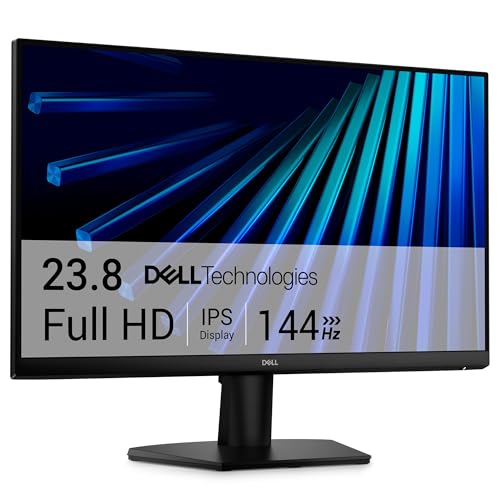
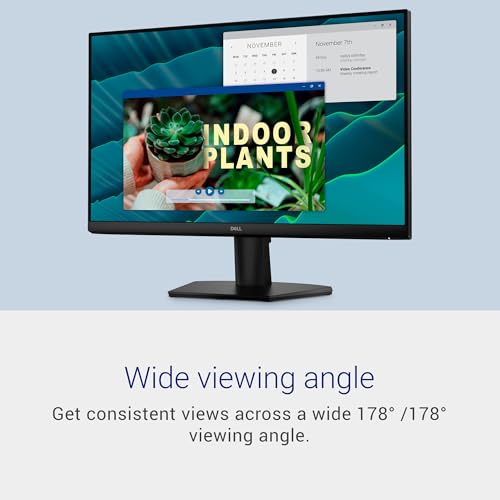
The Dell SE2726H is a practical 27-inch display for buyers who want smooth motion without moving to a more expensive QHD setup. Its Full HD resolution keeps the graphics load low, which helps modest gaming PCs reach higher frame rates. The IPS panel should also provide broad viewing angles for work, video, and shared screens. Dell lists a 144Hz refresh rate and a 1ms response time for this model.
AMD FreeSync can help reduce visible tearing when the monitor and compatible graphics card work within the right range. The monitor also includes two HDMI ports, which makes it easier to connect a computer and another source. Its tilt stand is simple, so it works best when your desk height already feels right. I see this as a sensible choice for a first gaming monitor or a home office screen that also handles fast games.
Pros:
- 144Hz refresh rate supports smooth scrolling and gaming.
- IPS technology offers wide viewing angles.
- Full HD resolution suits many budget and mid-range PCs.
- Two HDMI ports make source switching easier.
- AMD FreeSync can help limit screen tearing.
- 1ms response specification targets quick on-screen motion.
Cons:
- Full HD looks less sharp than QHD at 27 inches.
- The stand offers tilt but not height, swivel, or pivot adjustment.
- It does not list built-in speakers.
What Amazon Buyers Are Saying
Buyer feedback for monitors in this class commonly focuses on the smooth 144Hz experience, clear IPS image, and easy setup. Shoppers who upgrade from older 60Hz displays often notice smoother cursor movement and game play. Some buyers also point out that Full HD can look soft at 27 inches when viewed close up, especially beside a QHD monitor. As with any display, reported experiences can vary by graphics card, cable, settings, and unit condition.
My Recommendation
I recommend the SE2726H for everyday users who want a fast, simple, and reasonably equipped display. It is a good fit for 1080p gaming and general work, but buyers who read small text all day may prefer QHD. Check your computer output and the current listing before ordering.
| Category | Rating |
|---|---|
| Image and panel | 4.3/5 |
| Gaming motion | 4.6/5 |
| Connectivity | 4.2/5 |
| Stand flexibility | 3.5/5 |
| Overall Rating | 4.3/5 |
Acer KB272 G0bi 27-Inch IPS Monitor

The Acer KB272 G0bi targets shoppers who want a low-cost 27-inch monitor for work and casual play. It uses a 1920 × 1080 IPS panel with a 120Hz refresh rate. That gives it a useful middle ground between basic 60Hz office screens and faster gaming models. Acer also lists 99% sRGB coverage, which can help colors look balanced for normal web use and light creative work.
This monitor includes a 1ms response specification, AdaptiveSync, HDMI, and VGA inputs. The VGA port may help people connect an older computer, although newer systems usually favor HDMI. Its VESA-mountable design gives you the option to use a monitor arm or wall mount that matches the supported pattern. A blue-light filter may also make long evening sessions more comfortable, though good room light and regular breaks still matter.
Pros:
- 120Hz refresh rate feels smoother than a standard 60Hz display.
- IPS panel supports wide viewing angles.
- 99% sRGB coverage is useful for everyday color work.
- AdaptiveSync supports smoother compatible gameplay.
- HDMI and VGA improve compatibility with newer and older devices.
- VESA mounting adds desk setup flexibility.
- Blue-light filter provides an extra viewing comfort option.
Cons:
- Full HD resolution is not as detailed as QHD at this screen size.
- VGA is an older connection and may require an adapter with some computers.
- The product information does not highlight built-in speakers.
What Amazon Buyers Are Saying
Customers shopping in this price range often value the Acer’s simple setup, large screen, and smooth refresh rate. The IPS panel and listed sRGB coverage also appeal to buyers who want a better image than a basic office monitor can provide. Common concerns with budget displays tend to include stand movement, brightness preferences, and the limits of Full HD on a 27-inch screen. Read the latest listing feedback closely if color work or long daily use is your main goal.
My Recommendation
The Acer KB272 G0bi is worth considering when price, basic gaming speed, and broad device support matter most. It is especially useful for a student, home office, or casual gamer who wants more than 60Hz. I would not choose it for high-end photo work or a premium gaming setup, but it offers a well-rounded feature set for its class.
| Category | Rating |
|---|---|
| Image and color | 4.2/5 |
| Gaming motion | 4.2/5 |
| Input flexibility | 4.4/5 |
| Ergonomics | 3.8/5 |
| Overall Rating | 4.2/5 |
Dell S2725DSM 27-Inch QHD Monitor

The Dell S2725DSM is the strongest all-around option in this comparison for buyers who want more detail from a 27-inch screen. Its QHD resolution delivers 2560 × 1440 pixels, so text, menus, photos, and game scenes look sharper than they do on Full HD. The 144Hz refresh rate keeps movement smooth, while the 1ms response specification suits fast games. This combination makes the display useful for both productive work and entertainment.
Dell also includes two 3W speakers, HDMI and DisplayPort 1.4 connectivity, and a more flexible stand. You can adjust the height, tilt, pivot, and swivel, which helps you set the screen at a better viewing position. AMD FreeSync adds support for smoother compatible gaming. Because QHD places more demand on your graphics card, check that your computer can drive your favorite games at the desired frame rate.
Pros:
- QHD resolution gives sharper text and more desktop space.
- 144Hz refresh rate supports smooth gaming and scrolling.
- Height, tilt, pivot, and swivel adjustments improve comfort.
- DisplayPort 1.4 and HDMI support modern connections.
- Built-in 2 x 3W speakers reduce the need for separate desk speakers.
- AMD FreeSync can reduce tearing with compatible hardware.
- The 1ms response specification supports fast on-screen action.
Cons:
- QHD gaming may require a stronger graphics card than Full HD gaming.
- It may cost more than the simpler Full HD models in this guide.
- Built-in monitor speakers usually cannot match dedicated speakers or headphones.
What Amazon Buyers Are Saying
Buyers who choose QHD monitors commonly praise the extra clarity, larger work area, and more useful stand adjustment. The built-in speakers also appeal to people who want a clean desk for calls, videos, or light audio. Some customers may still prefer external speakers for fuller sound, and a few may need time to tune scaling in their operating system. Current Amazon feedback should be checked for the latest comments about packaging, pixels, and setup.
My Recommendation
I recommend the S2725DSM as the best overall pick here. It offers the most complete mix of resolution, speed, speakers, ports, and ergonomic control. It costs more than a basic Full HD screen, but the sharper QHD image can make that extra spend worthwhile for work and gaming.
| Category | Rating |
|---|---|
| Image and detail | 4.8/5 |
| Gaming motion | 4.7/5 |
| Ports and extras | 4.7/5 |
| Stand flexibility | 4.8/5 |
| Overall Rating | 4.7/5 |
Sceptre E275W-FW100T 27-Inch Monitor

The Sceptre E275W-FW100T is aimed at shoppers who want a large screen with useful gaming features at a budget-friendly level. It offers a 100Hz refresh rate, a 1ms display specification, and AMD FreeSync support. The monitor also lists 100% sRGB coverage, which can produce a pleasing color range for normal work, web content, and video. Its frameless design can look clean on a single-monitor desk or in a multi-monitor arrangement.
Connectivity includes DisplayPort and two HDMI ports, so you have several ways to connect a computer, console, or streaming device. Built-in speakers add convenience for basic alerts, videos, and casual listening. The eye-care features may help reduce glare or viewing strain when paired with sensible brightness settings. This is still a Full HD display, so I would view it as a value monitor rather than a high-detail professional panel.
Pros:
- 100Hz refresh rate is smoother than a basic 60Hz screen.
- 100% sRGB coverage supports appealing everyday color.
- DisplayPort and two HDMI ports offer useful connection choices.
- Built-in speakers provide simple audio without extra hardware.
- AMD FreeSync supports smoother compatible gameplay.
- Frameless styling works well with modern desk setups.
- Eye-care features suit long work and browsing sessions.
Cons:
- Full HD resolution provides less detail than QHD at 27 inches.
- Built-in speakers are convenient but may have limited sound depth.
- Budget monitor stands may offer less adjustment than premium Dell designs.
What Amazon Buyers Are Saying
Feedback for this type of Sceptre monitor often centers on value, screen size, easy connections, and the convenience of built-in speakers. Buyers who need a simple second screen may like the large viewing area and frameless look. Some shoppers may want more stand adjustment or stronger sound, while others may notice that Full HD is not as crisp as QHD from a close distance. Check the current Amazon review page for the most recent user reports and seller details.
My Recommendation
The Sceptre E275W-FW100T is a good buy when you want practical features at a lower cost. It suits home offices, student desks, console setups, and casual PC gaming. I would choose it over a basic 60Hz monitor, but I would move to the Dell S2725DSM if sharper text and a flexible stand matter more.
| Category | Rating |
|---|---|
| Image and color | 4.1/5 |
| Gaming motion | 4.1/5 |
| Connectivity | 4.4/5 |
| Extra features | 4.3/5 |
| Overall Rating | 4.2/5 |
Dell S2725HSM 27-Inch FHD Monitor

The Dell S2725HSM is a Full HD monitor for people who want fast performance and a more adjustable desk setup. It pairs 1920 × 1080 resolution with a 144Hz refresh rate and a 1ms response specification. That makes it a strong fit for everyday productivity, streaming, and fast games when your computer does not need QHD output. Its Ash White finish also gives it a different look from many black budget monitors.
Dell lists two 3W speakers and HDMI connectivity for this model. The stand supports height, tilt, pivot, and swivel adjustments, so you can place the screen at a comfortable eye level. AMD FreeSync adds a useful gaming feature for compatible systems. Since the connection list centers on HDMI, check your computer or console output before buying, especially if you need DisplayPort.
Pros:
- 144Hz refresh rate supports smooth motion.
- Full HD resolution works well with many computers.
- Height, tilt, pivot, and swivel adjustments improve ergonomics.
- Built-in 2 x 3W speakers add convenience.
- AMD FreeSync supports smoother compatible games.
- 1ms response specification targets quick motion.
- Ash White styling gives the desk a clean appearance.
Cons:
- Full HD is less sharp than QHD on a 27-inch screen.
- The listed connectivity is more limited than the S2725DSM.
- Built-in speakers are best for basic audio, not rich music.
What Amazon Buyers Are Saying
Shoppers who prefer Dell displays often mention the clean design, easy setup, and useful stand range. A flexible stand can make a clear difference when you work for many hours or switch between sitting and standing. Buyers who expect QHD sharpness may find Full HD less crisp at this size, and some may still use headphones or external speakers. Review the latest listing details to confirm the included cables and connection needs for your setup.
My Recommendation
I recommend the S2725HSM for users who want a polished Full HD monitor with strong ergonomic control. It is more flexible than a basic tilt-only model and includes speakers for simple media use. Choose it if you prefer 1080p compatibility; choose the S2725DSM if you want QHD detail and DisplayPort.
| Category | Rating |
|---|---|
| Image and panel | 4.3/5 |
| Gaming motion | 4.6/5 |
| Ergonomics | 4.8/5 |
| Ports and audio | 4.1/5 |
| Overall Rating | 4.4/5 |
How to Choose the Best 27-Inch Monitor
Choosing the Best 27-Inch Monitor depends on more than screen size. I first look at resolution, refresh rate, panel type, ports, and stand movement. Then I match those features to the computer, desk, and tasks. A good monitor should feel right during daily use, not just look impressive on a product page.
1. Match Resolution to Your Work and PC
Full HD, or 1920 × 1080, keeps the price lower and works well with many older or modest computers. It also makes it easier for a gaming PC to reach high frame rates. However, Full HD can look less sharp on a 27-inch panel than it does on a smaller screen.
QHD, or 2560 × 1440, gives you more pixels. Text can look clearer, and you can fit more windows on the desktop. It is a strong choice for office work, coding, editing, and modern games. The trade-off is a higher price and a greater demand on your graphics card. If you choose QHD, confirm that your PC has the power and output needed for it.
2. Look at Refresh Rate, Sync, and Panel Response
A 60Hz display refreshes the image 60 times each second. A 100Hz, 120Hz, or 144Hz screen can make movement feel smoother. You may notice the change while scrolling, dragging windows, or playing racing and action games. A higher refresh rate helps only when your computer can send enough frames to the monitor.
AMD FreeSync and AdaptiveSync can help the display match its refresh rate to the frame rate from compatible hardware. This may reduce tearing, which appears as a horizontal split in moving images. The advertised 1ms response figure can be useful, but real motion results also depend on the panel mode and settings. I recommend using the connection and refresh settings listed by the monitor maker.
3. Check Ergonomics, Ports, and Long-Term Value
A tilt-only stand may work on a fixed desk, but height adjustment gives you more control over your viewing position. Pivot and swivel functions help with portrait documents, shared viewing, and multi-monitor layouts. A VESA mount can also let you use a monitor arm, but check the exact mount pattern and weight limits before buying.
Count the ports you need. HDMI works with many computers, consoles, and media devices. DisplayPort is common on desktop graphics cards and can be important for certain refresh-rate and resolution combinations. VGA helps with older computers but is not a modern digital connection. Built-in speakers are convenient, yet separate speakers or headphones usually deliver better sound.
Finally, consider your daily use. A student may value price, easy setup, and eye-care settings. A gamer may care more about refresh rate, sync support, and response. A remote worker may prefer QHD resolution, speakers, and a fully adjustable stand. The Best 27-Inch Monitor is the one that fits your real tasks instead of offering features you will never use.
Final Verdict: Which Should You Buy?
The Dell S2725DSM is my top choice because it combines QHD clarity, 144Hz speed, speakers, modern ports, and a flexible stand. For a lower-cost Full HD option, the Dell SE2726H offers excellent gaming speed.
Use this Best 27-Inch Monitor guide to compare resolution, motion, ports, and comfort before you buy. Always confirm the latest price, stock, warranty, and included accessories on Amazon.
FAQs Of Best 27-Inch Monitor
Is 27 inches too large for a Full HD monitor?
Not always, but Full HD can look less sharp at 27 inches than QHD. It works well for gaming, streaming, and general office use when you sit at a comfortable distance.
Is QHD better than Full HD for a 27-inch monitor?
QHD usually gives sharper text and more desktop space. Full HD costs less and places less demand on your computer, so the better choice depends on your work and graphics hardware.
What refresh rate should a 27-inch gaming monitor have?
A 100Hz to 144Hz monitor is a useful choice for smooth gaming and scrolling. Your computer must produce enough frames to take full advantage of the higher refresh rate.
Do built-in monitor speakers replace computer speakers?
They can handle alerts, calls, and casual videos. Dedicated speakers or headphones usually provide stronger volume, bass, and detail.
What ports should I look for in a 27-inch monitor?
HDMI suits many computers and consoles, while DisplayPort is common on desktop graphics cards. Check the exact ports, cable needs, and supported refresh rate before purchase.