Best Mini PC: Compact Power For Every Setup
The best mini PC blends strong speed, small size, quiet use, and useful ports for less desk space.
A small desk can become crowded fast. A full tower takes room, creates cable mess, and may use more power than you need. A mini PC solves that problem while still handling work, study, streaming, web browsing, and many creative tasks. I reviewed four very different options, from an affordable office computer to a powerful Ryzen gaming model. The right choice depends on your apps, display needs, upgrade plans, and budget. Use the comparison table first, then read each detailed review before you buy.
See the differences between my top picks at a glance.
| Mini PC | Processor | Memory / Storage | Best For | Link |
|---|---|---|---|---|
| GMKtec M5 Ultra | Ryzen 7 7730U | 16GB / 512GB SSD | Work and multitasking | View on Amazon |
| Apple Mac mini M6 | Apple M6 | 16GB / 256GB SSD | macOS and creative work | View on Amazon |
| KAMRUI AK1PLUS | Intel Celeron N5095 | 16GB / 256GB SSD | Basic home office use | View on Amazon |
| GMKtec M6 Ultra | Ryzen 5 7640HS | 32GB / 1TB SSD | Gaming and heavy work | View on Amazon |
GMKtec M5 Ultra Ryzen 7 Mini PC

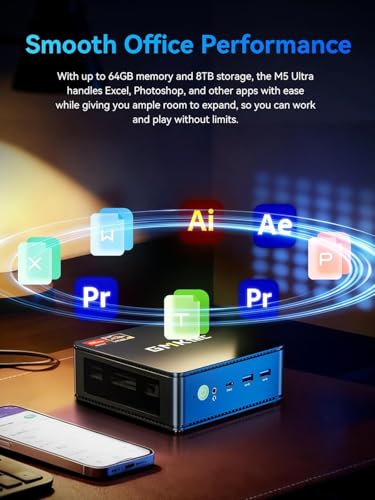
The GMKtec M5 Ultra is a strong fit for work, school, and daily home use. Its AMD Ryzen 7 7730U processor offers eight cores and sixteen threads, so it can handle many open apps with ease. The listed boost speed reaches up to 4.5GHz, though real speed depends on heat, power, and the task at hand. The 16GB of DDR4 memory gives Windows room for browser tabs, office apps, video calls, and light editing.
Storage starts with a 512GB SSD, which gives faster start-up and file access than a hard disk drive. I also like the upgrade focus, as the listing highlights upgradeable RAM and room for storage expansion. Dual 2.5GbE LAN ports can help with fast wired networks, file transfers, or simple network projects. Wi-Fi 6E, Bluetooth 5.2, USB-C, and support for up to three 8K displays make this a flexible desktop for a busy setup.
Pros:
- Ryzen 7 performance suits office work and multitasking
- 16GB RAM supports many daily apps at once
- 512GB SSD gives useful starting storage
- Dual 2.5GbE LAN ports add network flexibility
- Wi-Fi 6E and Bluetooth 5.2 support modern connections
- USB-C adds a useful newer port
- Triple-display support suits a large desk setup
Cons:
- Integrated graphics are not ideal for demanding new games
- DDR4 memory is older than the DDR5 memory used in newer systems
- Small PC cooling can become more noticeable under long, heavy loads
What Amazon Buyers Are Saying
Buyer feedback for mini PCs often focuses on easy setup, small size, and good value for office work. For this model, shoppers should pay close attention to comments about Windows setup, fan sound, wireless stability, and display connections. These details can vary by batch, driver version, and home network. I would also check recent reviews for notes about upgrade access and long-term stability before ordering.
The main lesson for buyers is simple: this is a compact productivity computer, not a replacement for a high-end tower with a separate graphics card. It makes the most sense for people who want responsive daily use, several screens, and better network options in a small case. Always confirm the current configuration on the Amazon page, since sellers may offer more than one memory or storage version.
My Recommendation
I recommend the GMKtec M5 Ultra for buyers who want a capable Windows mini PC without moving to a large desktop. It offers a balanced mix of CPU power, ports, storage, and upgrade potential. It is worth considering for home offices, small businesses, and study desks. I would not choose it as my first option for modern AAA gaming. Overall, it earns a strong rating for practical everyday value.
| Category | Rating |
|---|---|
| CPU performance | 4.5/5 |
| Connectivity | 4.5/5 |
| Upgrade potential | 4/5 |
| Gaming ability | 3.5/5 |
| Value for money | 4.5/5 |
| Overall Rating | 4.3/5 |
Apple Mac mini M6 Desktop

The Apple Mac mini M6 is the most interesting choice for people who prefer macOS. The listed version includes an Apple M6 chip with a 12-core CPU and 12-core GPU. It also includes 16GB of unified memory and a 256GB SSD. Apple’s unified memory design lets the chip share memory between the processor and graphics system, which can help the computer work smoothly across many everyday tasks.
This Mac mini suits a clean desk, especially when paired with an existing monitor, keyboard, and mouse. It can handle web work, writing, video calls, photo tasks, coding, and many creative apps. The 256GB drive is the main point to consider, since large photo libraries, games, and video files can fill it quickly. Buyers should also check the exact ports, display limits, included accessories, and macOS version on the current listing before purchase.
Pros:
- Apple silicon offers strong performance per watt
- macOS provides a clean and simple desktop experience
- 12-core CPU and 12-core GPU suit varied creative tasks
- 16GB unified memory supports daily multitasking
- Compact design works well in a neat office
- Good choice for users already invested in Apple devices
- Quiet, low-clutter setup when paired with wireless accessories
Cons:
- 256GB storage may feel small for media-heavy users
- Memory and internal parts may not offer the same upgrade path as some Windows mini PCs
- It requires a separate display and most desk accessories
- macOS may not run every Windows-only app or game
What Amazon Buyers Are Saying
Mac mini buyers commonly value the compact shape, fast response, and simple macOS setup. Many shoppers also like that the computer can sit out of sight while the monitor stays clear. The most common buying concerns tend to involve the cost of adding a display, the small base storage option, and app compatibility. Since this listing names a future-generation chip, I strongly suggest checking recent buyer feedback and the seller details for the exact model before checkout.
Real-world satisfaction will depend on your current devices. An iPhone, iPad, AirPods, or MacBook user may enjoy the smooth Apple ecosystem. A Windows user may need time to learn different settings and file tools. Neither system is automatically best for every person. The operating system should guide your choice as much as the processor.
My Recommendation
I recommend this Mac mini to buyers who want macOS, a small footprint, and strong general performance. It is a smart option for creative users who already own a good monitor and use Mac apps. The 256GB SSD makes external storage a likely future purchase for large files. I would verify the product generation and warranty before buying. Overall, it is a polished choice with excellent everyday appeal.
| Category | Rating |
|---|---|
| System performance | 4.5/5 |
| macOS experience | 4.5/5 |
| Storage capacity | 3.5/5 |
| Creative use | 4.5/5 |
| Value for money | 4/5 |
| Overall Rating | 4.2/5 |
KAMRUI AK1PLUS N5095 Mini PC

The KAMRUI AK1PLUS is the budget-friendly option in this review. It uses an Intel Celeron N5095 processor, with speeds listed up to 2.9GHz. The 16GB of RAM is helpful for light office work, email, web browsing, media playback, and school tasks. Its 256GB SSD should make the system feel more responsive than a traditional hard drive in basic use.
This model also supports dual 4K display output, which can help users build a simple two-screen workspace. The listing highlights Wi-Fi, Bluetooth, Ethernet, and a 2.5-inch SSD expansion option. Those features add value when you need a basic computer with room for more storage. Still, the Celeron processor belongs in the entry-level class, so I would not buy this PC for advanced editing, serious gaming, or heavy multitasking.
Pros:
- Usually a practical low-cost desktop choice
- 16GB RAM is generous for basic daily tasks
- SSD storage helps with quick boot and app loading
- Dual 4K display support suits simple office work
- 2.5-inch SSD expansion can add storage later
- Small body fits behind a monitor or on a narrow shelf
- Wi-Fi, Bluetooth, and Ethernet cover common connection needs
Cons:
- Celeron N5095 performance is limited for demanding software
- 256GB storage leaves less space for large files
- Not a good choice for modern high-detail gaming
- Entry-level hardware may age faster than the Ryzen models
What Amazon Buyers Are Saying
Budget mini PC buyers often praise this type of computer for its small size, easy setup, and low price. Many use it for email, streaming, light office work, or a second screen station. Buyers may also mention limits with demanding apps, storage space, or system updates. Read the newest reviews for reports about fan noise, wireless performance, included mounting parts, and the exact operating system version.
This computer makes sense when the goal is to spend less and complete simple tasks. It does not make sense to save money on the purchase and then expect workstation performance. I would keep browser tabs reasonable, store large files on an external drive, and avoid buying it for workloads that need a strong CPU or graphics processor.
My Recommendation
I recommend the KAMRUI AK1PLUS for light home office work, classroom use, streaming, and basic browsing. It is one of the better fits for a tight budget when your needs are modest. Choose a faster Ryzen model if you use large spreadsheets, edit video, run virtual machines, or keep many heavy apps open. Overall, it earns a good budget rating, but its limits are clear.
| Category | Rating |
|---|---|
| Basic performance | 3.5/5 |
| Display support | 4/5 |
| Upgrade options | 4/5 |
| Gaming ability | 2.5/5 |
| Budget value | 4.5/5 |
| Overall Rating | 3.7/5 |
GMKtec M6 Ultra Ryzen 5 Mini PC

The GMKtec M6 Ultra is the performance pick in this group. It uses an AMD Ryzen 5 7640HS processor and comes with 32GB of DDR5 RAM plus a 1TB SSD. That combination gives it more room for large apps, games, creative work, and multitasking than the entry-level models here. DDR5 memory also gives this newer platform a strong base for users who want a more current mini desktop.
The listing adds dual 2.5GbE LAN, triple 4K display support, Wi-Fi 6, USB4, DisplayPort, HDMI 2.0, and Bluetooth 5.2. These features suit a desk with several screens and fast wired devices. The word “gaming” needs context, because integrated Radeon graphics do not equal a dedicated gaming GPU. It should handle lighter games and suitable settings, but serious gamers may still prefer a full desktop with a separate graphics card.
Pros:
- Ryzen 5 7640HS offers strong compact-PC performance
- 32GB DDR5 RAM supports demanding multitasking
- 1TB SSD gives ample starting storage
- USB4 adds fast and flexible connectivity
- Triple 4K display support suits advanced work setups
- Dual 2.5GbE LAN supports fast wired networking
- Good fit for coding, editing, office work, and lighter gaming
Cons:
- Integrated graphics cannot match a desktop graphics card
- High performance may produce more heat or fan sound in long sessions
- Power users should confirm cooling and upgrade details before purchase
- It may cost more than needed for simple office tasks
What Amazon Buyers Are Saying
Performance-focused mini PC buyers often look for quick boot times, smooth multitasking, useful ports, and stable display output. Reviews for this type of model may also discuss fan behavior during games, thermal performance, wireless strength, and driver setup. I suggest reading recent comments that describe the buyer’s exact workload. A buyer who runs office apps may report a very different experience from someone who plays games for hours.
The large memory and SSD capacity make this model easier to live with than a low-storage mini PC. Still, buyers should not assume that a compact Ryzen system will deliver the same frame rates as a gaming tower. Check the game requirements, expected resolution, and graphics settings first. For work and mixed use, the hardware looks much more convincing than it does for demanding new games.
My Recommendation
I recommend the GMKtec M6 Ultra to buyers who want the fastest and most capable Windows option in this group. The 32GB RAM and 1TB SSD reduce the need for immediate upgrades. It is worth the extra cost for creators, developers, power users, and casual gamers. It is overkill for email and basic streaming. Overall, it earns the highest score in this comparison.
| Category | Rating |
|---|---|
| CPU performance | 4.7/5 |
| Memory and storage | 4.8/5 |
| Connectivity | 4.7/5 |
| Gaming ability | 4/5 |
| Value for power users | 4.4/5 |
| Overall Rating | 4.5/5 |
How to Choose Best Mini PC
Choosing the Best Mini PC starts with your real workload. A small computer can look impressive on a product page, but the right choice depends on the processor, memory, storage, graphics, ports, and software you use each day. I suggest writing down your main tasks before you compare prices. This simple step helps you avoid paying for power you will not use, or buying a low-cost model that cannot meet your needs.
1. Match the Processor to Your Work
The processor controls much of a mini PC’s speed. An Intel Celeron N5095 can suit email, web browsing, streaming, and basic documents. It may struggle with large spreadsheets, advanced photo work, and heavy multitasking. A Ryzen 7 7730U gives you more CPU cores and threads for busy work. The Ryzen 5 7640HS is a stronger choice when you want faster work, newer memory, and better support for demanding tasks.
Do not judge a processor by clock speed alone. Core count, cooling, power limits, and the software you use also matter. A mini PC may reach a listed boost speed for short tasks but reduce speed during a long workload to control heat. That is normal. For simple use, an entry-level chip can offer good value. For years of smoother use, a midrange Ryzen chip gives you more headroom.
2. Check RAM, Storage, and Upgrade Paths
RAM helps the computer keep apps open. I suggest at least 16GB for a modern Windows work PC, especially if you use many browser tabs. Eight gigabytes can work for basic tasks, but it gives you less room. The reviewed models offer 16GB or 32GB. The GMKtec M6 Ultra stands out with 32GB DDR5, while the M5 Ultra offers a useful 16GB starting point with upgrade potential listed by the seller.
Storage affects how many files and apps you can keep on the computer. A 256GB SSD can fill fast after system files, apps, photos, and updates use space. A 512GB drive gives a more comfortable start. A 1TB SSD works better for games, video files, and large project folders. Check whether the mini PC supports a second drive or an easy storage upgrade. Also check if the drive uses a standard form factor and whether the warranty allows you to open the case.
3. Review Graphics, Ports, and Daily Fit
Integrated graphics work well for video playback, office apps, light creative work, and some games at sensible settings. They do not offer the same power as a separate graphics card. If you want to play new games at high settings, build a desktop with a dedicated GPU or choose a system designed for an external graphics solution. For most work users, display support matters more than gaming labels.
Count the ports before you buy. Look for HDMI, DisplayPort, USB-A, USB-C, Ethernet, Wi-Fi, and Bluetooth based on your desk setup. Three display outputs can help a trader, designer, or office worker. Dual 2.5GbE LAN ports may matter for network work but add little value to a basic home setup. USB4 can offer more speed and flexibility, but you should confirm the exact port function on the product page.
Finally, consider the complete cost. Most mini PCs need a monitor, keyboard, mouse, and sometimes a VESA mount. A low sticker price may not be the lowest final price. Check the operating system, warranty, return policy, seller rating, power adapter, and included accessories. Also make sure the machine fits your desk and leaves room for airflow. These small checks can make the difference between a smooth purchase and a frustrating one.
Final Verdict: Which Should You Buy?
The GMKtec M6 Ultra is my top Best Mini PC pick for power, memory, storage, and ports. Choose the Apple Mac mini M6 for macOS, the M5 Ultra for balanced Windows work, or the KAMRUI AK1PLUS for basic tasks on a budget.
Compare your workload, not just the price. The best mini PC is the one that gives you enough speed today and enough room to grow tomorrow.
FAQs Of Best Mini PC
What is the Best Mini PC for everyday work?
The GMKtec M5 Ultra is a strong everyday choice. Its Ryzen 7 processor, 16GB RAM, 512GB SSD, and wide port selection suit office work, school, browsing, and multitasking.
Which mini PC is best for gaming?
The GMKtec M6 Ultra is the best gaming option in this group. Its Ryzen 5 7640HS, 32GB DDR5 RAM, and 1TB SSD help, but its integrated graphics are not equal to a dedicated gaming GPU.
Is 16GB RAM enough for a mini PC?
Yes. 16GB is enough for most office work, browsing, streaming, study, and light creative tasks. Choose 32GB if you use demanding software, virtual machines, or large projects.
Is a mini PC good for a home office?
Yes. A mini PC saves desk space and can support a monitor, keyboard, mouse, webcam, and network connection. Check the ports and display support before buying.
What should I check before buying a mini PC?
Check the processor, RAM, SSD size, upgrade options, display outputs, USB ports, wireless standard, operating system, warranty, and included accessories. Confirm the exact configuration on the current product page.