Best 4K Gaming Monitor: Ultimate Buying Guide
The ASUS ROG XG27UCG is my top pick for the best 4K gaming monitor in 2026.
A good 4K gaming monitor can change the way your favorite games look and feel. Maybe your current screen looks soft, tears during fast play, or feels too slow for competitive matches. I reviewed five strong options for PC, PlayStation 5, Xbox, and mixed work use. These monitors offer sharp UHD detail, fast refresh rates, adaptive sync, and useful gaming features. I also looked at panel type, ports, stand design, motion handling, color, and value. This guide will help you choose the best 4K gaming monitor for your setup without paying for features you will not use.
See the differences between my top picks at a glance.
| Monitor | Size / Panel | Refresh Rate | Standout Feature | Best For | Buy |
|---|---|---|---|---|---|
| ASUS TUF VG27UQ1A | 27-inch | 160Hz | ELMB Sync and G-SYNC | Fast 4K PC and console play | View on Amazon |
| CRUA 27-inch 4K | 27-inch IPS | 120Hz | HDMI 2.1 and speakers | Value and daily use | View on Amazon |
| Amzfast AMZG27F6U | 27-inch Fast IPS | 160Hz / 320Hz | Dual-mode gaming | FPS and mixed game types | View on Amazon |
| ASUS ROG XG27UCG | 27-inch Fast IPS | 160Hz / 320Hz | USB-C and DisplayHDR 400 | Premium PC and console use | View on Amazon |
| Samsung Odyssey OLED G7 | 32-inch OLED | 165Hz / 330Hz | OLED contrast and 0.03ms | Cinematic 4K gaming | View on Amazon |
ASUS TUF VG27UQ1A 4K 160Hz Monitor

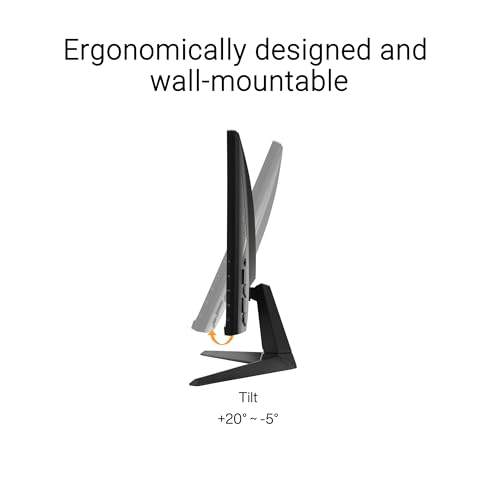
The ASUS TUF Gaming VG27UQ1A is a strong all-rounder for gamers who want sharp 4K detail and a high refresh rate. Its 27-inch size keeps the pixel density high, so text, game maps, and small objects look clear at a normal desk distance. The listed 160Hz refresh rate gives fast motion a smoother feel than a basic 60Hz display. ASUS also lists G-SYNC support, FreeSync Premium, ELMB Sync, and a 1ms response time for this model.
This monitor suits a gaming PC, PS5, or Xbox setup. Its wide color coverage can make open-world games look rich, while the gaming tools help reduce tearing and blur when the frame rate changes. The DisplayWidget Center software may also make it easier to change settings from Windows. I see it as a practical pick for players who want speed without moving to an OLED panel.
Pros:
- Sharp 4K resolution on a desk-friendly 27-inch screen
- 160Hz refresh rate supports smooth PC gaming
- G-SYNC and FreeSync Premium support can reduce screen tearing
- ELMB Sync helps improve motion clarity
- 95% DCI-P3 coverage supports rich game color
- Works well with modern consoles and gaming PCs
Cons:
- 27 inches may feel small for gamers who sit far from the screen
- HDR impact cannot match a true OLED display
- Some advanced features may need careful setup in the monitor menu
What Amazon Buyers Are Saying
Buyer feedback for this type of ASUS TUF display often centers on its sharp image, smooth refresh rate, and useful gaming controls. Users who upgrade from 60Hz screens tend to notice the motion improvement first. Buyers also commonly value the flexible sync support for PC play.
As with many 4K high-refresh monitors, some owners point out that the best result depends on the graphics card, cable, and game settings. A few buyers may also expect stronger HDR than an IPS monitor can provide. I recommend checking the latest listing, review balance, and return terms before ordering.
My Recommendation
I recommend the VG27UQ1A for players who want a balanced 4K monitor with strong speed and broad compatibility. It offers more gaming flexibility than a basic UHD office screen and costs less than many premium OLED models. It is worth buying when you want fast PC play, console support, and a compact screen. My overall rating is 4.5 out of 5.
CRUA 27-inch 4K 120Hz Gaming Monitor

The CRUA 27-inch 4K monitor focuses on useful features at a value-minded price. It uses an IPS panel, which should provide wide viewing angles and a clean image for both games and work. The listed 120Hz refresh rate gives a clear step up from 60Hz for racing games, shooters, and general desktop motion. It also includes built-in speakers, which can help if you do not want separate speakers on a small desk.
Its HDMI 2.1 and DisplayPort 1.4 inputs make it more flexible than many low-cost 4K monitors. The monitor lists FreeSync support, 120% sRGB coverage, a 178-degree viewing angle, tilt adjustment, and a 75 x 75mm wall-mount pattern. I would consider it for a bedroom setup, a first 4K gaming station, or a mixed work-and-play desk.
Pros:
- 4K resolution gives clear detail for games and work
- 120Hz refresh rate feels smoother than standard 60Hz
- HDMI 2.1 adds useful connection flexibility
- Built-in speakers are convenient for casual use
- IPS design supports wide viewing angles
- FreeSync can help limit tearing with compatible systems
Cons:
- 120Hz is slower than the 160Hz and dual-mode models in this guide
- Built-in speakers are unlikely to replace a good headset or speaker set
- Stand adjustment is limited compared with a full ergonomic stand
What Amazon Buyers Are Saying
Common buyer interest in this CRUA model comes from its combination of 4K resolution, 120Hz speed, white styling, speakers, and connection options. Value-focused users often like getting gaming features and a high-resolution image in one monitor. The IPS format also appeals to people who want the screen to work for documents and video.
Potential concerns with budget monitors usually involve stand quality, built-in audio strength, menu controls, or differences between individual units. I suggest buyers check recent reviews for dead-pixel reports, color preferences, and console behavior. The product listing should remain the final source for included cables and exact support.
My Recommendation
The CRUA is worth considering when price and basic versatility matter most. It does not target serious esports players, but 120Hz is still a useful upgrade for most home gamers. I like it for casual 4K play, streaming, school, and office work. My overall rating is 4 out of 5.
Amzfast AMZG27F6U Dual-Mode Monitor

The Amzfast AMZG27F6U takes a flexible approach to gaming. In its 4K mode, it lists a 160Hz refresh rate for detailed play with smooth motion. Its dual-mode feature can switch to Full HD at up to 320Hz, which may suit competitive players who value speed over fine detail. That makes this monitor useful for people who play both story games and fast esports titles.
The Fast IPS panel, Adaptive Sync, HDR400, and wide listed sRGB coverage add to its gaming focus. HDMI 2.1 and DisplayPort 1.4 help connect it to newer hardware, while the height-adjustable stand improves desk comfort. I also like the VESA support because it gives owners the option to use a monitor arm later.
Pros:
- 4K at 160Hz supports detailed and fluid gaming
- FHD 320Hz mode targets competitive FPS play
- Fast IPS panel is suited to quick motion
- Adaptive Sync can help match screen refresh to frame output
- HDR400 support adds a wider brightness feature set
- Height adjustment and VESA support improve setup choices
Cons:
- FHD mode reduces image detail compared with native 4K
- Dual-mode settings may take time to understand
- HDR400 does not promise OLED-level black levels or contrast
What Amazon Buyers Are Saying
Buyers drawn to this model usually focus on the dual-mode design. It offers a way to play slower, visual games in 4K and switch to a faster mode for competitive titles. Users also tend to value the height-adjustable stand and the modern port selection.
The main point to check is how the monitor handles each mode with your graphics card or console. Not every device can use every resolution and refresh combination. I would also review current buyer comments about menu use, color tuning, and motion performance before making a final choice.
My Recommendation
I recommend the Amzfast to gamers who play different genres and want one screen for both high detail and high speed. Its dual-mode design has real value for competitive PC players, though casual users may not need it. It is a smart feature-rich option if your computer can drive the listed modes. My overall rating is 4.3 out of 5.
ASUS ROG XG27UCG 4K Dual-Mode Monitor

The ASUS ROG XG27UCG is my favorite pick for most serious gamers. It combines 4K resolution at 160Hz with a dual-mode Full HD 320Hz setting. This gives you a sharp image for single-player games and a very fast image for competitive matches. The Fast IPS panel also keeps the design practical for people who want good color without choosing OLED.
Its feature list is especially strong. ASUS lists USB-C, G-SYNC support, FreeSync Premium, ELMB Sync, a 1ms response time, DisplayHDR 400, and 99% DCI-P3 coverage. USB-C can simplify a laptop desk, although buyers should confirm the exact power and data features they need. The combination of speed, color, and connection options makes this a standout for a flexible gaming setup.
Pros:
- 4K 160Hz mode offers an excellent balance of detail and speed
- FHD 320Hz mode suits competitive gaming
- USB-C adds useful laptop and modern-device connectivity
- Fast IPS panel supports quick response and wide viewing angles
- DisplayHDR 400 and 99% DCI-P3 support rich color
- G-SYNC, FreeSync Premium, and ELMB Sync add motion tools
Cons:
- Dual-mode operation may be unnecessary for casual players
- HDR400 is limited compared with full-array or OLED HDR
- USB-C capabilities should be checked closely before purchase
What Amazon Buyers Are Saying
Buyer interest in the ROG XG27UCG often comes from its broad feature set. Owners commonly look for the sharp 4K image, fast refresh rates, flexible sync, and the ability to use a second high-speed mode. The ROG design also appeals to gamers who want a more premium build and control system.
Some buyers may need time to tune color, HDR, and refresh settings for their particular computer. The dual-mode feature works best when the user understands the limits of the graphics card and connection. I recommend checking current reviews for the exact cable and device combination you plan to use.
My Recommendation
This is the best 4K gaming monitor here for most PC gamers who want one display to cover many roles. It gives you strong detail, high speed, wide color, and helpful connectivity. I would choose it over the TUF model when USB-C and the 320Hz mode matter. My overall rating is 4.7 out of 5.
Samsung Odyssey OLED G7 32-Inch Monitor

The Samsung Odyssey OLED G7 takes a different path from the IPS models above. Its 32-inch OLED panel is built for deep blacks, strong contrast, and a highly responsive feel. Samsung lists 4K resolution, a 165Hz refresh rate, and a 0.03ms response time. The larger screen can also make cinematic games feel more immersive, especially when you sit a little farther away.
This monitor also offers a dual-mode Full HD 330Hz setting for fast competitive play. Its stand supports height, tilt, swivel, and pivot adjustment, which gives you more control over viewing position. G-SYNC compatibility adds support for smoother PC gaming with compatible hardware. The glossy OLED surface can look vibrant, but room lighting and reflections deserve attention before you buy.
Pros:
- OLED panel delivers deep blacks and strong contrast
- 32-inch 4K screen creates an immersive gaming view
- 165Hz refresh rate supports smooth high-detail play
- 0.03ms listed response time suits fast action
- FHD 330Hz mode targets competitive gaming
- Height, tilt, swivel, and pivot adjustments improve ergonomics
- Three-year warranty adds extra buying confidence
Cons:
- OLED panels cost more than many IPS alternatives
- Glossy screens can show reflections in bright rooms
- OLED buyers should consider long-term image-retention care
What Amazon Buyers Are Saying
Buyers who choose an OLED gaming monitor usually praise its black levels, contrast, color depth, and fast response. The 32-inch size also attracts gamers who want a more cinematic experience than a compact 27-inch panel provides. The flexible stand and dual-mode feature add to its appeal.
Common concerns with OLED displays include reflections, price, and the need to follow sensible screen-care habits. Buyers may also compare the glossy finish with their room lighting before ordering. I suggest reading current owner feedback about brightness, coating, and warranty support because these details can matter as much as refresh rate.
My Recommendation
The Samsung Odyssey OLED G7 is the premium choice for gamers who care most about contrast and immersion. It is not the simplest value pick, but its OLED image can look far more dramatic than a standard IPS screen. I recommend it for high-end PC gaming, especially in a controlled room. My overall rating is 4.7 out of 5.
How to Choose Best 4K Gaming Monitor
Choosing the best 4K gaming monitor depends on your games, hardware, room, and budget. A high pixel count alone does not guarantee a great experience. You also need to match the refresh rate to your graphics card, check the ports, and pick the panel type that fits your eyes and room. These three checks can help you avoid paying for features that do not improve your play.
1. Match Resolution and Refresh Rate to Your Hardware
4K means 3,840 by 2,160 pixels. That gives a sharp image, but it also asks more from your graphics card. A powerful PC may take advantage of 160Hz or 165Hz at 4K. A mid-range PC may spend more time near 60Hz or 120Hz, depending on the game.
Console buyers should check the exact output limits of their device. The PS5 and Xbox Series X can support 4K gaming in compatible titles, but the game and connection still control the final result. A monitor with HDMI 2.1 can be a smart choice for newer consoles, yet you should confirm which HDMI ports support the needed resolution and refresh rate.
Dual-mode monitors add another useful choice. You can use 4K for story games, racing, and adventure titles. You can switch to 1080p at a much higher refresh rate for esports. Keep in mind that Full HD looks less sharp on a 27-inch 4K screen than native UHD.
2. Pick the Right Panel for Your Games and Room
IPS monitors offer wide viewing angles, good color, and a practical balance for gaming and work. They are often a safe choice for a bright room or a desk used for many tasks. The ASUS TUF and ROG models use this type of fast gaming approach.
OLED monitors create their own light at each pixel. This lets them show deep black areas and strong contrast. Dark games can look more realistic and rich. OLED can cost more, and a glossy surface may reflect lamps or windows. If you use a monitor for long hours with fixed desktop items, learn the care steps in the manual and consider the warranty.
Do not judge a monitor by response time alone. A listed 1ms or 0.03ms figure does not tell the whole story. Real motion also depends on pixel transitions, overdrive settings, refresh rate, and frame consistency. Look for independent testing and recent buyer reports when motion clarity matters most.
3. Check Ports, Stand Design, and Total Value
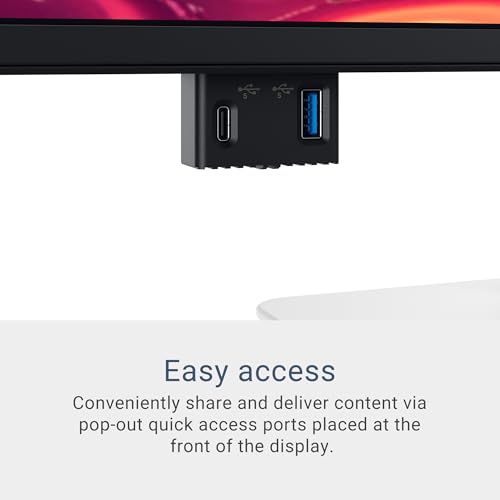
Count the devices you plan to connect. A gaming PC may need DisplayPort. A console may need HDMI. A laptop user may want USB-C. The ASUS ROG XG27UCG is attractive for this reason, but always check whether its USB-C port provides the power and data features you need.
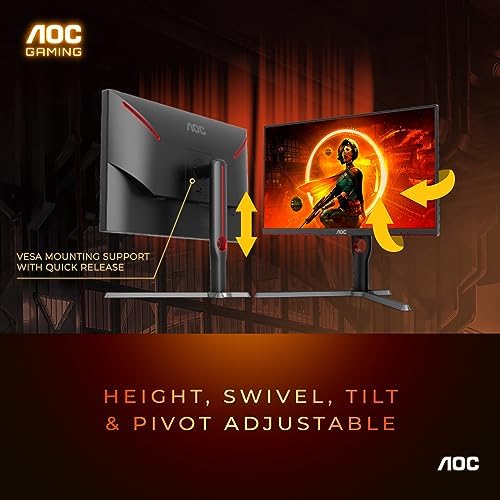
A good stand can prevent neck and shoulder strain. Height adjustment is more useful than many buyers expect. Swivel and pivot help when you share the screen or rotate it for work. VESA support is also valuable if you may use a monitor arm later.
Finally, compare the full package. A low-cost monitor may save money but offer a basic stand and fewer controls. A premium OLED may look better but need more care. The best 4K gaming monitor is the one that matches your system and habits, not simply the one with the longest feature list.
Final Verdict: Which Should You Buy?
For most gamers, I recommend the ASUS ROG XG27UCG as the best 4K gaming monitor. It combines 4K 160Hz play, FHD 320Hz mode, USB-C, strong color, and flexible sync.
Choose Samsung for OLED contrast, ASUS TUF for value, CRUA for basic affordability, or Amzfast for dual-mode speed. Check your GPU, console, ports, and room before buying.
FAQs Of Best 4K Gaming Monitor
Is 4K worth it for gaming in 2026?
Yes, 4K is worth it if you want sharper detail and have hardware that can drive it. It works especially well for single-player games, racing games, and console gaming.
What refresh rate should a 4K gaming monitor have?
A 120Hz to 165Hz monitor is a strong choice for most gamers. Competitive PC players may prefer a dual-mode display with a faster Full HD setting.
Is OLED better than IPS for a 4K gaming monitor?
OLED offers deeper blacks, stronger contrast, and very fast response. IPS often costs less, works well in bright rooms, and suits mixed gaming and office use.
Do I need HDMI 2.1 for 4K gaming?
You may want HDMI 2.1 for certain high-refresh 4K console setups. Check your console, cable, and monitor port details before you buy.
What is the best 4K gaming monitor for PS5 and Xbox?
Look for 4K support, a suitable HDMI input, adaptive sync, and at least 120Hz. The ASUS TUF, ASUS ROG, and CRUA models in this guide are made for broad PC and console use.