Best 32-Inch Monitor: Top Choice For Every Setup
The best 32-inch monitor balances sharp image quality, smooth motion, comfort, useful ports, and fair value.
A 32-inch screen can make work, study, games, and streaming feel much easier. You get more room for two windows without the bulk of an ultrawide display. Still, not every large monitor fits every desk or computer. Some use Full HD, while others offer sharp 4K detail. Some focus on gaming speed, while others suit simple office tasks. I compared five strong options for 2026, including budget, curved, gaming, IPS, and 4K models. My goal is simple: help you find a screen that looks good, feels comfortable, and matches the way you use your computer.
See the differences between my top picks at a glance.
Samsung 32-Inch Flat Monitor

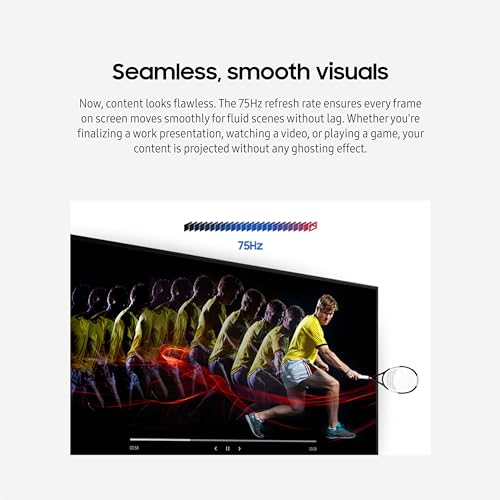
Samsung’s LS32B304N is a simple 32-inch monitor for daily computer work. Its Full HD resolution gives you a large desktop at a sensible cost. The 75Hz refresh rate feels a little smoother than a basic 60Hz screen. Its flat shape also works well on desks where you want a clean, straight view.
This model includes AMD FreeSync, Game Mode, and eye-care features. HDMI and DisplayPort inputs make it easy to connect a desktop, laptop dock, or game system. The borderless design helps the screen look modern beside another display. I see this as a practical pick for email, documents, web browsing, light gaming, and video.
Pros:
- Large 32-inch screen for a reasonable price
- 75Hz refresh rate gives smoother motion than 60Hz
- AMD FreeSync can help reduce screen tearing
- HDMI and DisplayPort support flexible connections
- Eye-care features help during long work sessions
- Borderless styling looks neat in a home office
Cons:
- Full HD looks less sharp than QHD or 4K at this size
- It may not satisfy serious competitive gamers
- The stand offers limited adjustment compared with premium models
What Amazon Buyers Are Saying
Buyer feedback commonly focuses on the large picture, simple setup, and useful everyday size. Many owners choose it for office work, home study, and basic entertainment. Reviews also tend to value the clean design and easy connection options. Some buyers note that Full HD is adequate for normal use but not as crisp as a higher-resolution panel.
As with many large budget displays, buyers may also mention stand movement, built-in sound expectations, or the limits of a basic feature set. I would read the latest listing details before purchase, since package contents and prices can change. Overall, the feedback pattern fits a simple monitor that does its core job well.
My Recommendation
I recommend the Samsung LS32B304N for shoppers who want a big, low-cost screen for work and casual use. It is not the best choice for sharp design work or high-level PC gaming, but it offers useful basics without excess cost. If you sit far enough from the screen, its Full HD image can feel comfortable and easy to use.
| Category | Rating |
|---|---|
| Everyday picture | 4/5 |
| Motion and gaming | 3.5/5 |
| Connections | 4/5 |
| Comfort and design | 4/5 |
| Overall Rating | 4/5 |
Samsung Odyssey G5 G50F Gaming Monitor

The Samsung Odyssey G5 G50F is the strongest gaming pick in this group. It combines QHD resolution with a fast 180Hz refresh rate. The Fast IPS panel should give games a clear view with quick motion. At 32 inches, QHD also gives a better balance of detail and graphics demand than 4K for many gaming PCs.
Samsung lists a 1ms gray-to-gray response time, HDR10, and compatibility with NVIDIA G-Sync. AMD FreeSync support adds another useful tool for smoother play with supported hardware. The adjustable stand helps you set a better viewing position. This monitor also makes sense for users who want one screen for games, school, work, and streaming.
Pros:
- QHD resolution looks sharper than Full HD at 32 inches
- 180Hz refresh rate suits fast games
- Fast IPS panel supports quick image response
- HDR10 can add more range to supported content
- G-Sync compatibility and FreeSync support improve flexibility
- Adjustable stand helps with desk comfort
Cons:
- Needs a capable computer to reach high frame rates at QHD
- HDR performance may not match a display with strong local dimming
- Gaming features may cost more than an office user needs
What Amazon Buyers Are Saying
Customer comments for this type of Odyssey display often praise the smooth refresh rate and the jump from Full HD to QHD. Gamers commonly care about motion clarity, screen size, and the ease of connecting a modern graphics card. Owners also tend to like having a fast gaming screen that remains useful for normal desktop tasks.
Potential concerns in buyer discussions often center on setup, panel variation, and the difference between advertised HDR support and a brighter, more advanced HDR experience. Buyers should also confirm that their computer can use 180Hz at the chosen resolution. I recommend checking the current listing and recent reviews for the latest user experience.
My Recommendation
I recommend the Odyssey G5 G50F as the best 32-inch monitor here for PC gaming. It offers the most complete mix of speed, detail, adaptive sync, and stand flexibility. It is also a good work monitor if you enjoy a smoother desktop. Buy it only if your computer can make good use of QHD and high refresh rates.
| Category | Rating |
|---|---|
| Gaming speed | 4.8/5 |
| Image detail | 4.5/5 |
| Gaming features | 4.5/5 |
| Stand and comfort | 4.3/5 |
| Overall Rating | 4.6/5 |
LG 32-Inch Curved 100Hz Monitor
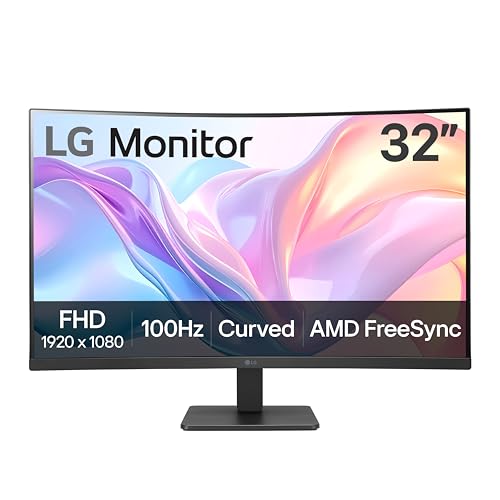
The LG 32MR50C-B brings a curved design and a 100Hz refresh rate to the budget 32-inch class. Its Full HD panel gives you a broad view for office work, videos, and casual play. The curve can make the wide screen feel more natural when you sit near the center. It also adds a more immersive feel to games and movies.
LG includes AMD FreeSync, Dynamic Action Sync, and Black Stabilizer. These tools target smoother play and better visibility in dark game scenes. OnScreen Control can make screen adjustments easier from the desktop. The tilt stand is basic, but the monitor remains a strong choice for shoppers who want smooth motion without paying for a high-end gaming panel.
Pros:
- 100Hz refresh rate makes movement feel smooth
- Curved screen creates a more immersive viewing angle
- AMD FreeSync supports smoother compatible gameplay
- Black Stabilizer can help reveal dark areas in games
- OnScreen Control makes some adjustments convenient
- Full HD resolution keeps system demands modest
Cons:
- Full HD is not as crisp as QHD on a 32-inch display
- Tilt-only adjustment limits ergonomic setup
- Curved screens may not suit users who prefer flat panels
What Amazon Buyers Are Saying
Buyers often like the screen size, curved shape, and smooth 100Hz feel. Many see it as a good upgrade from a small office monitor or an older 60Hz display. The simple setup and familiar LG controls also appeal to home users. It is often considered for work, school, streaming, and casual console or PC gaming.
Common limits in feedback tend to match the product class. Some users want a sharper resolution, a more flexible stand, or more connection choices. A curved Full HD screen also works best when you sit at a sensible distance and directly in front of it. Check the current Amazon listing for exact port and package details before ordering.
My Recommendation
The LG 32MR50C-B is worth considering when you want a curved 32-inch display with a useful refresh rate at a controlled price. It is a better match for casual users than demanding creators or competitive gamers. I like its feature mix, but I would choose a QHD model if text sharpness matters most.
| Category | Rating |
|---|---|
| Smooth motion | 4.3/5 |
| Viewing feel | 4.2/5 |
| Gaming tools | 4/5 |
| Ergonomics | 3.5/5 |
| Overall Rating | 4/5 |
ViewSonic VA3209M 32-Inch IPS Monitor
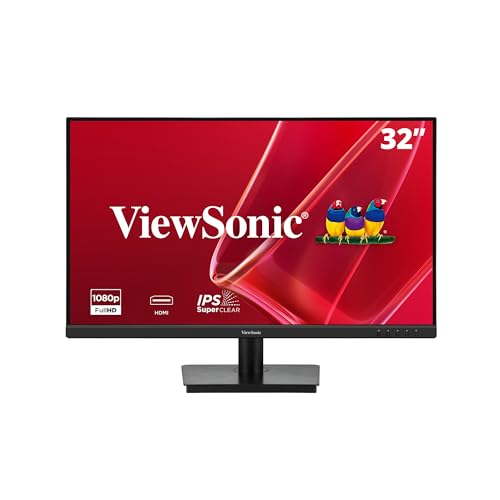
The ViewSonic VA3209M is built for simple tasks and broad viewing comfort. It uses a 32-inch 1080p IPS display with a frameless design. The IPS panel should keep color and contrast more consistent when you move away from the center. That makes it useful for a shared desk, home office, classroom, or study space.
This monitor includes HDMI, VGA, and built-in speakers. Those speakers can save desk space for calls, lessons, system sounds, or casual video. The screen suits documents, spreadsheets, web pages, and daily computer tasks more than detailed photo work. If you need a basic large display and do not want to buy separate speakers, this model deserves a close look.
Pros:
- IPS panel offers wide viewing comfort
- Large 32-inch size helps with everyday multitasking
- HDMI and VGA support older and newer computers
- Built-in speakers reduce desk clutter
- Frameless design looks clean in a work area
- Good fit for study, office, and basic home use
Cons:
- 1080p resolution can look soft on a large close-up screen
- It lacks the high refresh focus of gaming models
- Built-in speakers are convenient but may not replace quality speakers
What Amazon Buyers Are Saying
Customer feedback commonly values the screen size, easy setup, and built-in sound. Buyers who need a monitor for work, online learning, or daily browsing often find the basic design easy to use. The HDMI and VGA choices also help people connect older desktops and newer laptops. The wide IPS viewing angle is another useful point for shared spaces.
Some buyers may expect a more powerful speaker system or sharper text than 1080p can provide at 32 inches. That is not a fault unique to this model; it is a trade-off of the resolution and price class. I would place it farther from my eyes than a small high-density screen and use display scaling when needed.
My Recommendation
I recommend the VA3209M for office work, school, and basic home computing. It is especially practical if built-in speakers and VGA support matter to you. It does not compete with the gaming speed or 4K detail of the other top picks. Still, it offers a useful, simple package for buyers who want function over extras.
| Category | Rating |
|---|---|
| Office usefulness | 4.2/5 |
| Viewing comfort | 4/5 |
| Connection options | 4.2/5 |
| Sound convenience | 3.8/5 |
| Overall Rating | 4/5 |
Dell S3225QS 4K 120Hz Monitor

The Dell S3225QS is the premium all-rounder in this comparison. Its 31.5-inch 4K UHD resolution gives you 3840 by 2160 pixels. That high pixel count makes text, photos, menus, and fine details look much cleaner than Full HD. The VA panel also offers a listed 3000:1 contrast ratio, which can help dark scenes and black text look rich.
Dell lists a 120Hz refresh rate, FreeSync Premium, 300 cd/m² brightness, and 99% sRGB coverage. These features make it useful for work, media, and enjoyable gaming. The anti-glare surface can help reduce distracting reflections in a bright room. With HDMI and DisplayPort, it fits many modern desktop and laptop setups, though you should confirm your computer supports the desired 4K refresh rate.
Pros:
- 4K UHD resolution gives excellent text and image detail
- 120Hz refresh rate improves desktop and game motion
- VA panel provides strong listed contrast
- FreeSync Premium supports smoother compatible gaming
- 99% sRGB coverage suits general creative and media use
- Anti-glare coating helps in many bright rooms
Cons:
- 4K gaming needs a strong graphics card
- High resolution may require scaling for comfortable text size
- It can cost more than a basic Full HD monitor
What Amazon Buyers Are Saying
Buyers who choose this Dell model are likely to focus on sharp 4K detail, the large screen, and the smooth 120Hz refresh rate. Those traits help with spreadsheets, photo viewing, video, and games. Users also tend to value the strong contrast and the more polished feel of a premium Dell display. The 32-inch format gives room for multiple windows while keeping a familiar 16:9 shape.
Typical concerns may include the price, desk space, and the computer power needed for 4K at 120Hz. Some users may also need to adjust scaling before text feels ideal. These are normal trade-offs for a high-resolution large monitor. I suggest checking your graphics output, cable needs, and desk depth before placing an order.
My Recommendation
The Dell S3225QS is my best overall choice for buyers who want one 32-inch monitor for work, media, and gaming. It offers the sharpest image here without giving up a useful refresh rate. It costs more than the simple models, but its 4K clarity and balanced feature set make the extra spend easier to justify.
| Category | Rating |
|---|---|
| 4K image quality | 4.8/5 |
| Motion and gaming | 4.5/5 |
| Work and media | 4.7/5 |
| Value | 4.3/5 |
| Overall Rating | 4.6/5 |
How to Choose the Best 32-Inch Monitor
Choosing the best 32-inch monitor starts with your main task. A large Full HD screen can work well for email and study, while QHD or 4K makes a bigger difference for text, photos, and close viewing. You should also match the refresh rate to your games and computer. Use the points below to narrow the list before you focus on price.
1. Pick the Right Resolution for Your Distance
Resolution controls how much detail the screen can show. Full HD works best when you want a low-cost monitor and sit a little farther away. At 32 inches, text may look less crisp when you sit close. QHD offers a useful middle ground for gaming and work. It gives more detail without the same graphics demand as 4K.
Choose 4K when sharp text, clear photos, and fine detail matter most. A 4K monitor works well for editing, spreadsheets, design, and high-quality video. Your computer must support the resolution, and small text may need scaling. Before you buy, check the output of your laptop, graphics card, and docking station.
2. Match Refresh Rate and Sync to Your Use
A 60Hz display refreshes the image 60 times each second. A 75Hz or 100Hz model can make scrolling and normal movement feel smoother. For fast games, a 120Hz, 144Hz, or 180Hz screen can show motion more clearly when your computer produces enough frames. Do not pay for a high refresh rate if your system cannot reach it.
Adaptive sync can help the monitor and graphics card work together. AMD FreeSync and NVIDIA G-Sync compatibility can reduce tearing in supported setups. Response time also matters, but advertised numbers do not tell the whole story. Look at the full feature set, recent buyer feedback, and the type of games you play.
3. Check Comfort, Ports, and Desk Fit
A 32-inch monitor needs more desk depth than a small screen. Measure the space from the front of your desk to the wall or stand. Make sure the stand lets you sit with the top of the screen near eye level. A tilt-only stand may work, but height adjustment gives you more control. A VESA option can help if you plan to use a monitor arm, but confirm support in the exact model details.
Next, review the ports. HDMI works with many laptops, desktops, consoles, and streaming devices. DisplayPort often suits PC gaming and high refresh rates. VGA helps with older computers, while built-in speakers can save space. Also check whether the included cable supports the resolution and refresh rate you want. These small details can prevent setup problems.
Final Verdict: Which Should You Buy?
For most buyers, the Dell S3225QS is the best 32-inch monitor because it combines 4K detail, 120Hz motion, strong contrast, and broad use. Choose the Samsung Odyssey G5 G50F instead if fast QHD gaming is your top goal.
For a lower budget, the Samsung, LG, and ViewSonic models cover simple work and casual use. Compare resolution, desk space, ports, and computer power before you buy the best 32-inch monitor for your setup.
FAQs Of Best 32-Inch Monitor
Is 32 inches too large for a computer monitor?
No. A 32-inch monitor works well when your desk has enough depth and you sit at a comfortable distance. It gives you more room for documents, apps, and video.
What resolution is best for a 32-inch monitor?
QHD is a strong middle choice for many users. Full HD costs less, while 4K gives the sharpest text and image detail. Your viewing distance and computer power should guide the choice.
Is a 32-inch monitor good for gaming?
Yes. A 32-inch monitor can feel immersive for gaming. Choose a high refresh rate and adaptive sync for fast games, and make sure your graphics card can reach the target resolution and frame rate.
Should I buy a curved or flat 32-inch monitor?
Choose curved if you want a more immersive view and sit near the center. Choose flat if you prefer straight lines, easy multi-monitor alignment, or a traditional office display.
What refresh rate should a 32-inch monitor have?
75Hz is fine for basic work. Choose 100Hz or more for smoother scrolling and casual gaming. Competitive players may prefer 144Hz to 180Hz when their computer can support it.