Best Laptop For Video Editing: Smart Buying Guide
The best laptop for video editing balances fast processing, ample RAM, a sharp screen, and strong storage for smooth creative work.
Editing a video can feel slow when your laptop freezes during playback, struggles with effects, or runs out of space. I compared five laptops with different strengths, from affordable HP models to a powerful ASUS gaming machine. I looked at processor class, memory, storage, display size, graphics power, portability, and likely editing use. Some models suit simple 1080p work, while others make more sense for 4K timelines, color work, and demanding effects. Use the table below as a quick starting point before reading my full hands-on buying guide.
See the differences between my top picks at a glance.
NIMO 15.6 AI Creator Laptop

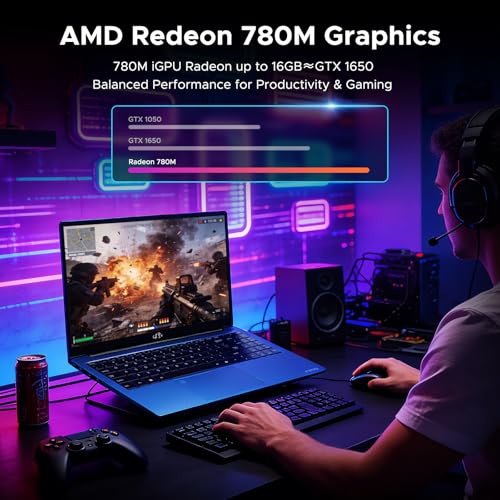
The NIMO 15.6-inch AI Creator Laptop is one of the most balanced options in this group. It uses an AMD Ryzen 7 8745HS processor with eight cores and a listed boost speed of up to 4.9GHz. It also includes 32GB of DDR5 memory and a 1TB SSD, which gives a video editor useful room for applications, project files, and media caches. The integrated Radeon 780M graphics can support everyday editing, preview work, and light creative tasks.
I like the way this configuration focuses on the parts that matter in a real editing workflow. The large memory capacity helps when I keep an editor, browser tabs, music files, and other tools open at once. The 1TB solid-state drive should also feel much quicker than a traditional hard drive when loading projects and moving files. Its FHD screen is practical, while the listed 100W fast power delivery may help users who want flexible charging with a suitable compatible charger.
Pros:
- 32GB of DDR5 RAM suits multitasking and larger editing projects
- 1TB SSD offers useful space for video files and software
- Eight-core Ryzen 7 processor fits regular editing workloads
- Radeon 780M graphics support basic effects and timeline previews
- 15.6-inch size offers a useful mix of workspace and portability
- Listed two-year warranty adds extra buying reassurance
Cons:
- Integrated graphics are not the same as a dedicated RTX GPU
- FHD resolution gives less workspace than a 2K creator display
- Heavy 4K effects may need lower preview quality or proxy files
What Amazon Buyers Are Saying
Buyer feedback can change as listings receive new reviews, so I recommend checking the current Amazon review page before ordering. The key points to verify include battery life, fan noise, keyboard comfort, screen brightness, and support after purchase. Buyers who want this model will likely value its strong memory and storage combination, but users who need a dedicated graphics card should compare it with the ASUS option below.
My Recommendation
I recommend the NIMO for students, creators, and remote editors who want strong everyday speed without moving to a large gaming laptop. Its 32GB RAM and 1TB SSD make it more editing-ready than many entry-level machines. It is a good choice for 1080p work and moderate projects, but I would choose a dedicated GPU for frequent heavy 4K effects.
| Category | Rating |
|---|---|
| Editing Performance | 4.2/5 |
| Memory and Storage | 4.7/5 |
| Display | 3.8/5 |
| Portability | 4.2/5 |
| Overall Rating | 4.3/5 |
HP OmniBook 16 AI Touch Laptop

The HP OmniBook 16 takes a different approach to mobile video editing. It pairs an AMD Ryzen AI 7 445 processor with 32GB of DDR5 RAM and a 1TB SSD. Its 16-inch 2K touch display provides more room than a basic FHD panel, which can make timelines, bins, and preview windows easier to view. The listing also highlights 50 NPU TOPS, Copilot+ AI features, an FHD IR camera, and Windows 11 Pro.
This laptop looks well suited to a creator who also works, studies, or joins frequent video calls. The larger 2K touchscreen may help with fine details and touch-based navigation, though serious editors will still prefer a mouse or control surface for long sessions. The 32GB memory level is a strong point for multitasking. Because the product information provided does not list a dedicated GPU, I would treat it as a smart general-purpose creator laptop rather than a specialized high-end effects machine.
Pros:
- 16-inch 2K touch display gives a clear, spacious editing area
- 32GB DDR5 memory handles several open creative apps
- 1TB SSD provides good working space for active projects
- Ryzen AI processor adds modern system and AI capability
- Windows 11 Pro suits users who need business features
- FHD IR camera is useful for calls and creator meetings
Cons:
- No dedicated graphics processor is listed in the supplied details
- Touch hardware may add cost without helping every editing workflow
- 2K resolution may use more power than a basic FHD panel
What Amazon Buyers Are Saying
Before buying, I suggest reading recent Amazon reviews for comments about screen quality, battery endurance, heat, and touch response. The listing gives strong information about memory, storage, display resolution, and AI features, but customer reviews are the best place to check daily comfort. Pay close attention to reports from buyers who use editing software, not only office apps, since those workloads place more demand on cooling and graphics.
My Recommendation
The HP OmniBook 16 is a good fit for a video editor who wants a large, sharp display and a capable daily laptop. I especially like the 32GB RAM and 1TB SSD combination. It is worth considering for 1080p and moderate 4K editing, but users who rely on GPU-heavy color effects, 3D work, or complex transitions may prefer the ASUS ROG Strix G16.
| Category | Rating |
|---|---|
| Editing Performance | 4.1/5 |
| Display Quality | 4.6/5 |
| Memory and Storage | 4.6/5 |
| Creative Features | 4.3/5 |
| Overall Rating | 4.4/5 |
HP 17 FHD Ryzen 5 Laptop

This HP 17 laptop focuses on screen size and simple value. It has a 17.3-inch FHD display, an AMD Ryzen 5 processor listed with speeds up to 4.3GHz, 8GB of DDR5 RAM, and a 512GB SSD. It runs Windows 11 Pro and includes Wi-Fi 6. The package also lists Fatcayes accessories, which may add useful value for a new laptop buyer.
The wide screen can help beginners see more of a timeline without connecting an external monitor. The SSD should make startup and app loading feel more responsive than older hard-drive systems. Still, 8GB of memory is the main limit here. I would use this laptop for short 1080p videos, school projects, social clips, and light editing rather than large 4K timelines with many layers.
Pros:
- Large 17.3-inch FHD display gives a roomy timeline view
- 512GB SSD is faster and more responsive than a hard drive
- Ryzen 5 processor suits basic editing and office tasks
- Windows 11 Pro provides a familiar editing environment
- Wi-Fi 6 supports modern home and office networks
- Accessory bundle may improve first-time buyer value
Cons:
- 8GB RAM can limit multitasking and complex editing projects
- Integrated graphics are not designed for demanding effects
- Large 17.3-inch body is less convenient for travel
What Amazon Buyers Are Saying
Check current Amazon reviews for comments about the large display, included accessories, battery life, and build feel. Since customer experience can vary by use, I would give extra weight to reviews that mention video editing or other sustained workloads. Also confirm the exact accessory contents on the live listing, as bundles can change over time.
My Recommendation
I recommend this HP 17 for beginners who want a large screen and plan to edit simple 1080p footage. It can work well as a low-cost entry point, but I would not call it the strongest choice for professional video production. If the laptop supports a memory upgrade, that could improve its useful life; check the current specifications before purchase.
| Category | Rating |
|---|---|
| Basic Editing Speed | 3.5/5 |
| Screen Workspace | 4.4/5 |
| Memory Capacity | 2.8/5 |
| Everyday Value | 3.9/5 |
| Overall Rating | 3.7/5 |
HP 17 FHD Ryzen 5 Laptop with Alpacatec

This second HP 17 configuration offers nearly the same core setup as the first. It includes a 17.3-inch FHD display, an AMD Ryzen 5 processor listed up to 4.3GHz, 8GB of DDR5 RAM, and a 512GB SSD. It also runs Windows 11 Pro and includes Wi-Fi 6. The main bundle difference is the listed Alpacatec accessories.
For simple editing, the large panel remains the main attraction. I can see why a beginner may prefer it over a smaller laptop, especially when working without an external display. The processor and SSD should handle basic cuts, titles, sound edits, and short exports. However, the 8GB memory and integrated graphics set a clear ceiling for advanced editing work.
Pros:
- 17.3-inch FHD display offers a comfortable editing workspace
- Ryzen 5 processor handles light creative and office tasks
- 512GB SSD helps projects open and save quickly
- DDR5 memory is newer than older DDR4 laptop memory
- Windows 11 Pro fits home, school, and business use
- Alpacatec bundle may add practical setup accessories
Cons:
- 8GB RAM is modest for modern video editing applications
- No dedicated GPU is listed for accelerated effects
- 17.3-inch size may feel heavy for frequent travel
What Amazon Buyers Are Saying
I recommend checking the latest Amazon feedback for the screen, keyboard, charger, accessories, and battery. It is also wise to compare reviews between this listing and the similar HP 17 listing, since the core specifications look closely matched. Look for verified comments that describe export time or editing use, rather than judging performance from web browsing alone.
My Recommendation
This HP 17 is worth considering when low price and screen size matter more than advanced editing power. It is suitable for casual creators, students, and family users who make short clips. I would choose the NIMO or HP OmniBook for heavier multitasking because both provide 32GB of RAM and a 1TB SSD.
| Category | Rating |
|---|---|
| Basic Editing Speed | 3.5/5 |
| Screen Workspace | 4.4/5 |
| Storage Capacity | 3.6/5 |
| Bundle Value | 3.8/5 |
| Overall Rating | 3.7/5 |
ASUS ROG Strix G16 RTX 5060

The ASUS ROG Strix G16 is the strongest performance choice in this comparison. It combines an Intel Core i7-14650HX processor with an NVIDIA GeForce RTX 5060 graphics card. The listing also includes 16GB of DDR5 RAM, a 1TB Gen 4 SSD, and Wi-Fi 7. Its 16-inch FHD+ 16:10 display has a listed 165Hz refresh rate and 3ms response time, which also benefits gaming and smooth interface motion.
For video editing, the dedicated RTX graphics card is the major advantage. Compatible editing programs can use GPU acceleration for some effects, playback tasks, encoding steps, and color tools. The 16GB memory level is usable, but creators who work with many applications or very large projects may want more memory if the design allows an upgrade. This laptop will likely be larger, louder, and less battery-friendly than the simpler models, especially during long exports.
Pros:
- Dedicated RTX 5060 graphics suit demanding effects and GPU tasks
- Core i7-14650HX processor provides strong multi-core performance
- 1TB Gen 4 SSD offers fast project and application storage
- 16:10 display gives useful vertical space for editing interfaces
- 165Hz refresh rate makes motion and scrolling look smooth
- Wi-Fi 7 provides a modern connection feature for compatible networks
Cons:
- 16GB RAM may feel limited for advanced professional workflows
- Gaming hardware can bring more fan noise and weight
- Battery life may drop during demanding editing or rendering
- FHD+ resolution is less detailed than a 2K creator display
What Amazon Buyers Are Saying
Before ordering, read current Amazon reviews for fan noise, heat, screen appearance, charger size, and battery life. Gaming laptop buyers often praise speed but also mention the trade-off between performance and portability. I would also check whether reviewers tested the exact RTX configuration shown in the listing. Model names can cover several configurations, so confirm the processor, GPU, RAM, and SSD on the current product page.
My Recommendation
The ASUS ROG Strix G16 is my top pick for serious video editing among these five laptops. Its RTX 5060 gives it a clear advantage for GPU-supported effects and demanding timelines. It is worth buying for creators who accept a heavier design and use it near a power outlet. I would consider a memory upgrade path important if you plan to edit 4K footage for years.
| Category | Rating |
|---|---|
| Editing Performance | 4.8/5 |
| GPU Power | 4.8/5 |
| Display | 4.2/5 |
| Portability and Noise | 3.4/5 |
| Overall Rating | 4.5/5 |
How to Choose the Best Laptop for Video Editing
Choosing the Best Laptop for Video Editing takes more than looking at the processor name. Video work uses several parts at once. Your editor may load large source files, build previews, use the graphics processor, and write a final export to storage. The right laptop depends on your video resolution, effects, project length, software, and travel needs. I use the points below to compare laptops in a practical way.
1. Match the Processor and GPU to Your Editing Style
The processor affects timeline work, exports, file conversion, and many effects. A modern multi-core chip gives better room for long projects than a basic dual-core model. The Ryzen 7 in the NIMO and the Core i7 in the ASUS offer more headroom than the Ryzen 5 chips in the HP 17 models.
The graphics processor matters most when your software uses GPU acceleration. A dedicated NVIDIA RTX card can help with supported effects and playback. This is why the ASUS ROG Strix G16 is the better choice for demanding 4K projects, layered effects, noise reduction, and some color workflows. Integrated graphics can still handle simple cuts and short videos, but they leave less room for heavy work.
Do not judge a laptop only by a boost speed number. Cooling also matters. A laptop may slow down if it cannot remove heat during a long export. Read current reviews for fan behavior and sustained performance. If you edit for many hours each day, a performance laptop with stronger cooling may offer a better experience than a thin model.
2. Choose Enough RAM, Storage, and Screen Space
RAM helps your editing program hold timelines, previews, and other open apps. I view 8GB as a basic level for short 1080p work. It can feel tight when you open a browser, audio tool, and image editor beside your video program. The HP 17 models may work for beginners, but their 8GB memory is a clear limit.
For a more flexible setup, I prefer 16GB or 32GB. The NIMO and HP OmniBook stand out because each lists 32GB of DDR5 RAM. That gives more room for multitasking and larger projects. The ASUS has 16GB, which is useful, though a creator should check if the RAM can be upgraded.
Storage matters because video files grow fast. A 512GB SSD can fill quickly after the operating system, apps, source footage, previews, and exports take their share. A 1TB SSD gives a better starting point. You can still use an external SSD for archived footage. Avoid storing active projects on a slow external hard drive if you need smooth scrubbing.
Screen size also changes comfort. A 17.3-inch display gives a large workspace but reduces portability. A 16-inch 2K display can show more detail, while a 15.6-inch FHD model may offer a more familiar balance. For color work, check panel type, brightness, color coverage, and calibration details. Do not assume that a sharp screen has accurate color.
3. Consider Workflow, Battery, Ports, and Total Value
Think about where you edit. If you work at a desk, a heavier gaming laptop may be a smart choice. If you move between class, home, and travel, size and battery life matter more. The ASUS has the strongest performance here, but its high-power parts can increase heat, fan noise, and charger size. The NIMO and HP OmniBook may fit a more flexible daily routine.
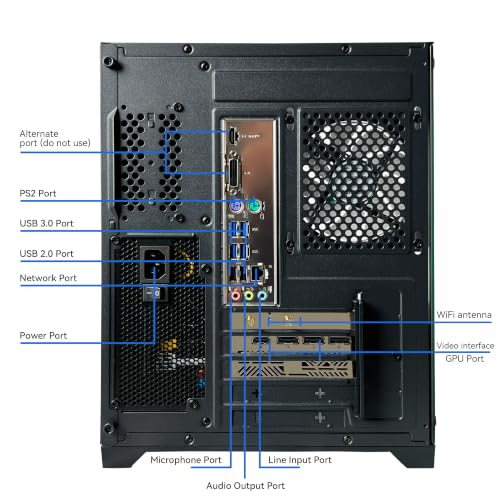
Ports can save time. A video editor may need an external SSD, camera card reader, monitor, headphones, and sometimes a full-size keyboard. Check the current listing for USB, display, audio, and card-reader support before purchase. If a laptop lacks a port you need, include the price of a reliable dock or adapter.
Software support also matters. Check the recommended requirements for Adobe Premiere Pro, DaVinci Resolve, Final Cut alternatives, and any plug-ins you use. Requirements can change with new releases. A laptop that works for simple edits today may feel cramped after you add high-resolution footage, motion graphics, or AI tools.
Finally, compare the full value. A low-cost laptop may look appealing, but a RAM upgrade, external drive, dock, and monitor can raise the total cost. A laptop with 32GB RAM and a 1TB SSD may cost more at checkout yet save upgrades later. I also check warranty terms, return rules, seller details, and the exact configuration on Amazon before I buy.
Final Verdict: Which Should You Buy?
The ASUS ROG Strix G16 is the best overall pick for serious editing because its Core i7 processor and RTX 5060 provide the most power. For balanced value, I prefer the NIMO with 32GB RAM and a 1TB SSD.
Choose the HP models for simple 1080p work and the OmniBook for a sharp touch display. Compare current prices and specifications before buying the Best Laptop for Video Editing for your workflow.
FAQs Of Best Laptop for Video Editing
What is the best laptop for 4K video editing?
The ASUS ROG Strix G16 is the strongest option in this comparison for 4K work because it includes a dedicated RTX 5060 GPU, a Core i7 processor, and a 1TB SSD. Use proxy files when working with very large footage.
Is 8GB RAM enough for video editing?
8GB RAM can handle simple 1080p cuts, but it may feel limited with large timelines, many layers, or several open apps. I prefer 16GB as a practical starting point and 32GB for heavier work.
Is a dedicated graphics card important for video editing?
It helps when your editing software supports GPU acceleration. A dedicated card can improve some effects, playback tasks, and exports. Integrated graphics can still suit basic editing and short social videos.
Is a 1TB SSD enough for video editing?
A 1TB SSD gives a useful starting space for software and active projects. Video files fill drives quickly, so I suggest using an external SSD or other backup storage for large footage libraries.
Can I edit videos on an HP 17 Ryzen 5 laptop?
Yes. The HP 17 can suit basic 1080p projects, simple cuts, titles, and short exports. Its 8GB RAM and integrated graphics make it less suitable for demanding 4K work or complex effects.
Should I choose a 2K display or a larger FHD screen?
A 2K screen gives sharper detail, while a 17.3-inch FHD screen gives more physical workspace. Choose 2K for detail and clarity, or choose the larger FHD display if timeline size matters most.